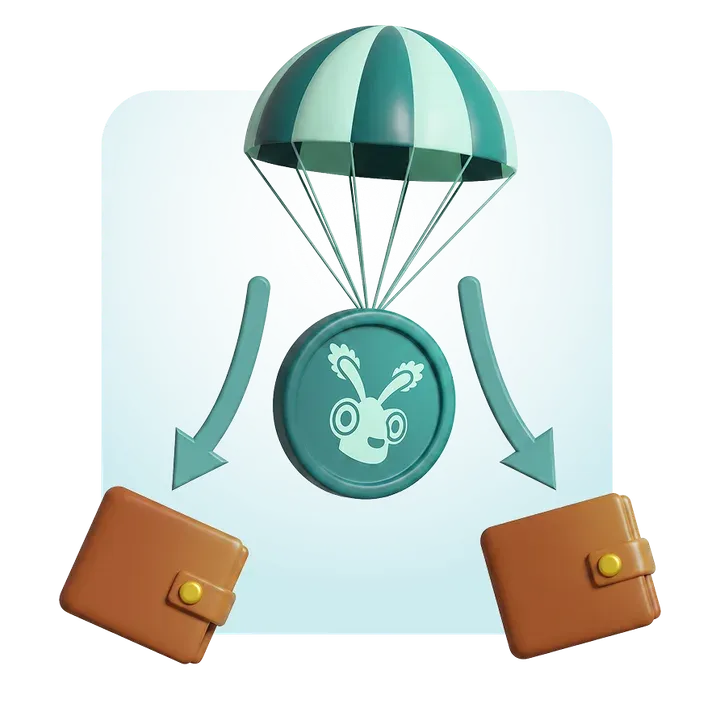
Cómo hacer un Airdrop en Solana sin programar
Si quieres hacer un Airdrop en Solana, es decir, enviar a distintas wallet un Token de la Red de Solana, este post es para ti. Te vamos a enseñar a cómo hacer un Airdrop Solana Token en sólo unos minutos y sin programar ni una sola línea de Código.
Además, podremos hacerlo por un precio de sólo 30 centavos por wallet (que incluye los fees de transacción). Sin más dilación vamos directamente al paso a paso sobre cómo hacer un Airdrop en Solana.
Si lo tuyo son los video tutoriales aquí te dejamos uno:
Airdrop Solana Token paso a paso
Para hacer el Airdrop en Solana vamos a usar nuestra herramienta «Solana Multisender». Básicamente es una dApp que hará el airdrop del token que elijamos a las wallets que elijamos en tan sólo unos minutos.

- Accede a Solana Multisender (https://tools.smithii.io/token-multisender/solana)
- Conecta tu billetera para poder usar la herramienta
- Selecciona tu Token (debes tenerlo en la billetera conectada para que aparezca)
- Selecciona la cantidad que quieres enviar a cada billetera
- Escribe o pega la lista de billeteras (también puedes subir un CSV con la lista de billeteras o activar el snapshot para copiar los holders de otro token).
- Haz click en «Send«, lo cuál abrirá una transacción en tu wallet.
- Acepta la transacción (contendrá el envío de los tokens y el pago de los Fees por transacción).
Tras confirmar la transacción comenzará el airdrop. Veremos cómo progresa hasta que finalice al completo.
Haz un snapshot en el Multisender tool
Al elegir el «Method to load Addresses», puedes añadir el feature de Snapshot NFT Holders o Tokens Holders. Al hacerlo y tras seleccionar cualquier token en la red Solana, automáticamente se pegarán todas las wallets de holders en la lista de Addresses.
Esta opción se complementa a tu estrategia, además de combinarlo con el uso de un Solana Volume Bot, si quieres promocionar tus tokens en el mismo ecosistema o comunidad de otro proyecto. Para conocer más información, te recomendamos nuestro artículo sobre el Solana snapshot tool.
Qué es un Airdrop
Llamamos airdrop o bulksend al envío masivo de tokens a una lista de billeteras. En el caso de airdrops de Solana, nos referimos al Token SOL o a cualquier SPL Token de la Blockchain de Solana.
Es un método de promoción muy utilizado, ya que puedes enviarles tokens a participantes de comunidades u otros proyectos ya establecidos en la red. También puedes crear un claim site sin programar para contar con una página donde otras personas podrán reclamar sus tokens del airdrop.
Ejemplos de esta estrategia se encuentran en proyectos como Jupiter, Marginfi o Kamino. Cada uno consiguió un incremento potencial de su actividad e interacción sin precedentes en muy poco tiempo.
Beneficios de un Airdrop en Solana
Como Solana está repleto de «Degens», cada uno está buscando la oportunidad de «farmear un airdrop», así que cualquiera será atractivo para ellos. Las ventajas de un airdrop en Solana son las siguientes:
- Es una forma muy efectiva y rápida de distribución.
- Incrementa el número de holders.
- Posibilidad de tener un alto alcance.
- Es una manera sencilla de iniciar una campaña de marketing.
- El token se hace viral al tener tantos holders.
De todas maneras, tener una estrategia es fundamental, pues un Airdrop por sí mismo no hará todo el trabajo para que tu token despegue.

¿Cuánto cuesta hacer un Airdrop?
El costo de hacer un airdrop en Solana depende de la cantidad de wallets a las que envíes los tokens y si esas wallets ya tienen el token o no.
Fórmula de cálculo:
(Tool Fee + Transaction Fee) x Wallet amount
donde:
- 0.002 SOL es la comisión de la herramienta utilizada.
- 0.00204 SOL es la comisión de Solana por enviar un token a una wallet que aún no lo tiene.
- 0.00001 SOL es la comisión de Solana si la wallet ya posee el token.
Ejemplo de costos:
Si quieres enviar tokens a 1,000 wallets:
Si ninguna wallet tiene el token aún:
(0.002 + 0.00204) x 1000 = 4.04 SOL
Si todas las wallets ya tienen el token:
(0.002 + 0.00001) x 1000 = 2.01 SOL
Si el 50% de las wallets ya tienen el token y el 50% no:
(500 x 0.00201) + (500 x 0.00404) = 1.005 SOL + 2.02 SOL = 3.025 SOL
Por lo tanto, el costo total dependerá de la cantidad de destinatarios y de si ya poseen el token en su wallet, pero el costo aumenta mucho cuando la wallet no posee el token. Esto indica que recompensar a la comunidad es mucho más barato que hacer promoción a nuevos usuarios.
Cómo llevar a cabo la campaña de Airdrop (Experiencia Personal)
Existen un par de recomendaciones que en base a la experiencia son los que han dado resultados para llevar adelante campañas de airdrops:
Crear expectativa previa: Anuncia el airdrop con una fecha específica. Pon un conteo regresivo de 7 días en Twitter y Discord, y durante ese tiempo, cada día suelta un pequeño adelanto o meme relacionado. La gente ama el hype. Puedes ver el caso de Pengu’s, que habrá sido uno de los airdrops más importantes en 2024.
Recompensa a la comunidad real: Pide a los interesados que hicieran mínimas interacciones (like + retweet + suscribirse al Discord). Así filtré gente más genuina. No es 100% infalible, pero se notó el cambio en la calidad de holders.
Entrega de tokens sin líos: Usé una plataforma no-code (Smithii). Literalmente conecté la wallet, pegué la lista de direcciones y aprobaba la transacción. Ni una línea de código. Me ahorró dolores de cabeza.
Gamificación post-airdrop: Ofrece sorteos semanales (pequeños bonus de tokens) y hasta un giveaway de NFT para quienes mantengan los tokens durante cierto periodo. Funciona mejor que soltar los tokens y cruzar los dedos.
Maximiza la difusión: Convencé a un par de influencers cripto de hacer un tweet sobre el airdrop a cambio de un % de tokens (ojo con la inflación).
Mantén vivo el proyecto: Después del airdrop, comparte un roadmap o meta concreta. No hay nada peor que regalar tokens y dejar a la gente colgada, sin idea de a dónde va el proyecto.
Eso es básicamente lo que a mí me funcionó para crecer la base de holders y evitar que el token se devaluara demasiado.
¿Es seguro hacer un Airdrop con esta herramienta?
Además, la herramienta en ningún momento tendrá acceso a tus tokens, NFTs, etc. Simplemente te solicitará aceptar la transacción con los tokens necesarios para el airdrop. Por lo que tus activos estarán a salvo.
También nuestro Smart Contract está auditado por diferentes desarrolladores, por lo que no tienen ningún riesgo.
Para qué se usan los Airdrops en Solana
¿Para qué se usan los Airdrops en Solana?
Los airdrops en Solana pueden tener varios propósitos dentro de un proyecto o comunidad cripto. Entre los más comunes se encuentran:
- Revenue Sharing: Repartir parte de las ganancias o de los ingresos del proyecto entre los holders.
- Promoción: Atraer nuevos usuarios y generar visibilidad sobre el proyecto, recompensando la participación inicial.
- Whitelist: Seleccionar e incentivar a usuarios fieles para participar en lanzamientos o preventas exclusivas.
- Reembolsos: Devolver fondos a usuarios a los que se les deba una compensación.
- Pagos: Realizar pagos masivos a colaboradores, proveedores o miembros de una dApp, esto es muy usado por empresas.
Preguntas Frecuentes sobre Airdrops
A continuación te dejo unas preguntas más que pueden resolver tus dudas antes de ponerte a hacer un Airdrop en Solana:
¿Cuál es el mínimo de SOL que necesito en mi billetera para costear los fees?
Depende de cuántas direcciones incluyas en el airdrop. Para un grupo pequeño (por ejemplo, 100 wallets), suele bastar con 0.2 SOL.
¿Cuántas direcciones puedo cargar de una sola vez?
Smithii pegar una lista extensa de direcciones o subirlas mediante un archivo CSV.
¿Qué pasa si la wallet de un usuario no tenía el token previamente?
Al enviarle un token por primera vez, se crea automáticamente la cuenta asociada (ATA) en esa wallet. Esto incrementa ligeramente los costes de envío, pero la dApp lo gestiona por ti.
¿Puedo limitar la cantidad de tokens que cada wallet recibe?
Sí. Smithii permite que
¿Qué hago si subí direcciones repetidas o erróneas?
Respuesta: Antes de lanzar el airdrop, revisa la lista y elimina duplicados. Muchas plataformas marcan automáticamente las direcciones inválidas (“malformed wallets”) y te permiten corregirlas antes de proceder.
¿Puedo probar mi airdrop antes en una red de pruebas (Testnet/Devnet)?
Sí. Para no gastar SOL real, puedes usar la testnet o la devnet de Solana. Puedes utilizar Solana Faucet para ello.
¿Cómo compruebo si el airdrop se realizó correctamente?
Cada transacción genera un enlace en SolScan. Desde ahí, puedes verificar a qué direcciones se enviaron los tokens y cuántos recibió cada wallet en concreto.
¿Hacer un Airdrop es lo mismo que hacer Bulksend de tokens?
Sí, es exactamente lo mismo.
Conclusión
Hacer un Airdrop es útil para el marketing y el crecimiento de nuestro proyecto NFT. Hay que tenerlo siempre presente como un método y mucho más si disponemos de una herramienta que no nos pone barreras, sino que nos lo facilita.
Gracias por leernos, recuerda suscribirte a nuestra newsletter para recibir contenido para Creadores NFT cada semana.

CEO y Co-Founder de Smithii. Construyendo en Solana desde 2021 y compartiendo lo aprendido en el camino. También founder de Lince tras años invirtiendo en DeFi.