

How to Make Private Transactions on Sui: A Guide Using Mixoor
Making private transactions on Sui is no longer exclusive to third-party protocols: the Sui team has announced native confidential transfers in public beta. If on-chain privacy matters to you, the key detail is knowing exactly what this native integration hides and what it still leaves exposed.
This article breaks down exactly what Sui’s native beta delivers for private transactions and when it actually holds up. It also walks you through how to use Mixoor on Sui, step by step: a tool that keeps your transfers secure, private, and unlinked.
If you’re coming from other ecosystems, the logic is the same as what we covered in our guides on Ethereum Mixer and Solana Mixer, adapted to Sui’s transaction model and its standard token.
Why Private Transactions on Sui Matter
Sui, like any public blockchain, makes the full transaction history visible to anyone who wants to look. That’s fine for audits, but a real problem for plenty of legitimate privacy needs: a treasury moving funds to a vendor, a founder drawing a SUI salary, an OTC deal between two wallets that don’t want to expose the amount, or just a user who’d rather keep their balance and payments off the public record.
The problem with full transparency is that one labeled wallet pulls the rest along with it. Once someone links an address to you, they can map counterparties, amounts, and spending patterns without your consent. Private transactions on Sui aim to fix exactly that, and there are two clear paths available right now: Sui’s native beta and mixers like Mixoor.
How to Make a Private Transaction on Sui with Mixoor, Step by Step
The process is straightforward and doesn’t require installing anything extra beyond a Sui-compatible wallet. Once you’re on the Mixoor platform for Sui, follow these steps:
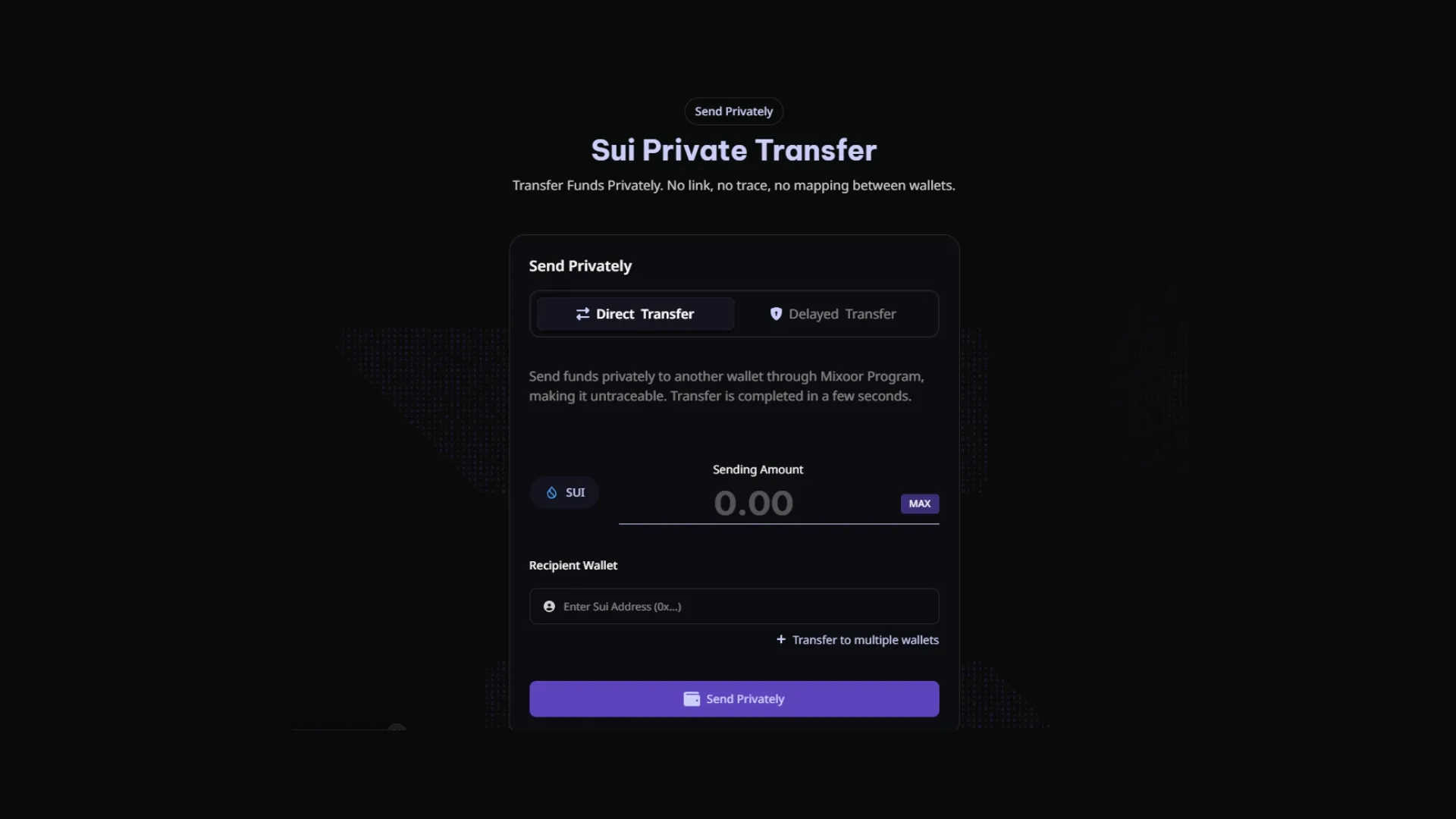
- Connect your Sui wallet (Sui Wallet, Suiet, Phantom with Sui enabled, or any other compatible option).
- Select the amount of SUI (or a compatible token) you want to transfer privately.
- Enter the recipient wallet. Ideally, use a fresh wallet or at least one with no transaction history linked to the sending wallet. You can also add multiple destination wallets to split a single private transfer.
- Confirm the transaction in your wallet. Mixoor handles the mechanics that sever the on-chain link between the two addresses.
- Receive the funds in the destination wallet. From an outside observer’s perspective, the two transactions have no direct on-chain connection.
How Much Does Mixoor on Sui Cost?
Unlike other zero-knowledge protocols, Mixoor charges just a 0.15% fee on the amount transferred, which is less than half the typical rate. On top of that, you’ll also pay the network’s gas fee, though those amounts are generally negligible for the overall process.
Sui’s Native Beta for Confidential Transfers
Sui officially announced Confidential Transfers on its blog as a native implementation in public beta, initially available on Devnet with a Testnet launch planned for later. The feature is designed to make privacy a core part of the protocol itself, not an external layer.
Here’s what it hides and what it doesn’t:
- Hides: wallet balances involved in the transaction and the amounts transferred.
- Does not hide: sender or receiver identity. Both addresses remain visible on the explorer.
- Preserves: auditability by issuers, analytics providers, and authorized regulators, within processes defined by the asset issuer.
That’s great news. A treasury that doesn’t want to reveal how much it paid for a service can now use a Confidential Transfer, as long as it’s fine with the vendor’s identity still being visible. Hiding that connection is only possible with Mixoor.
Mixoor on Sui: What It Does and What Sets It Apart
Mixoor on Sui solves a different problem than the native beta: beyond hiding the amount, it breaks the on-chain link between sender and receiver. Even though both addresses exist, there’s no direct trace connecting them on the Sui explorer. When relationship privacy matters more than just hiding amounts, this is the extra layer you need.
| Feature | Confidential Transfers (Sui native) | Mixoor on Sui |
|---|---|---|
| Hides the transferred amount | Yes | Yes |
| Hides the wallet balance | Yes | No |
| Breaks the sender-receiver link | No | Yes |
| Status | Public beta on Devnet | Live on Sui mainnet |
| Compliance auditability | Yes, via authorized issuers and analytics providers | Connection remains auditable at the forensic level |
| Best for | Amount privacy while keeping identity public | Wallet relationship privacy, OTC, funding separation |
These two tools don’t compete. They solve different layers of the problem. If your treasury only needs to hide amounts, the native beta may be enough once it hits mainnet. If you need no one to be able to map that wallet A sent funds to wallet B, you need Mixoor.
Privacy Best Practices on Sui
Using a protocol like Mixoor isn’t the only way to boost your privacy in the Sui ecosystem. Here are some tips to lock things down even further:
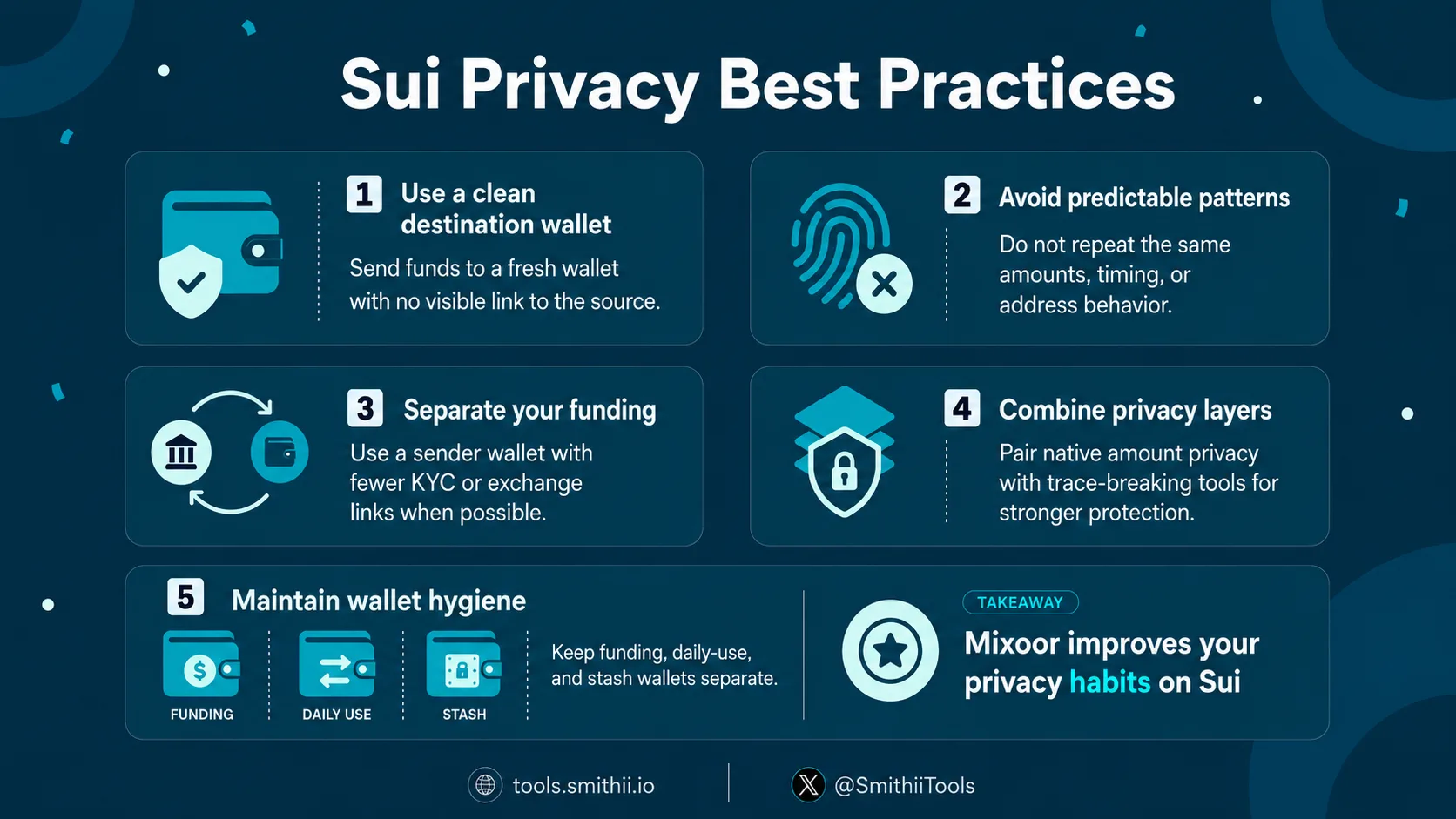
- Clean destination Wallet: the wallet receiving the funds should be new or have no history tied to the sender. Reusing a wallet that already interacted with the origin cancels out a large part of the privacy.
- Avoid predictable patterns: same amounts, same intervals, same addresses. Modern on-chain analytics pick up repeated patterns.
- Separate your funding: the cleaner the sending wallet (no KYC tags, no obvious mixing with centralized exchanges), the better the outcome.
- Consider layering: once Sui Confidential Transfers hits mainnet, combining the native beta to hide amounts with Mixoor to break the trail gives you an extra layer of protection.
- Keep good wallet hygiene: separate funding, daily ops, and your stash across different wallets. It’s the foundation of any serious on-chain privacy.
Is a wallet Untraceable After Using Mixoor on Sui?
The honest answer is no. What Mixoor does is significantly raise the cost of analysis for anyone trying to correlate the two ends of a transaction, to the point where most basic on-chain analytics won’t be able to make the connection. The rule of thumb: Mixoor obfuscates transactions from public view, but the link between wallets remains auditable at a forensic level given enough resources and data.
The actual level of privacy depends on how you use the tool: whether the receiving wallet already had a prior relationship with the sender, whether you’re making identical transactions in predictable patterns, or whether you combine Mixoor with other actions that give you away, among other practices we’ll get into below.
FAQs
What Is Mixoor on Sui?
Mixoor on Sui is the tool that enables private transactions on Sui by breaking the on-chain link between sender and receiver. Unlike Sui’s native beta, which focuses on hiding amounts, Mixoor covers the other side: making it impossible to directly map who sent what to whom.
Is Mixoor.fun Custodial?
Mixoor runs on smart contracts and doesn’t custody your funds the way a centralized exchange would. The interaction is direct between your wallet and the Mixoor privacy protocol.
Does Mixoor Replace Sui’s Native Beta?
No. Sui’s Confidential Transfers and Mixoor solve different problems. The native beta hides balances and amounts while keeping sender and receiver visible. Mixoor hides the relationship between wallets. They can coexist and, in many cases, be combined for a more complete privacy layer.
Is It Legal to Use a Mixer on Sui?
It depends on jurisdiction and use case. Using a mixer to protect privacy for legitimate operations (treasury, OTC, payroll, personal privacy) generally falls within acceptable use. Using it to evade legal obligations or launder funds is a different story and enters sanctionable territory. Intent matters, and so does any documentation trail you maintain off-chain.
Conclusion
Sui has moved in the right direction by integrating Confidential Transfers natively, and that solves one piece of the puzzle: hiding balances and amounts without giving up auditability. For everything else, where you need the wallet relationship to stay off the record, Mixoor steps in as an additional layer built for exactly those cases.
If you’re going to use any privacy tool on Sui, give the same attention to best practices (clean wallets, separated funding, no predictable patterns) as you give to the tool itself. At Smithii we keep building new tools to manage your Web3 identity from every angle.

CEO & Co-Founder at Smithii. Building on Solana since 2021 and sharing playbooks from the trenches. Also founder of Lince after years investing in DeFi.



