

How to Remove a liquidity pool on Uniswap: A Guide for Every Blockchain
When pulling liquidity from a liquidity pool on Uniswap, speed and safety matter. Any delay or slip-up changes the amount you actually withdraw, and obviously, you’ll lose money.
In this guide, we’ll show you how to remove a liquidity pool on Uniswap across multiple blockchains: Ethereum, Base, Polygon, Avax (Avalanche), Blast, Arbitrum, and Monad.
Click the blockchain you want to pull liquidity from on Uniswap and jump straight to the step-by-step.
Things to Consider Before Removing Liquidity from Uniswap
We get it. Pulling liquidity from a liquidity pool on Uniswap can be tricky. Especially because it can seriously hurt your project’s credibility. So even though Smithii guarantees your privacy, removing liquidity should be a decision agreed on with your investors and reserved for cases where funds are actually at risk.
Doing it to keep the money is illegal and unethical, so we strongly advise against ever using it for that purpose (plus, you’d make more money running legit projects). Going that route could bring criminal consequences. Smithii is not responsible for how our tools are used.
Before pulling liquidity from your token on Uniswap, we recommend keeping these points in mind:
- If you just want to fix the launch, you can pull only part of the liquidity instead of the full 100%.
- You don’t need the contract address. Just select the token and you’re good to go.
That said, let’s look at how to remove liquidity across each of Uniswap’s blockchains with 1 click.
How to Remove Liquidity on Uniswap
Now that you have the wallet you used to add the initial liquidity on Uniswap and you hold enough LP tokens to manage the liquidity pool, all that’s left is to pull the funds. Here’s how to do it on each blockchain.
Ethereum Liquidity Pool Remover
Removing liquidity from Uniswap on Ethereum is possible with Ethereum Liquidity Remover. The process is so simple that you don’t need to code, just enter the pool address and pull out the funds you want. Here’s how to do it.
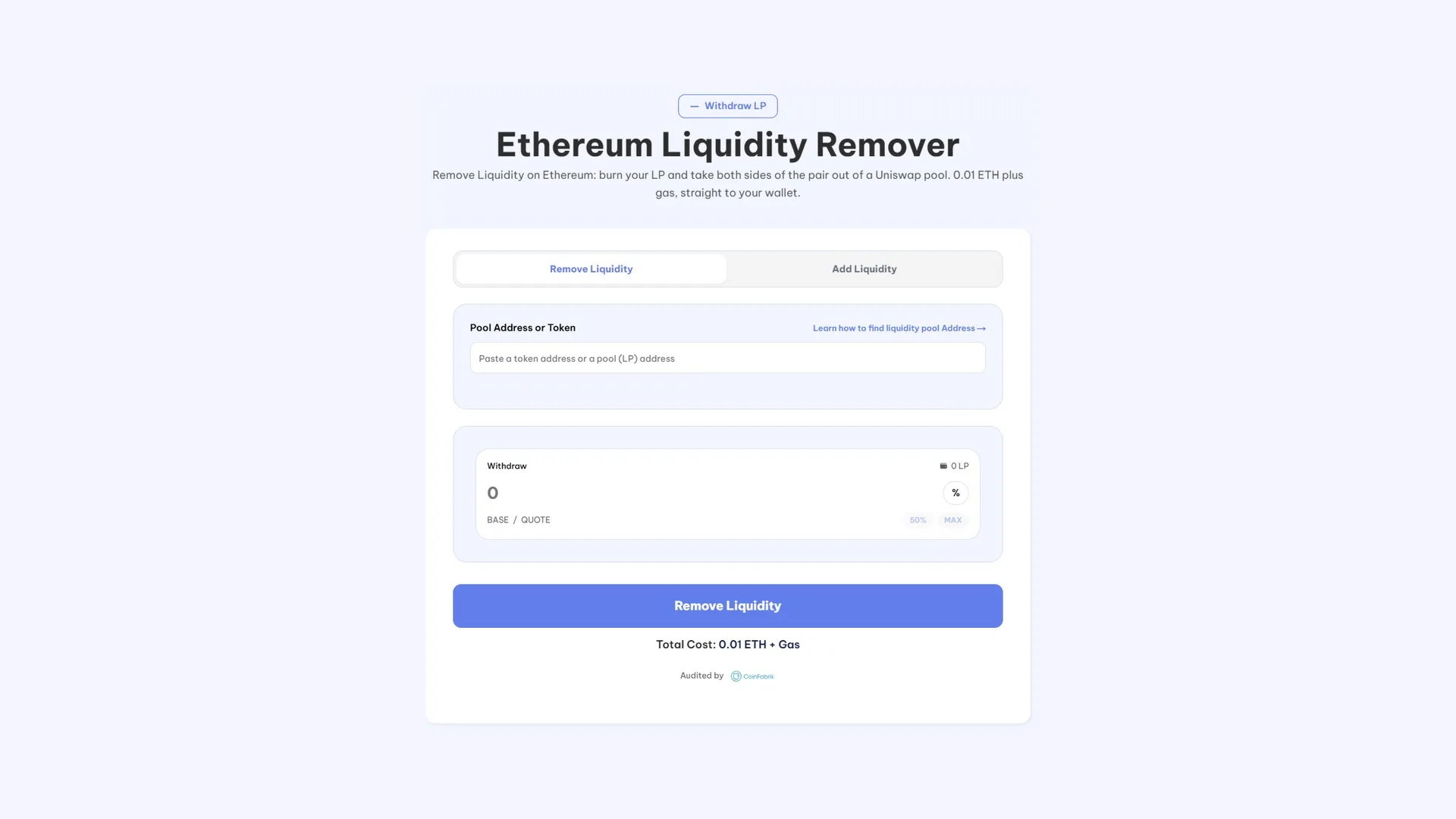
- Connect your wallet, the one holding the LP Tokens that you used to add the initial liquidity.
- Paste in the pool address of the Uniswap liquidity pool you want to pull funds from.
- Set the withdrawal amount. You can hit ‘Max’ to pull the entire reserve.
- Click ‘Withdraw Liquidity’, confirm the transaction, and you’re done. All the funds will show up in your wallet.
The process is very fast, which matters when you want to pull liquidity out of Uniswap as quickly as possible.
Base Liquidity Pool Remover
Now it’s time to pull a liquidity pool on Base from Uniswap using Base Liquidity Remover. Here are the steps to follow.
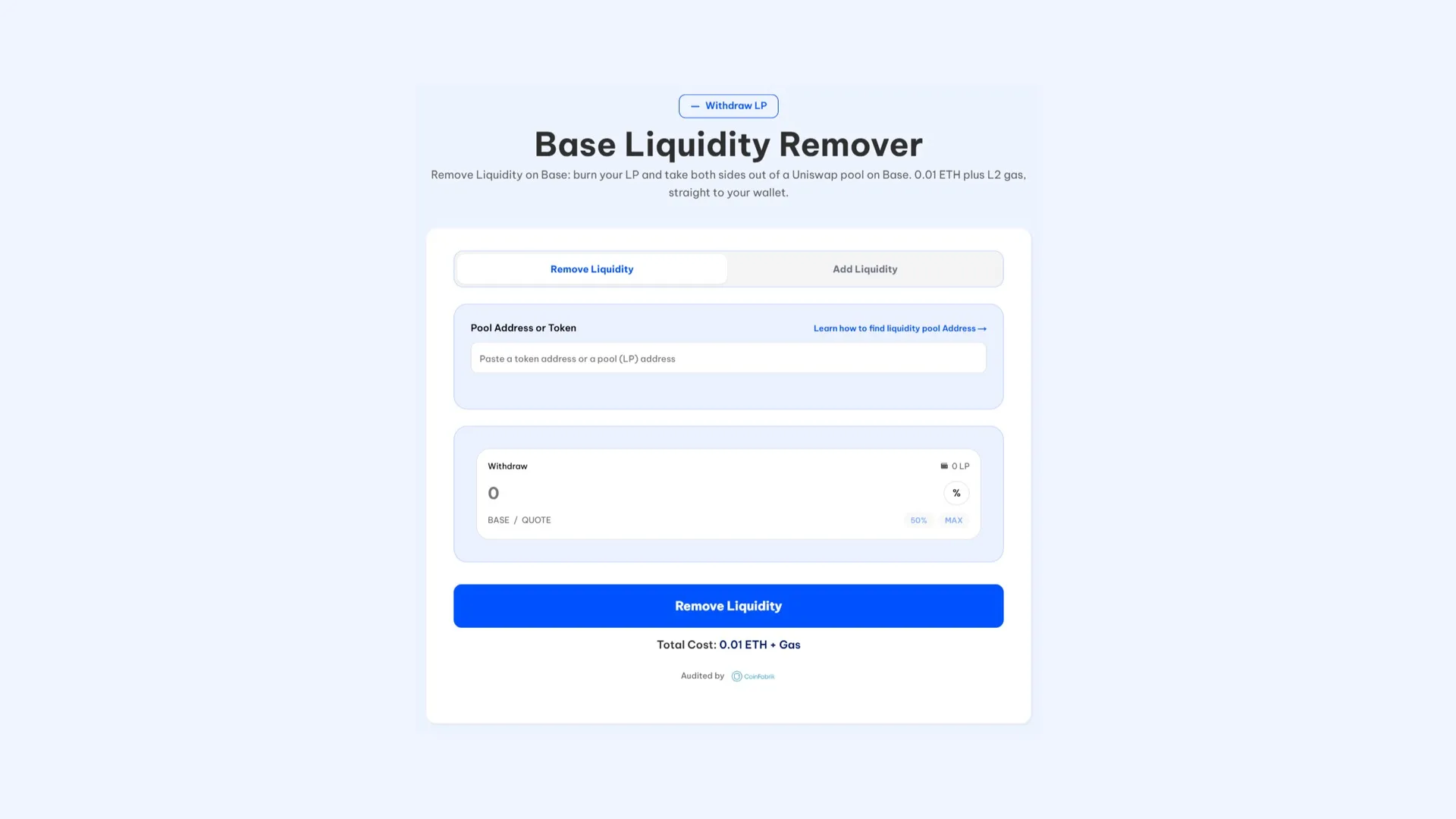
- Connect a wallet compatible with Base. It must hold the LP Tokens you received when creating the liquidity pool.
- Enter the pool address after grabbing it from Basescan.
- Set the amount you want to remove. You can hit ‘Max’ to pull all the liquidity at once.
- Click ‘Withdraw Liquidity’, confirm the transaction in your wallet, and that’s it, you’ve just learned how to pull liquidity from Uniswap on the Base blockchain.
Keep in mind you’ll need Eth to cover the gas fee for the transaction.
Polygon Liquidity Pool Remover
Now let’s walk through how to pull liquidity from Uniswap on the Polygon blockchain. The process couldn’t be simpler when using the Polygon Liquidity Remover. Here’s what you need to do.
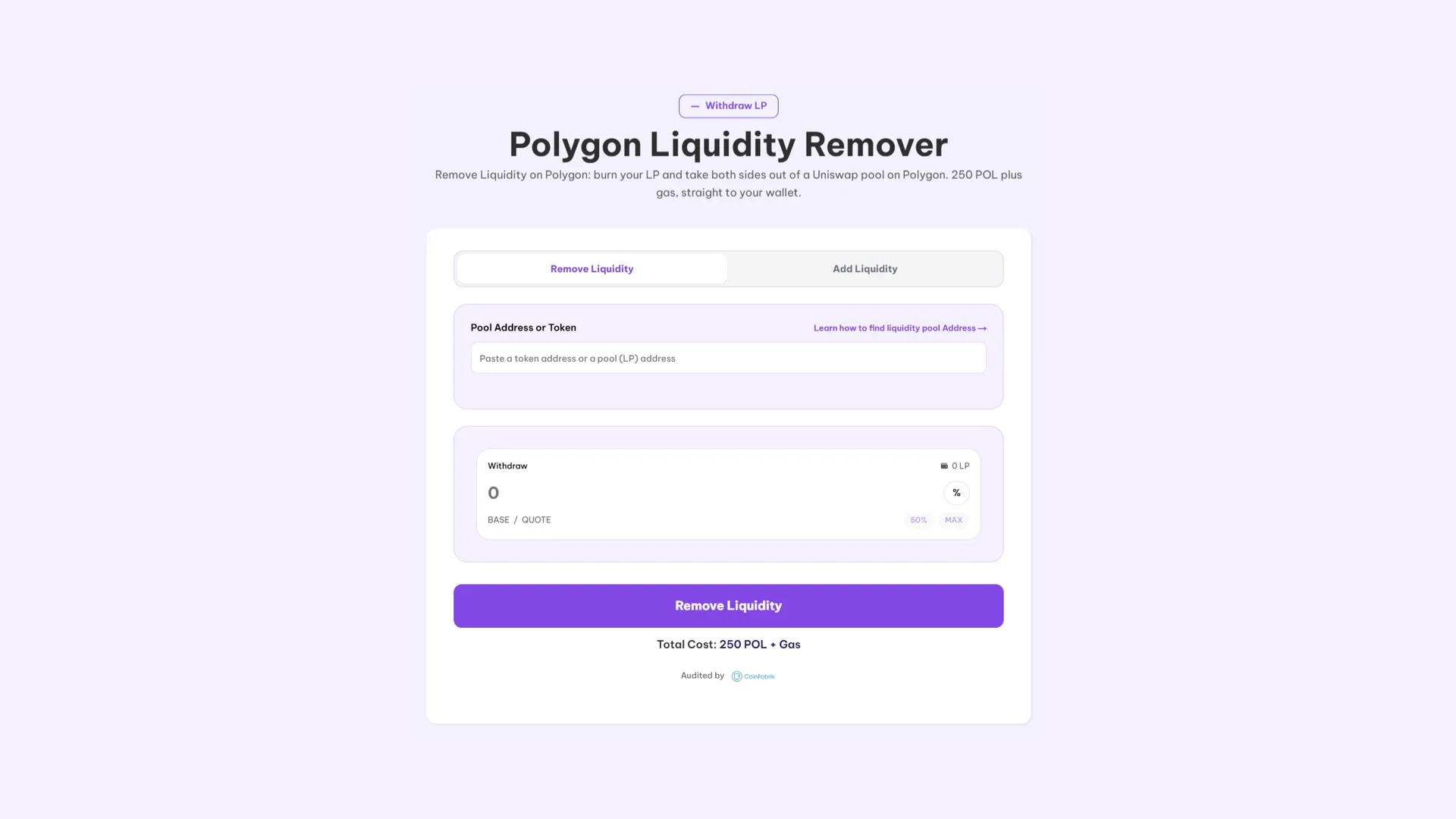
- Connect a wallet Polygon loaded with POL for gas fees and enough LP Tokens to pull funds from the liquidity pool.
- Paste the pool address so the tool can identify the liquidity pool.
- Set the amount of liquidity you want to withdraw. You can hit ‘Max’ to pull the maximum available.
- Click ‘Withdraw Liquidity’, confirm the transaction in your wallet, and you’re done. The funds will land in your wallet.
You can knock this out in under a minute and the order executes instantly, so you’ll have the liquidity back right away.
Avax (Avalanche) Liquidity Remover
Avax, also known as Avalanche, is another blockchain built on Ethereum. Of course, you can also pull liquidity from Uniswap on Avalanche using the Avalanche Liquidity Remover by Smithii. Here’s the step-by-step:
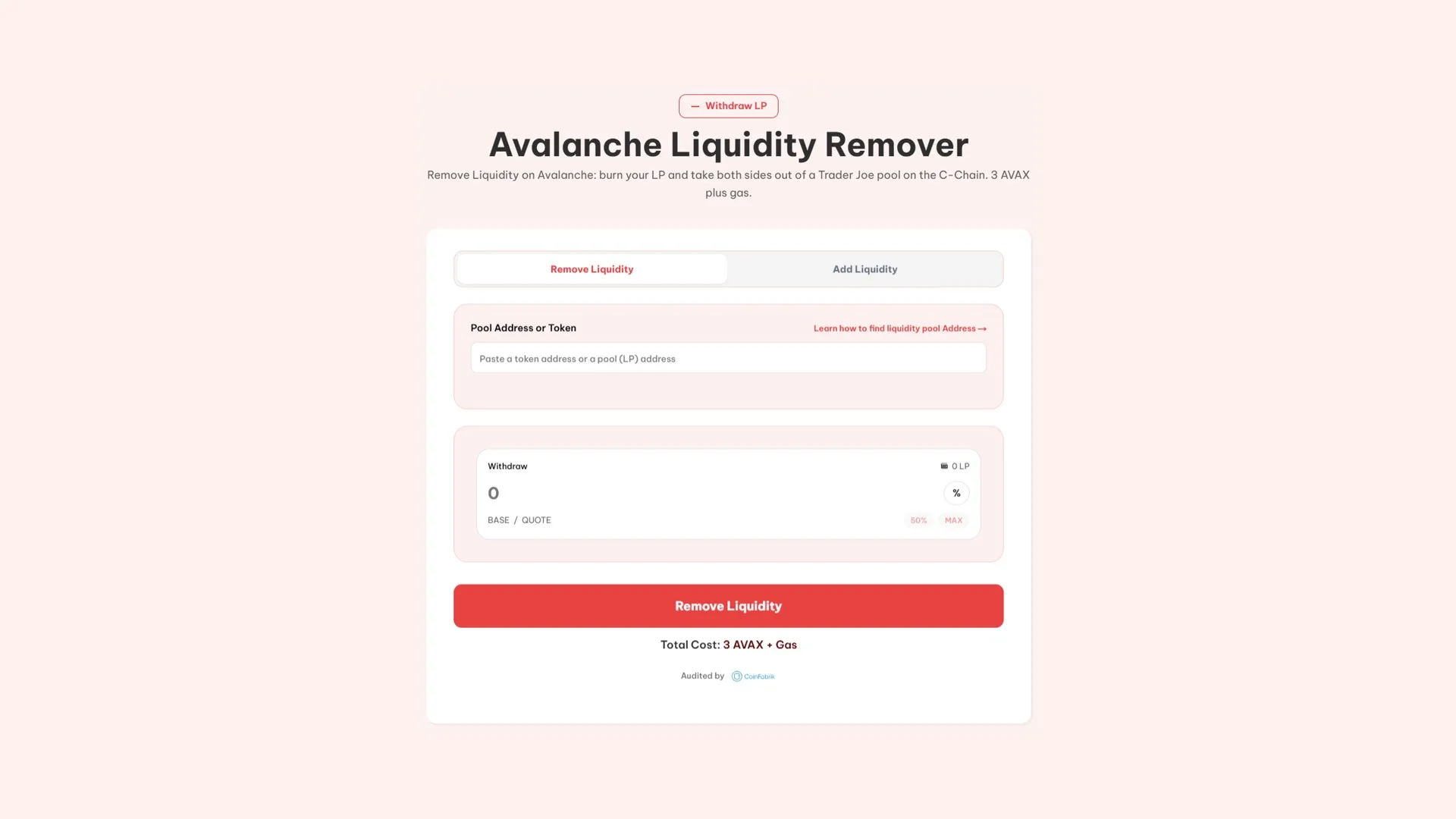
- Connect a wallet with enough AVAX for gas fees and enough LP Tokens to pull funds from the liquidity pool.
- Fill in the pool address field to check the available liquidity.
- Enter the amount in “Withdraw”. You can hit “50%” to pull out half of the liquidity or “Max” to pull it all.
- Click “Withdraw Liquidity”, confirm the transaction in your wallet and that’s it. The funds will show up shortly.
If you want to pull liquidity out of Uniswap fast, we recommend using our tool. It’s the easiest and quickest way to do it.
Blast (liquidity removal guide)
On Blast, the outcome is the same as before: you can pull funds out of a liquidity pool quickly and easily. To do it, use the Smithii tool Blast Liquidity Remover by following this simple guide:
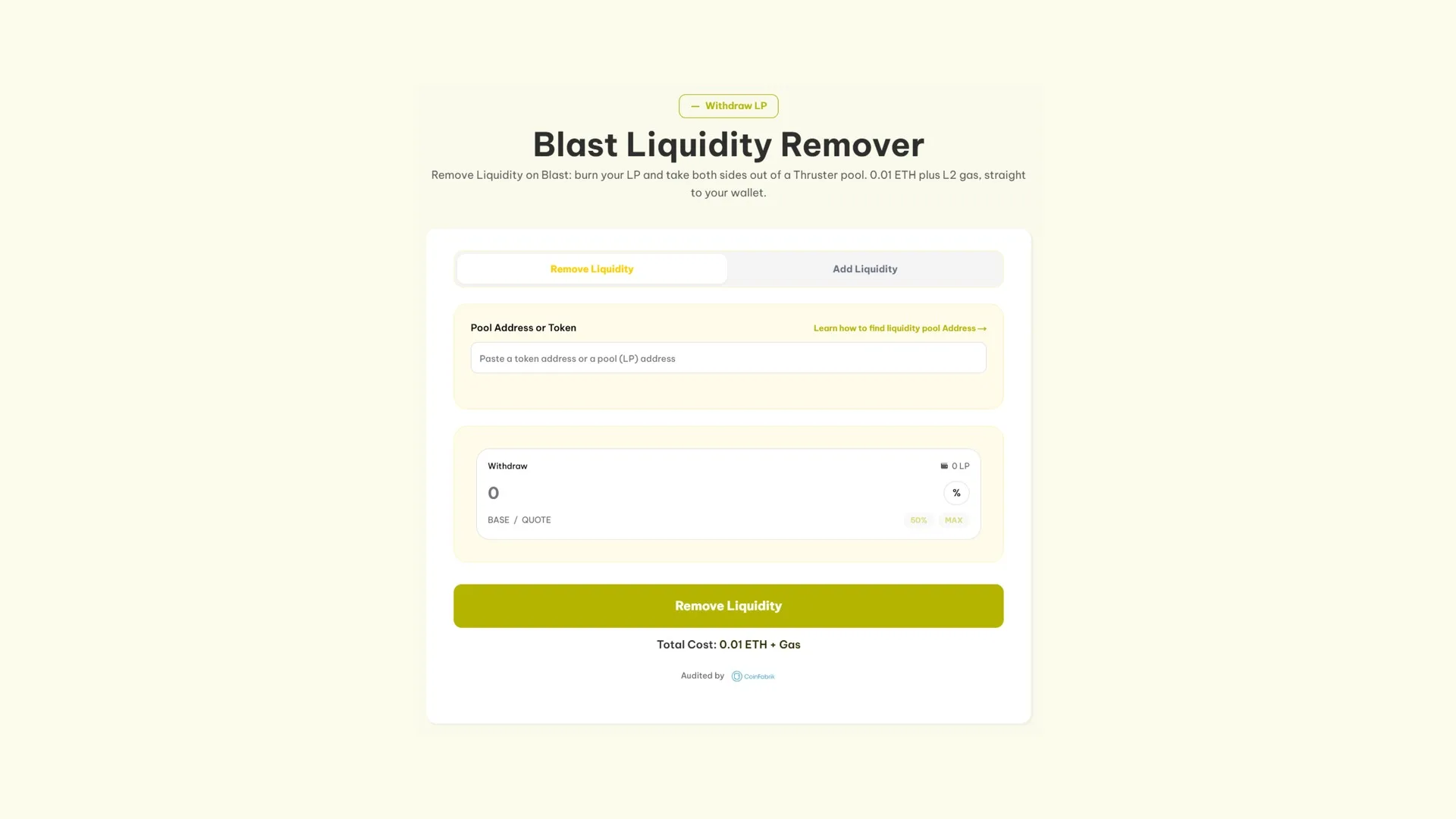
- Connect a wallet with ETH for gas that holds enough LP Token to withdraw a liquidity pool on Uniswap.
- Paste a pool address. Remember, we showed you how to find it at the start of this post.
- Set how much to withdraw in “Withdraw”. You can do it quickly using the quick-select buttons.
- Hit the “Withdraw Liquidity” button, approve the transaction, and in no time the funds will land in your wallet.
The whole process happens in a matter of seconds, which matters if what you want is to pull your funds out as fast as possible.
Arbitrum (remove liquidity)
Arbitrum doesn’t fall behind when it comes to removing liquidity on Uniswap in just a few steps via the Arbitrum Liquidity Remover. All you need is Ethereum to cover the tiny gas fee and LP Tokens in a wallet, along with the Pool Address. Here’s the step by step:
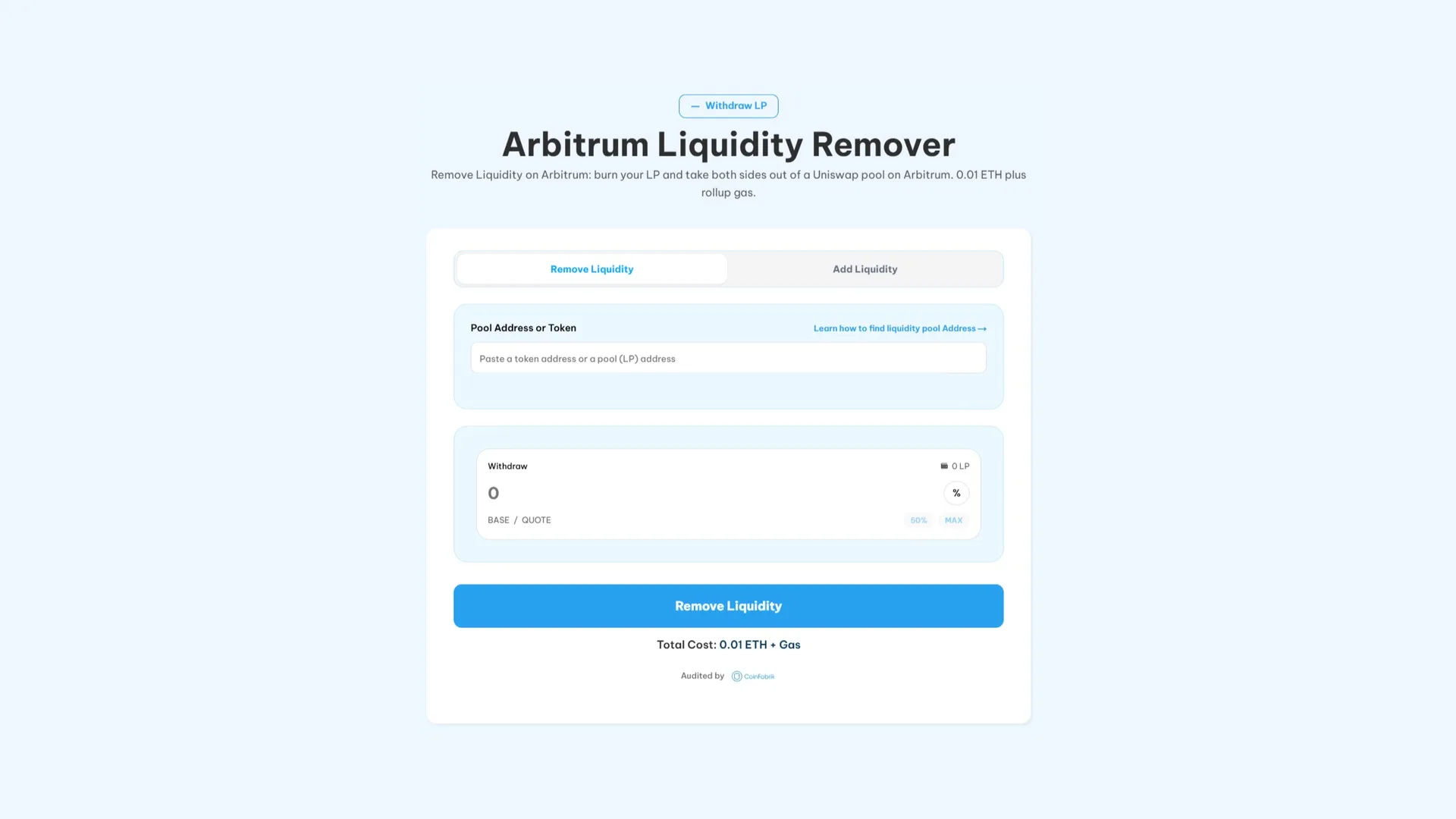
- Connect a wallet with ETH for gas. It must hold the LP Tokens needed to withdraw liquidity from Uniswap.
- Paste the pool address.
- Set how much you’re going to withdraw. You can use the quick-select buttons.
- Hit the “Withdraw Liquidity” button, confirm the transaction in your wallet, and the liquidity will be added right away.
Once all that’s done, you’ll have the liquidity back in your wallet, in just a few seconds, without writing any code, and in a very straightforward way.
Monad Liquidity Pool Remover
Monad pairs live on Uniswap V2, so pulling liquidity works the same as with the rest of the list. It’s done from the Monad Liquidity Remover and you’ll need the LP Tokens in the wallet plus 900 MON for the fee and gas. Here’s the step by step:
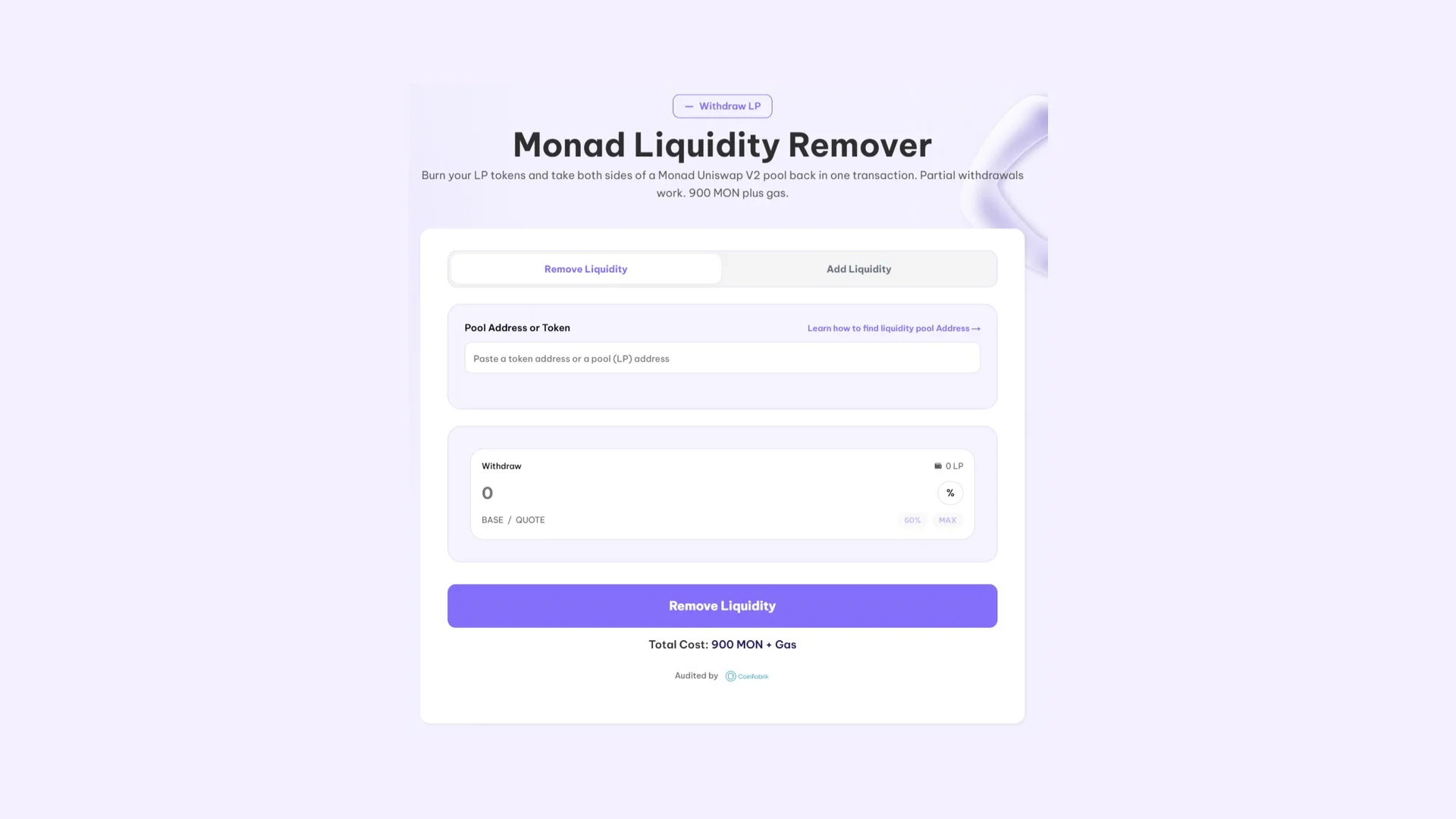
- Connect the wallet that holds the LP Tokens for that pair, with enough MON to cover the operation.
- Paste the pool address or, if you don’t have it saved, the token address itself: the field accepts both.
- Set the percentage you want to pull, with shortcuts for 50% and max if you don’t feel like doing the math.
- Hit “Remove Liquidity” and sign. Both assets in the pair land back in your wallet in the same transaction.
Just like on the other networks, the withdrawal is instant and can be partial. Nothing forces you to drain the whole position at once.
How much does it cost to remove liquidity on Uniswap?
The table below shows the cost of removing liquidity on each blockchain:
| Blockchain | Cost to remove liquidity | Coin |
| Ethereum | 0.01 | ETH |
| Base | 0.01 | ETH |
| Polygon | 250 | POL |
| Avalanche | 3 | AVAX |
| Blast | 0.01 | ETH |
| Arbitrum | 0.01 | ETH |
| Monad | 900 | MON |
Final thoughts
If you’re looking for the fastest way to remove liquidity from Uniswap, Smithii has you covered across multiple blockchains. Before you do it, we recommend announcing the move on the social channels tied to your project. Pulling a liquidity pool out of nowhere can easily be read as a scam or rug.
Feel free to subscribe to our newsletter or check out other guides on our blog. We build effective Web3 solutions anyone can use.
Subscribe and get a free E-Book!
Get our free e-book with every tool you need to launch on Cetus

Need the opposite? Here’s the reverse process, adding liquidity to a Uniswap pool.

Content creator and SEO contributor at Smithii. Systems Engineering student and crypto-tech enthusiast.



