
Bags.fm Bundler Bot: Launch Your memecoin Across Multiple Wallets
If you’re launching a memecoin on Bags.fm, the opening seconds matter more than most founders realize: who buys first, how the holder distribution looks, and how clean the chart reads right out of the gate. Bags.fm is a launchpad on Solana built for creators (with a revenue share on trades), so competition to land in the first block tends to be cutthroat.
With a Bags.fm Bundler Bot, you can launch and execute an initial buy in one coordinated move, spread across multiple wallets, cutting down the edge that sniper bots normally have when racing to front-run your first buy.
In this guide, I’ll walk you through how to use the bundler for Bags and the best strategies to protect your project from snipers. Read it all the way through.
More of a visual learner? Here’s the video:
What Is a Bags.fm Bundler Bot and Why Does It Matter at Launch?
A bundler, in this context, is a way to bundle the key launch actions (token creation + initial buy) so they execute together, with the buy distributed across wallets you control. In practice, this typically translates into a cleaner opening candle and a less concentrated holder distribution from day one.
For a founder, the real value isn’t just doing a pump. It’s about controlling the launch from the start:
- Being the first real buyer so you’re not left at the mercy of snipers or front-runners.
- Avoiding a single wallet ending up as a mega holder at launch, which is always a red flag for incoming buyers.
- Assigning roles by wallet (operational treasury, rewards, liquidity, etc.) from the start rather than figuring it out later. It’s a more advanced approach, but well worth the effort.
Step-by-Step Guide: How to Use the Bags.fm Bundler Bot
To run your memecoin launch bundle without writing a single line of code, head to the Bags.fm tool built by Smithii. Once you’re there, you’ll see an interface like this:
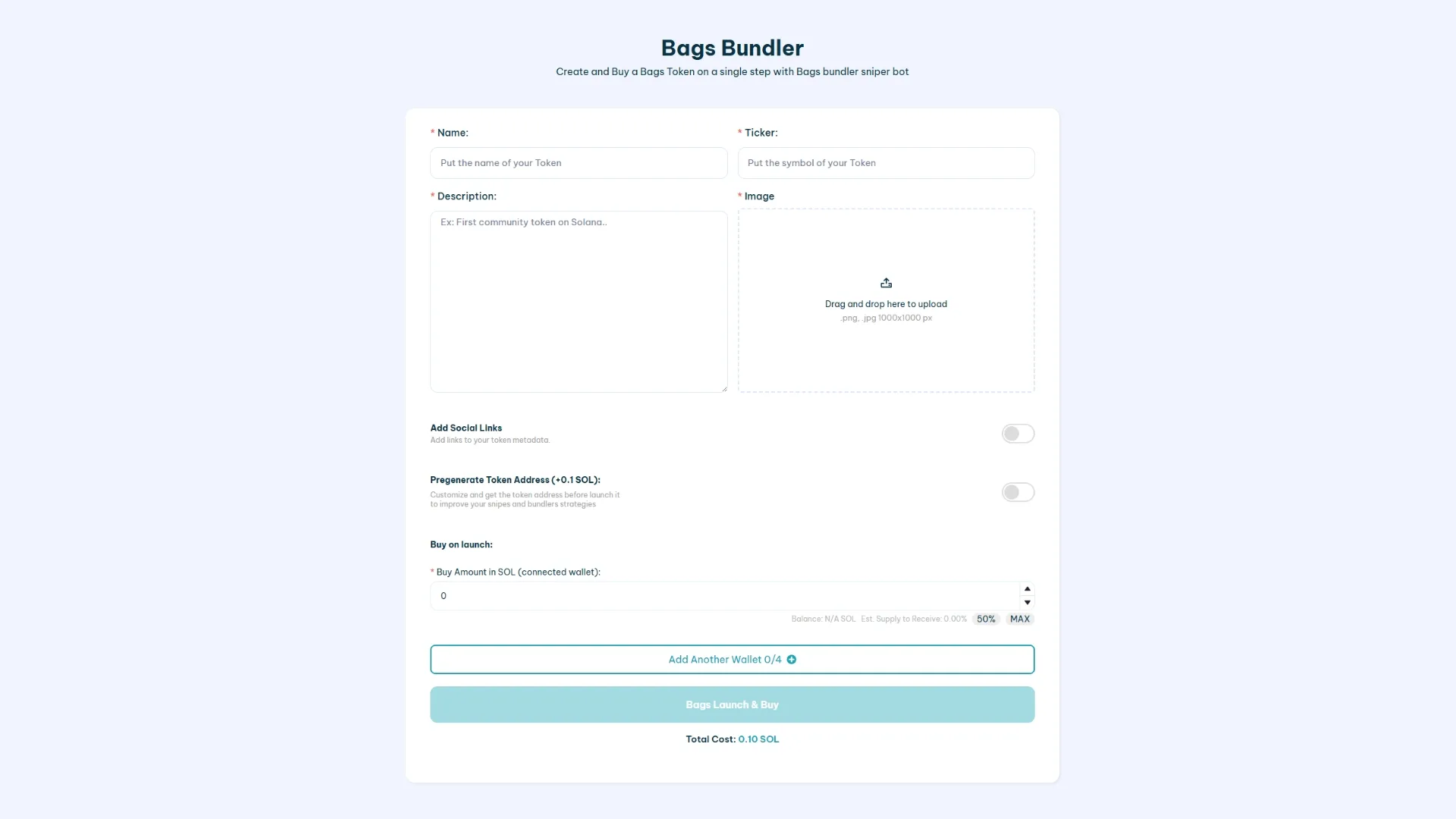
Once you’re there and have connected a wallet compatible with Solana, follow these steps:
- Fill in the token details: name, ticker, description, and image. Come to launch with as much info as you can — social media links included, if you have them.
- Add your wallets: you can include up to 4 (plus the connected wallet). Paste each wallet’s private keys and set how much SOL you want to buy.
- Click “Bags Launch & Buy”: once everything’s set, this will open the transaction in your wallet.
- Sign the transaction and your memecoin will go live: the initial buy will be distributed across the wallets you specified.
The cost to bundle with Smithii is 0.3 SOL + gas fees.
Is the Bags Bundler Bot on Smithii safe to use?
At Smithii, we don’t store any submitted data, so the private keys of the wallets you provide are never saved. Our tools have been audited and we’ve been running for over 3 years. Bags is one of many launchpads our dApps are built around.
Either way, we recommend creating fresh wallets and funding them safely and privately to avoid bubble map linking.
How to sustain activity after launch
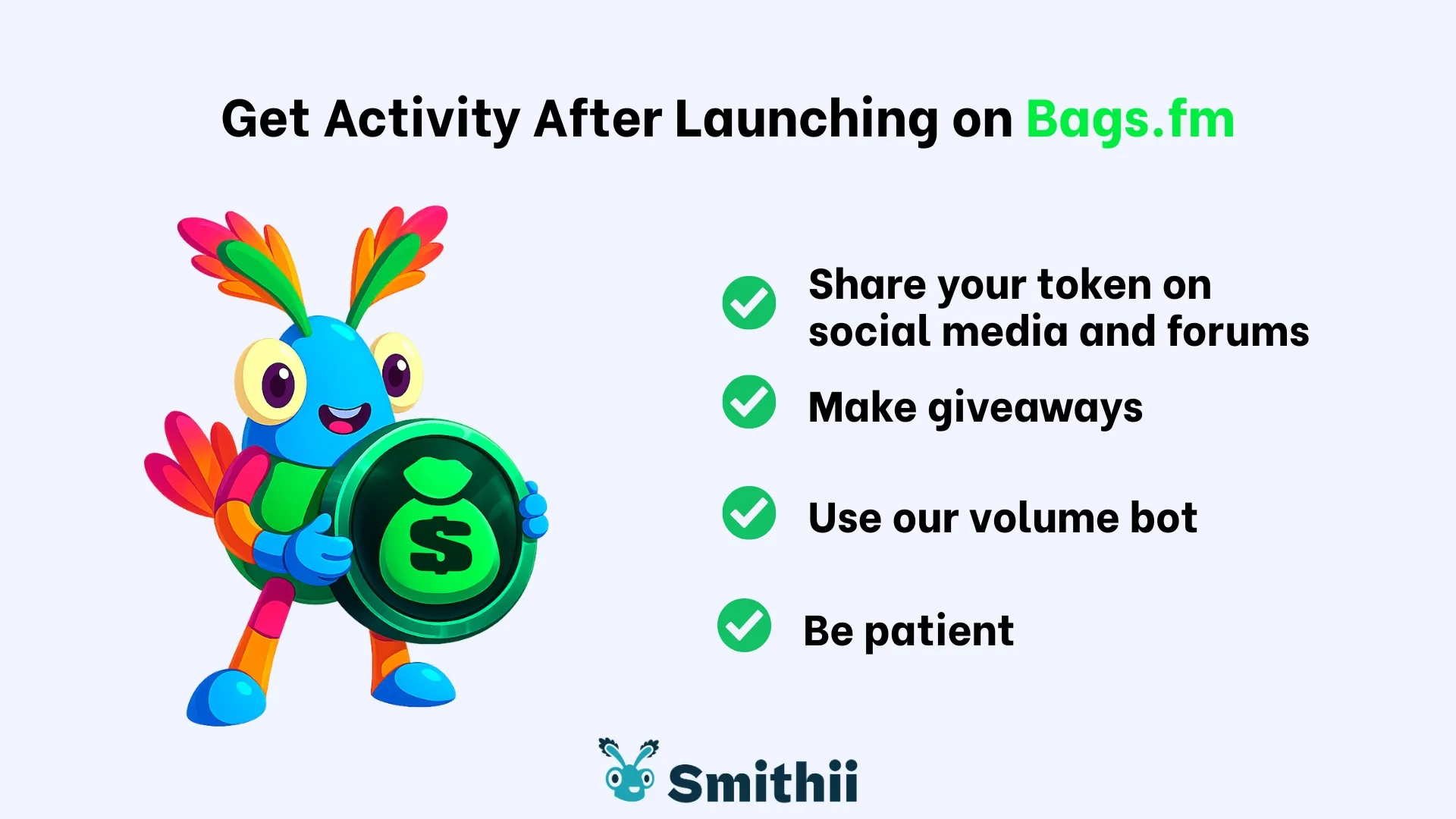
The bundle gets you off the ground, but it won’t sustain activity on its own. If your goal is to improve metrics like makers and volume on Bags.fm, the smart move is to split it into phases: launch first using a bundler bot, then layer in automated tools to support organic activity.
A common approach is pairing it with a Bags-specific volume bot. Here’s a straight-to-the-point guide: Bags Volume Bot.
FAQ
Using a bundler on the Bags launchpad is straightforward. That said, based on what we consistently hear from users, a few questions tend to come up early on. So I’ve pulled together the most common ones and answered them right here.
How many wallets should you use in a Bags.fm bundle?
It depends on your distribution goals. The core idea is to avoid heavy liquidity concentration at launch and assign wallets with clear, distinct roles (operations, rewards, dev wallet, etc.).
How do I import my dev wallet into my Bags.fm account?
If your dev wallet is different from the one linked to your Bags account, you’ll need to import it to see the memecoins you create with the bundler bot. Go to Settings > My Wallets > Import, paste your wallet’s private key, and the tokens you’ve created will be assigned to it automatically.
Can I create a meme coin directly on Bags.fm?
Yes, and you can also make an initial buy (with a single wallet). For a full walkthrough, check out our guide to launching a meme coin on Bags.fm.
Does the Bags.fm Bundler Bot fully block sniper bots?
sniper bots will still show up, but they’re far less likely to target your token. This tool lets you bundle your launch with an immediate buy, putting you in a stronger position against bots racing to land the first buy.
Conclusion
The Bags.fm Bundler Bot is a practical way to launch your memecoin on Bags.fm with an immediate buy spread across multiple wallets, giving you a more controlled start and less exposure to snipers.
If you need to boost activity signals later, pair it with dedicated tools (like the volume bot) rather than trying to handle everything in a single move.
If you want to explore more pro tools and stay on top of the latest updates, visit our blog and subscribe to the newsletter below.
Content creator and SEO contributor at Smithii. Systems Engineering student and crypto-tech enthusiast.



