

Burn Liquidity Pool Token on Solana in 5 Steps
If you want a successful launch for your token or meme coin on Solana, you need to burn the Liquidity Pool to maximize your participation in DeFi.
If you want to burn a Liquidity Pool for Solana, or burn the Token Pair for Liquidity Pool, trust is everything. You need to earn investor confidence. Running a serious project keeps users from labeling you a scammer or a rug pull. Transparency and trust are the foundation of this process.
If you don’t burn the Liquidity Pool, pulling funds at any time stays trivially easy. That’s exactly what happens in most rug pull.
How to Burn Liquidity Pool Token on Solana in 5 Steps
Once the Liquidity Pool is created, creators receive a token pair or token liquidity tokens. Liquidity lets other users buy and sell. At this point, creators have three options: Burn them, Use them, or Lock them.
Using them means exactly what was described above, commonly known as a rug pull.
For now, let’s focus on burning. Some chains like Ethereum let you send tokens to a dead address and they vanish, but that’s not how it works on Solana. There’s no “dead address” or “burn address” concept here.
That way, if we’re working with SOL, we need a tool to burn it, like Sol Incinerator. It lets us burn any token, including token. It’s simple. No coding knowledge required. Just follow this walkthrough step by step:
If you want to shrink your token’s supply, here’s how to burn SPL tokens and reduce supply from Smithii.
- First, head over to the official Sol Incinerator page.
- Connect the solana wallet holding the token you want to burn.
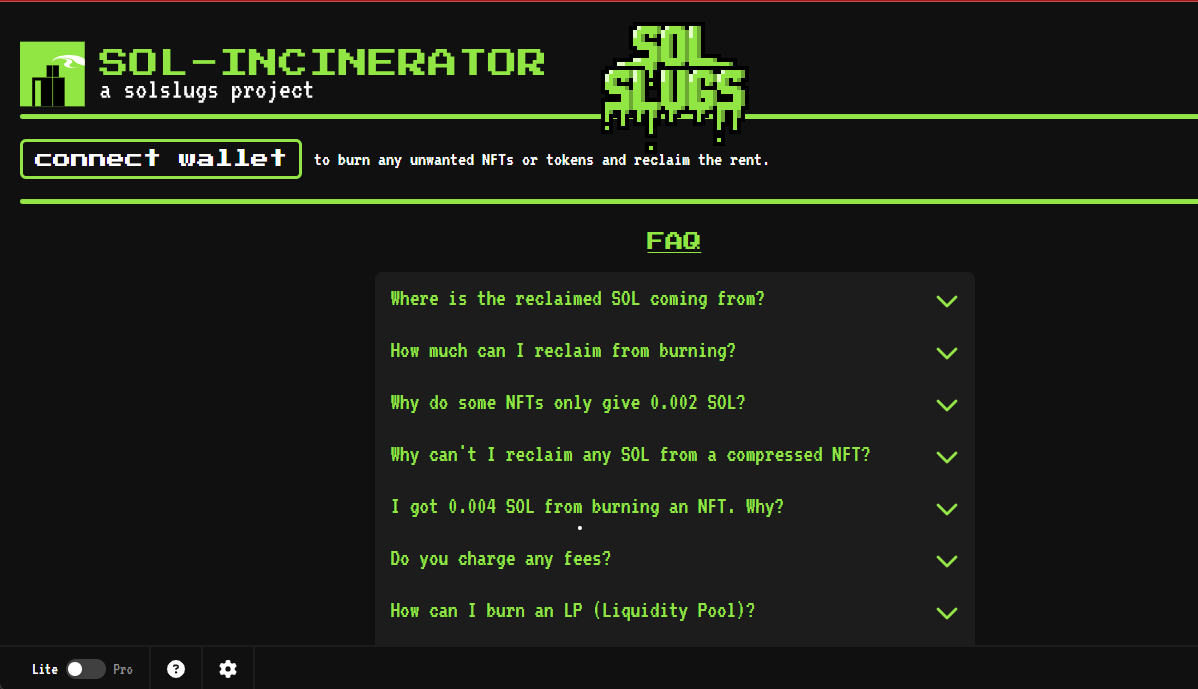
- Next, flip the Lite->Pro toggle (bottom-left corner). Without Pro Mode you can’t burn your Liquidity Pool Solana.
- Once connected, a new screen opens and you need to click the LP column (fifth option).
- Click the Raydium button.
- Pick the token from Liquidity Pool Solana.
- And hit ‘Confirm Burns’.
Benefits of Burning Liquidity Pool Solana
If you want to fight inflation, you need to burn your Token Liquidity Pool Solana. It helps hold or grow the value and build trust, plus a few other upsides like these:
- Reduce the circulating supply of token.
- Boost the value of token, along with efficiency and demand.
- Build long-term trust.
- Improve governance and decision-making.
- Attract more investors.
- Deflationary effect.
To actually unlock this last benefit, the tokens have to be destroyed for real.
Lock Liquidity Pool Tokens Solana
Locking Liquidity Pool Solana is an alternative to burning liquidity: the token can’t be used but they still exist.
Lock Solana Liquidity Token
To lock liquidity on Solana we’ll also use the online tool Solana Token Vesting (https://tools.smithii.io/token-vesting/solana). As we said earlier, locking SPL token liquidity is a must for your project’s credibility:
- Connect your wallet.
- Select the token LP you want to lock.
- Set the lock duration (start date and end date).
- Enter the amount of tokens you’re locking (locking the full amount is recommended).
- Enter the claim URL (if I use ‘smithii’, the claim URL will look like this: https://tools.smithii.io/token-vesting-panel/smithii)
- Configure ‘Add vesting periods’ (optional)
- Set ‘receiver wallets’ (optional)
- Add certificate info (socials and tokenomics, optional)
- Click the ‘Create Vesting’ button
- Confirm the transaction for 0.3 SOL + fees
Once you complete these steps, your Solana liquidity tokens will be locked until the end date, fully visible on-chain. In a few seconds the process wraps up and you’ll see the vesting certificate you can share with your community. This builds trust with investors in you and your project.
Si aún no conoces nuestra tool para crear una Liquidity Pool en Solana entra aquí.
Final Thoughts on Locking or Burning Liquidity Pool on Solana
Burning or Locking your LP liquidity is a move that shows transparency around your token and makes it more attractive to investors, though burning the liquidity token is the stronger option here. These days, Web3 users are unlikely to buy a token or meme coin whose liquidity isn’t burned.
If you want to stay on top of content like this, subscribe to our newsletter to keep up with everything happening in the crypto ecosystem.
Don’t launch your liquidity pool without knowing this!
Get the 5 secrets the big players use to launch a liquidity pool


Java developer and Solana degen. Trader and marketing contributor at Smithii.



