Airdrop कैसे करें: टॉप Blockchains के लिए क्विक गाइड

Airdrops, token creators और blockchain projects के लिए एक ज़रूरी टूल हैं। ये एक साथ कई wallets में tokens distribute करने की सुविधा देते हैं, अक्सर marketing के मकसद से, community rewards देने के लिए या growth बढ़ाने के लिए।

इस गाइड में मैं आपको शॉर्ट और क्लियर तरीके से बताऊंगा कि टॉप blockchains पर airdrops कैसे करें और इनकी लागत कितनी आती है।

Airdrop क्या है?

airdrop एक ऐसा process है जिसमें किसी blockchain पर बहुत सारे wallet addresses को tokens distribute किए जाते हैं। आमतौर पर इसका इस्तेमाल marketing campaigns, community rewards, या किसी project के tokens को incentive के तौर पर बांटने के लिए होता है। सही tools के साथ आप airdrop तेज़ी से, सुरक्षित तरीके से और बिना कोडिंग के कर सकते हैं।

हर blockchain पर Airdrop कैसे करें

नीचे हर blockchain के लिए स्टेप-बाय-स्टेप गाइड दी गई है, जो उसकी specific requirements, tools और costs के हिसाब से customized है।

1. Ethereum

Blockchainलागतटूल
Ethereum0.0001 ETH प्रति wallet + gas fees Smithii Ethereum Multisender
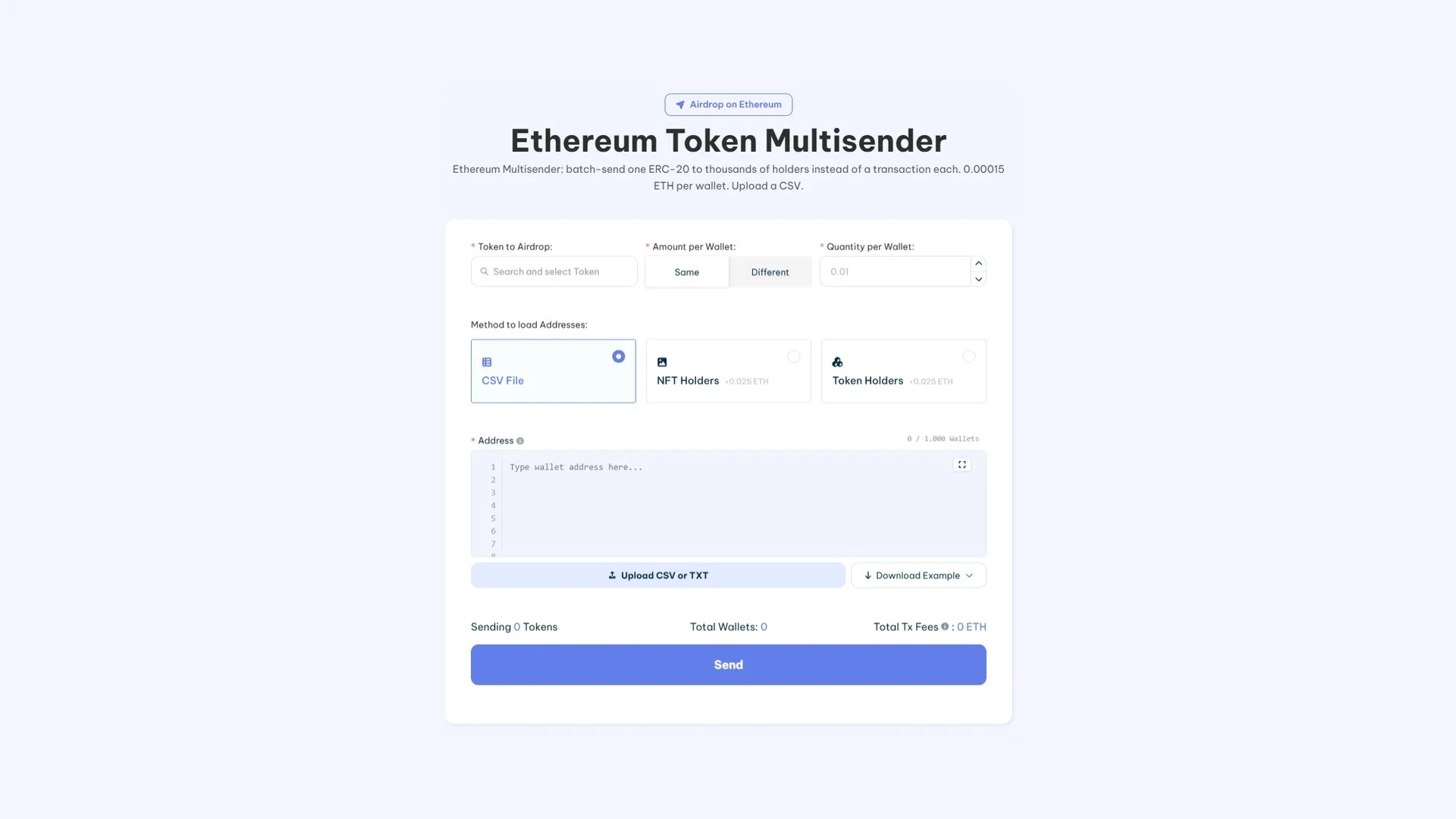
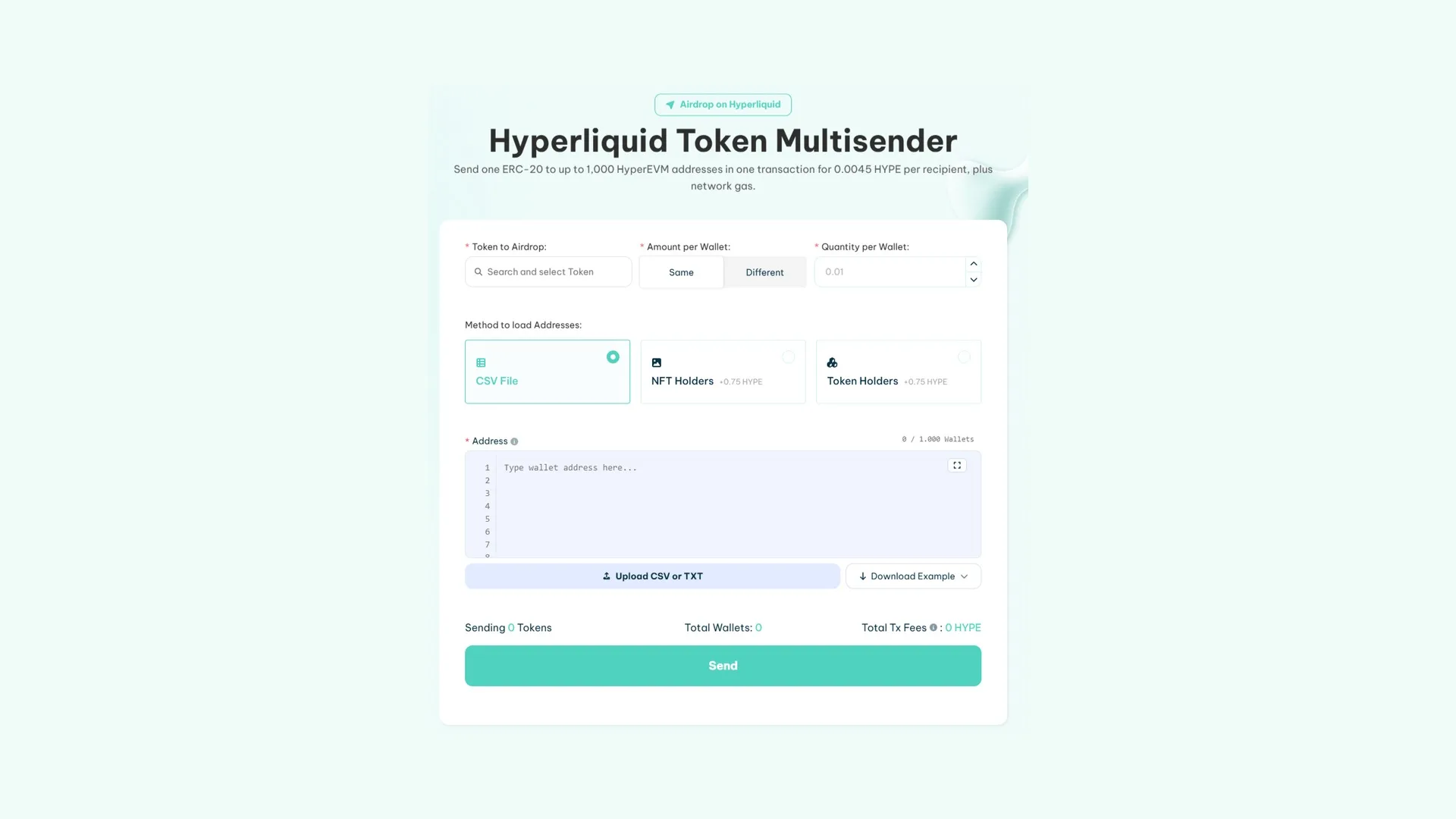
Smithii की मदद से आसानी से airdrop करने के लिए Multisender Ethereum टूल का screenshot
  1. Smithii Ethereum Multisender पर जाकर इस टूल को access करें।
  2. अपना wallet (जैसे MetaMask) connect करें और सुनिश्चित करें कि gas fees और airdrop की लागत के लिए आपके पास पर्याप्त ETH हो।
  3. जो ERC-20 token आप distribute करना चाहते हैं, उसे select करें।
  4. wallets के addresses manually add करें या एक CSV file upload करें।
  5. हर wallet को कितने tokens distribute करने हैं, यह set करें।
  6. Process शुरू करने के लिए “Start Airdrop” पर click करें।
  7. airdrop शुरू करने के लिए अपने wallet में transaction approve करें।
  8. जब tokens distribute हो रहे हों, तब progress पर नज़र रखें।

2. Solana

Blockchainलागतटूल
Solana0.001 SOL (tool fee) + 0.00204 SOL प्रति wallet Smithii Solana Multisender
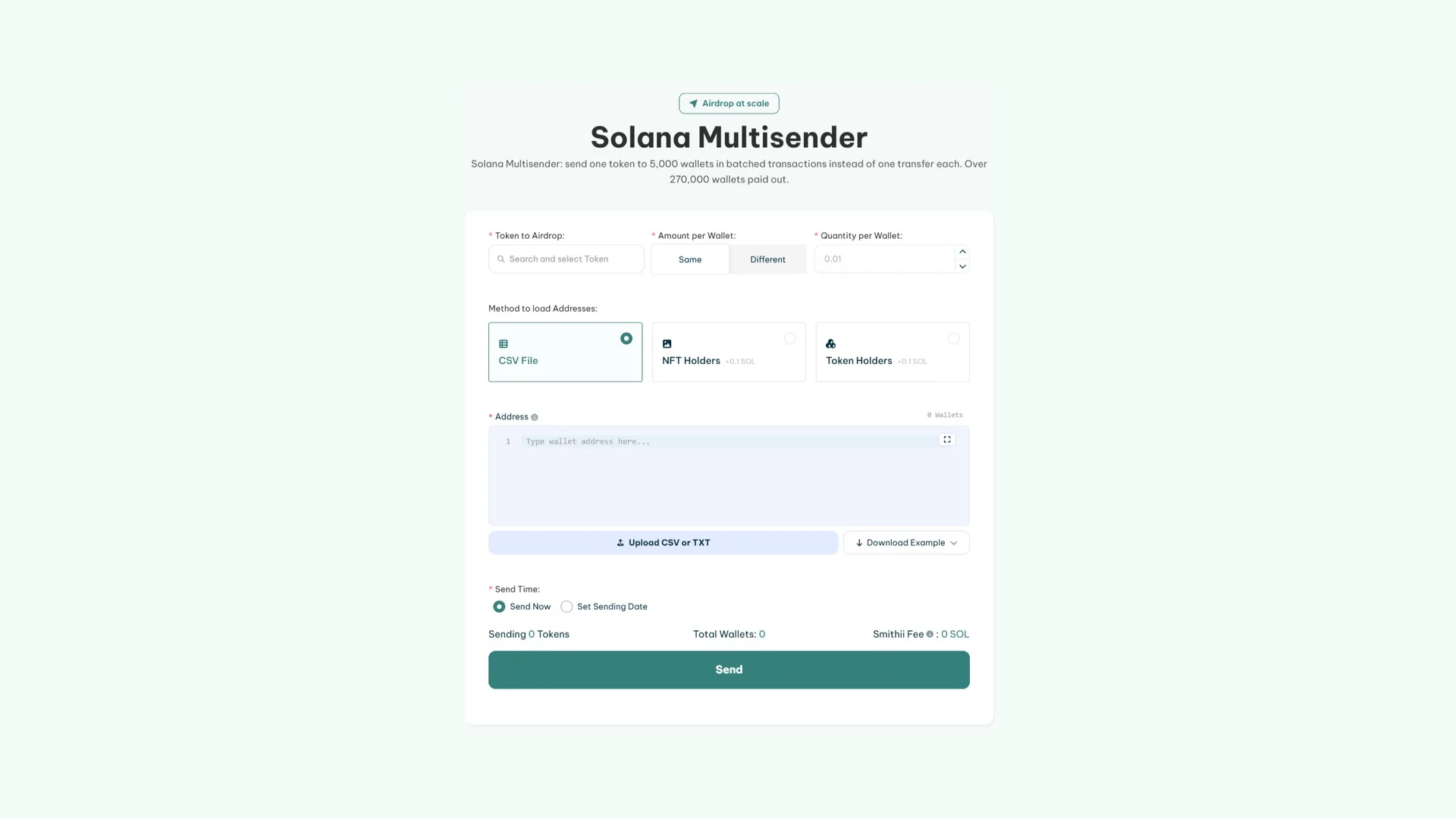
तेज़ी और आसानी से airdrop करने के लिए Solana Multisender Smithii टूल
  1. Smithii Solana Multisender पर जाकर इस टूल को access करें।
  2. अपना वो wallet (जैसे Phantom) connect करें जिसमें वह SPL token हो जिसे आप distribute करना चाहते हैं।
  3. अपने wallet में मौजूद list से token select करें।
  4. हर wallet को कितने tokens मिलेंगे, यह specify करें।
  5. Wallet addresses को manually add करें या CSV file upload करें। Tool malformed wallets को identify कर देगा ताकि आप उन्हें ठीक कर सकें।
  6. Transaction शुरू करने के लिए “Start Airdrop” पर click करें।
  7. Process शुरू करने के लिए अपने wallet में transaction को approve करें।
  8. airdrop complete होने तक progress को monitor करें।

3. Base

BlockchainCostTool
Base0.0001 ETH प्रति wallet + gas fees Smithii Base Multisender
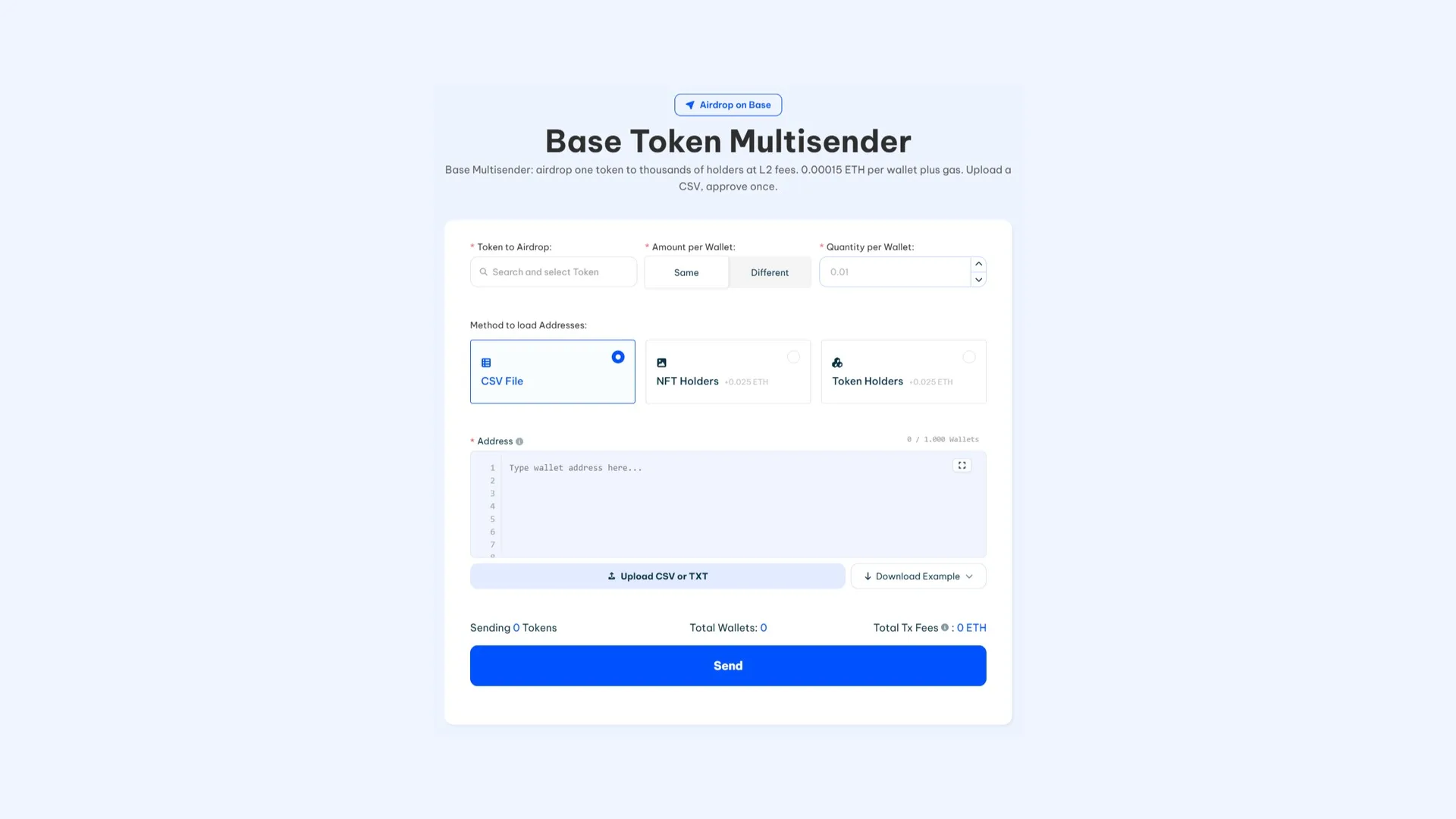
Smithii के Base Multisender tool से Base Airdrop करते हुए, interface screenshot
  1. Smithii Base Multisender पर जाकर tool access करें।
  2. अपना wallet (e.g., MetaMask) connect करें और सुनिश्चित करें कि उसमें distribute करने वाला token मौजूद है।
  3. वह token select करें जिसे आप भेजना चाहते हैं।
  4. Wallet addresses को manually add करें या CSV file upload करें।
  5. प्रत्येक wallet के लिए distribute होने वाले tokens की quantity set करें।
  6. Transaction generate करने के लिए “Start Airdrop” पर click करें।
  7. Process शुरू करने के लिए अपने wallet में transaction approve करें।
  8. airdrop complete होने तक progress को monitor करें।

4. Polygon

BlockchainCostTool
Polygon0.5 MATIC प्रति wallet + gas fees Smithii Polygon Multisender
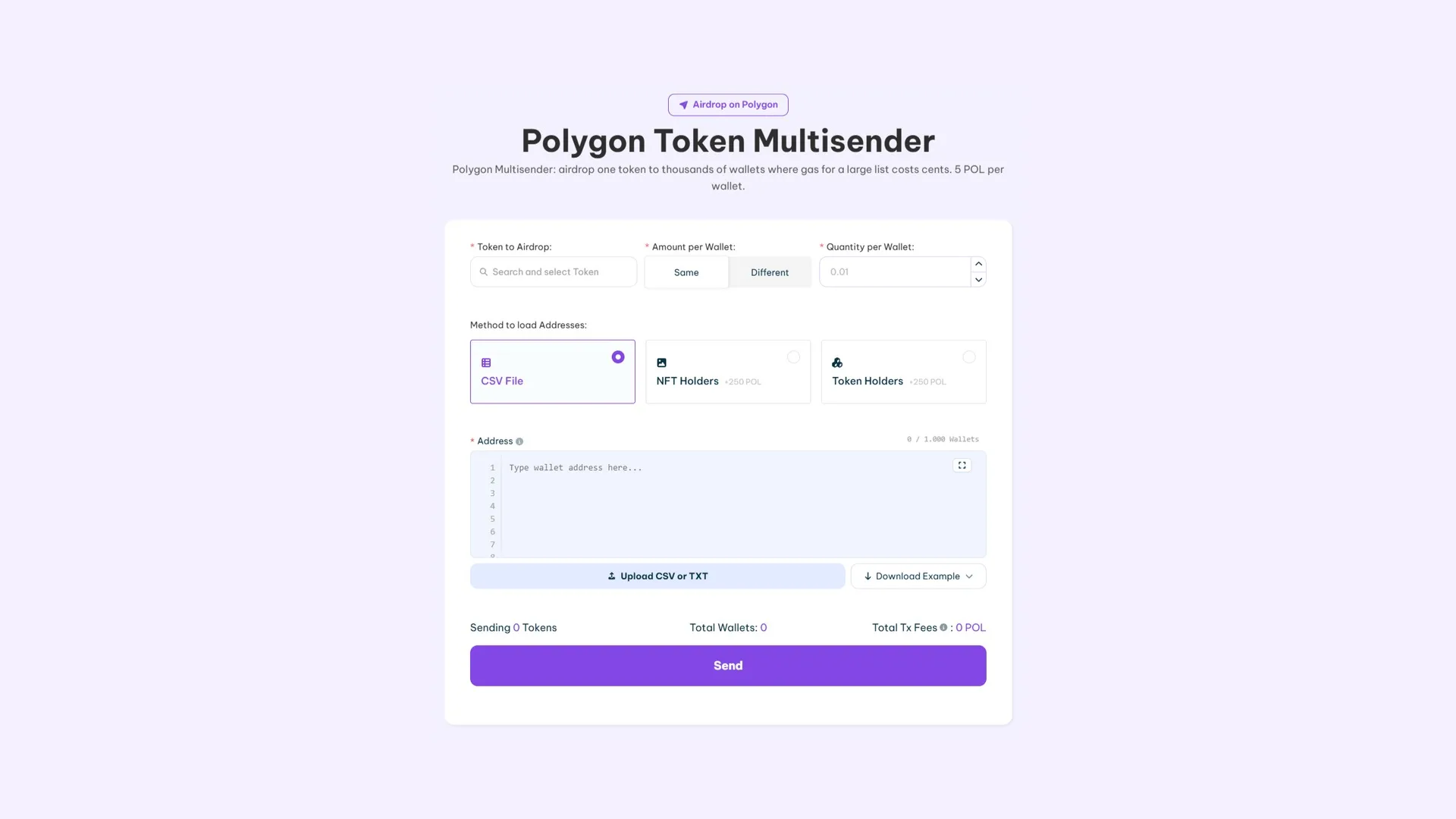
Polygon Multisender screenshot, एक Smithii tool जो airdrop को आसान बनाता है
  1. Smithii Polygon Multisender पर जाकर tool access करें।
  2. अपना wallet (e.g., MetaMask) connect करें जिसमें desired tokens मौजूद हों।
  3. वह token select करें जिसे आप distribute करना चाहते हैं।
  4. Wallet addresses को manually add करें या CSV file के through upload करें।
  5. प्रत्येक wallet के लिए tokens की quantity specify करें।
  6. Process शुरू करने के लिए “Start Airdrop” पर click करें।
  7. अपने wallet में transaction approve करें।
  8. Tokens distribute होने तक progress को monitor करें।

5. Arbitrum

BlockchainCostTool
Arbitrum0.0001 ETH प्रति wallet + gas fees Smithii Arbitrum Multisender
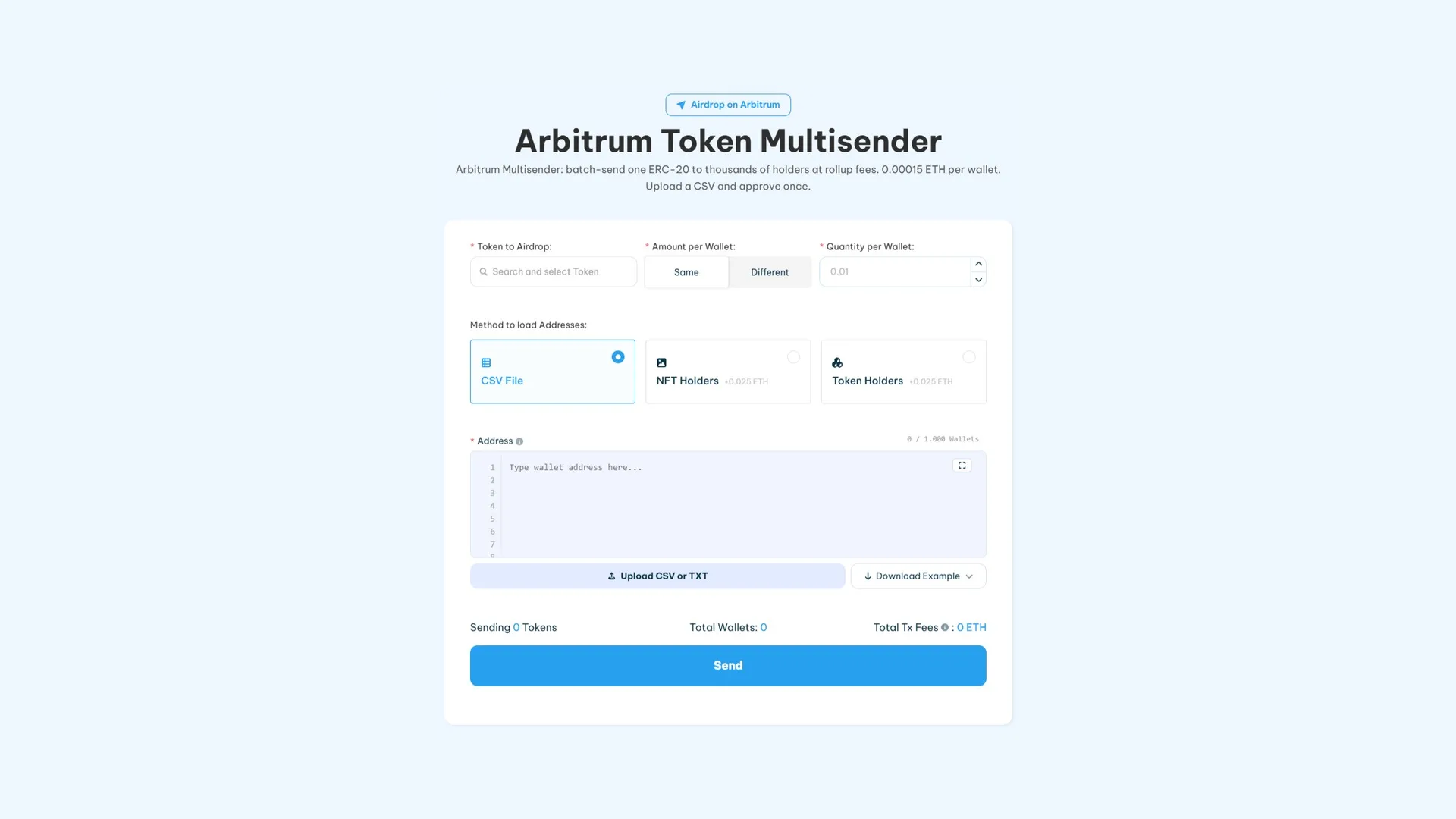
Smithii द्वारा बनाया गया Arbitrum airdrop tool जिसका नाम "Arbitrum Multisender" है
  1. Smithii Arbitrum Multisender पर जाकर tool access करें।
  2. अपना wallet (e.g., MetaMask) connect करें और सुनिश्चित करें कि उसमें ज़रूरी tokens मौजूद हैं।
  3. Distribute करने के लिए token select करें।
  4. Wallet addresses को manually या CSV file के through add करें।
  5. प्रति wallet tokens की quantity set करें।
  6. Process शुरू करने के लिए “Start Airdrop” पर click करें।
  7. अपने wallet में transaction approve करें।
  8. Tokens distribute होते समय progress monitor करें।

6. Avalanche

BlockchainCostTool
Avalanche0.025 AVAX प्रति wallet + gas fees Smithii Avalanche Multisender
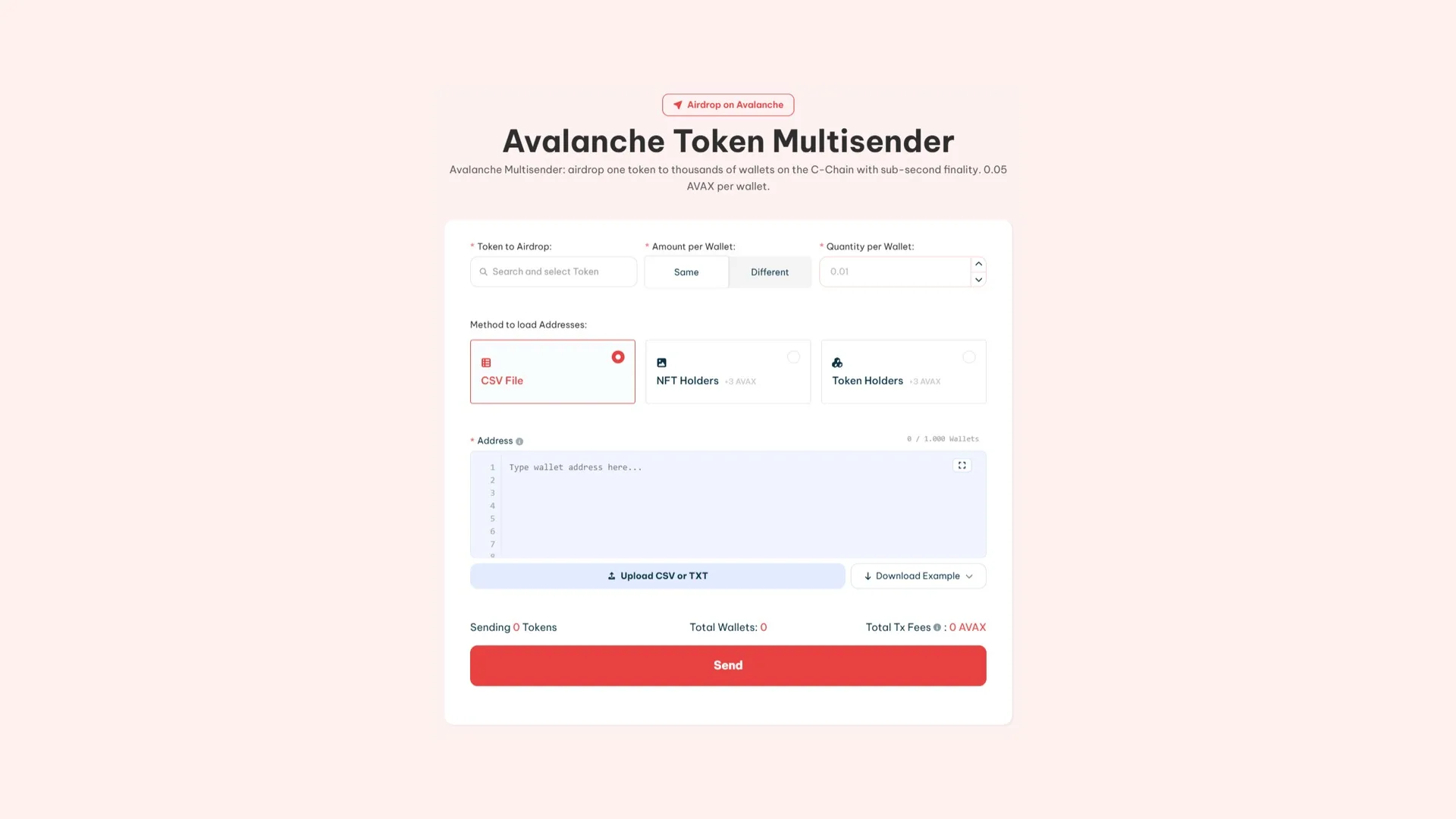
Smithii Avax Bulksender का use करके Avalanche पर airdrop कैसे करें
  1. Tool को access करने के लिए Smithii Avalanche Multisender पर जाएं।
  2. अपने wallet (e.g., MetaMask या Core) को platform से connect करें।
  3. Distribute करने के लिए token select करें।
  4. Wallet addresses को manually या CSV file के through add करें।
  5. प्रति wallet tokens की quantity set करें।
  6. Distribution शुरू करने के लिए “Start Airdrop” पर click करें।
  7. अपने wallet में transaction approve करें।
  8. Tokens distribute होते समय progress monitor करें।

7. Binance Smart Chain (BSC)

BlockchainCostTool
Binance Smart Chain (BSC)0.001 BNB प्रति wallet + gas fees Smithii Binance Multisender
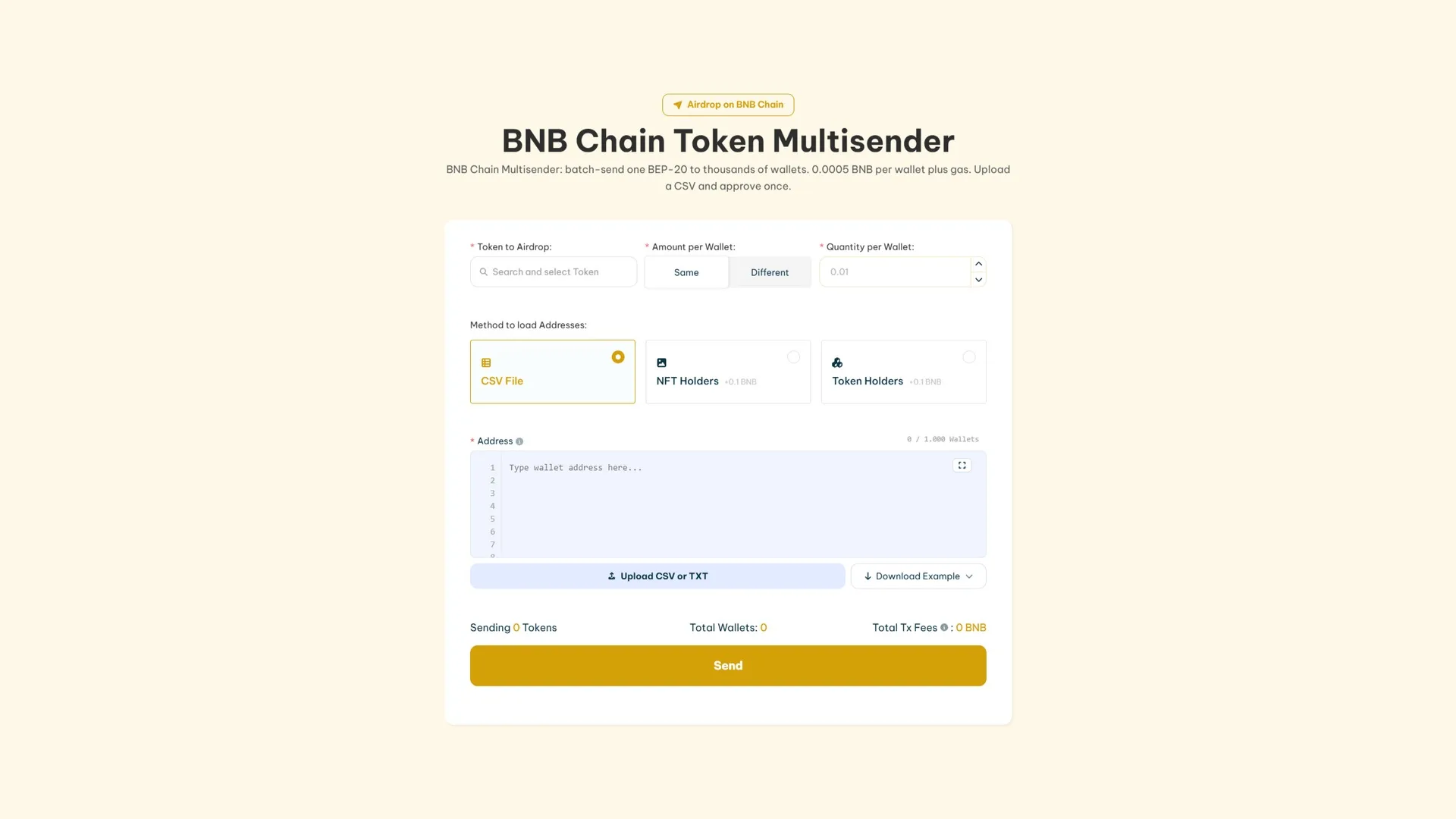
Smithii Tools का use करके Binance tokens कैसे airdrop करें
  1. Tool को access करने के लिए Smithii Binance Multisender पर जाएं।
  2. अपने wallet (e.g., MetaMask) को ज़रूरी BNB tokens के साथ connect करें।
  3. airdrop के लिए token select करें।
  4. Wallet addresses को manually या CSV file के through add करें।
  5. प्रति wallet tokens की quantity specify करें।
  6. Process शुरू करने के लिए “Start Airdrop” पर click करें।
  7. अपने wallet में transaction approve करें।
  8. Tokens distribute होते समय progress monitor करें।

8. Blast

BlockchainCostTool
Blast0.0001 ETH प्रति wallet + gas fees Smithii Blast Multisender
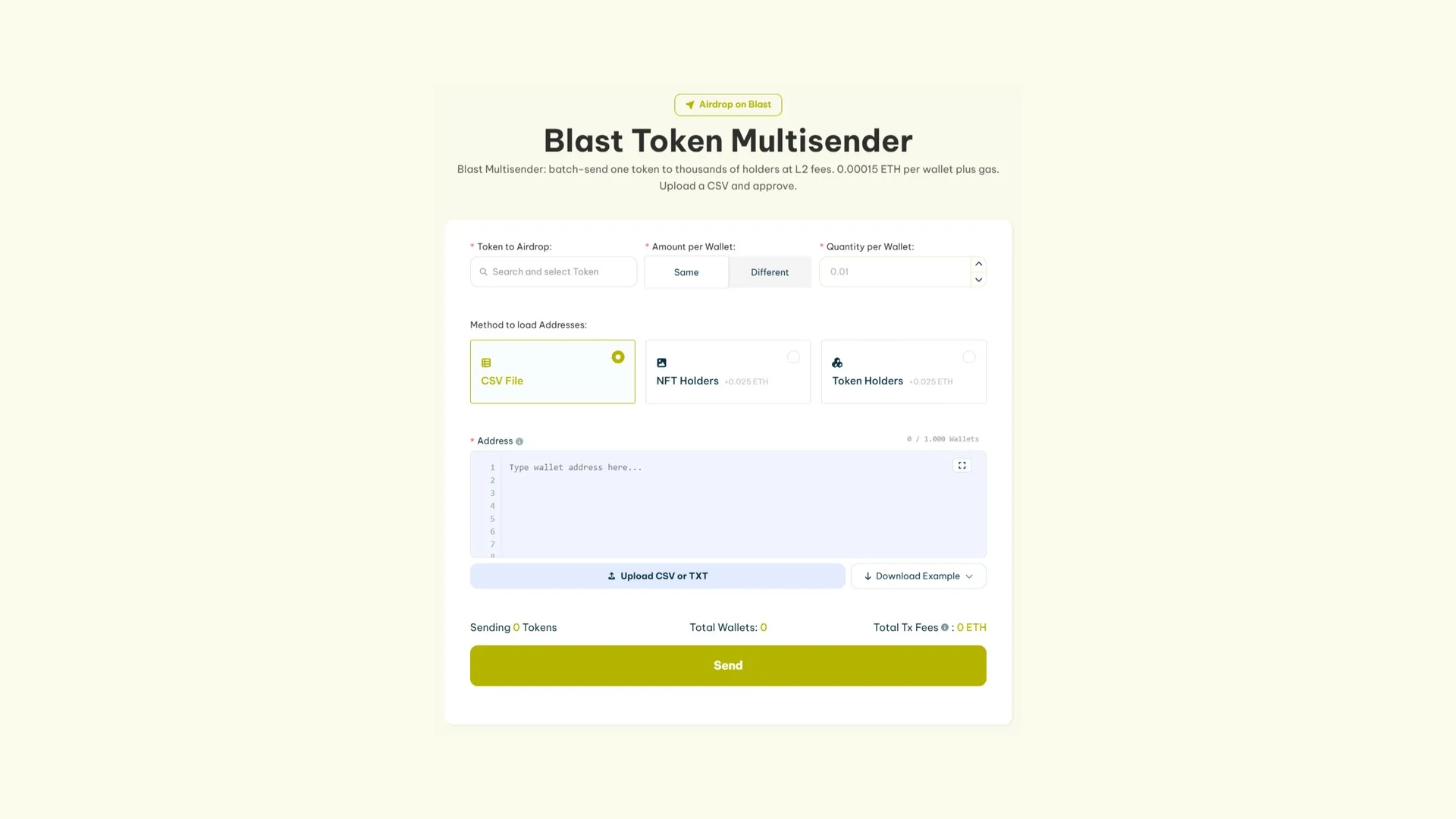
Blast पर airdrop create करने के लिए Blast Multisender tool का screenshot
  1. Tool को access करने के लिए Smithii Blast Multisender पर जाएं।
  2. अपने wallet (e.g., MetaMask) को platform से connect करें।
  3. डिस्ट्रिब्यूट करने के लिए token सेलेक्ट करें।
  4. Wallet addresses को manually add करें या CSV file के ज़रिए upload करें।
  5. प्रत्येक wallet के लिए tokens की मात्रा specify करें।
  6. प्रक्रिया शुरू करने के लिए “Start Airdrop” पर क्लिक करें।
  7. अपने wallet में transaction को approve करें।
  8. प्रक्रिया पूरी होने तक progress को monitor करते रहें।

9. Sui

Blockchainलागतटूल
SUI0.075 SUI प्रति wallet + gas fees Smithii Sui Multisender
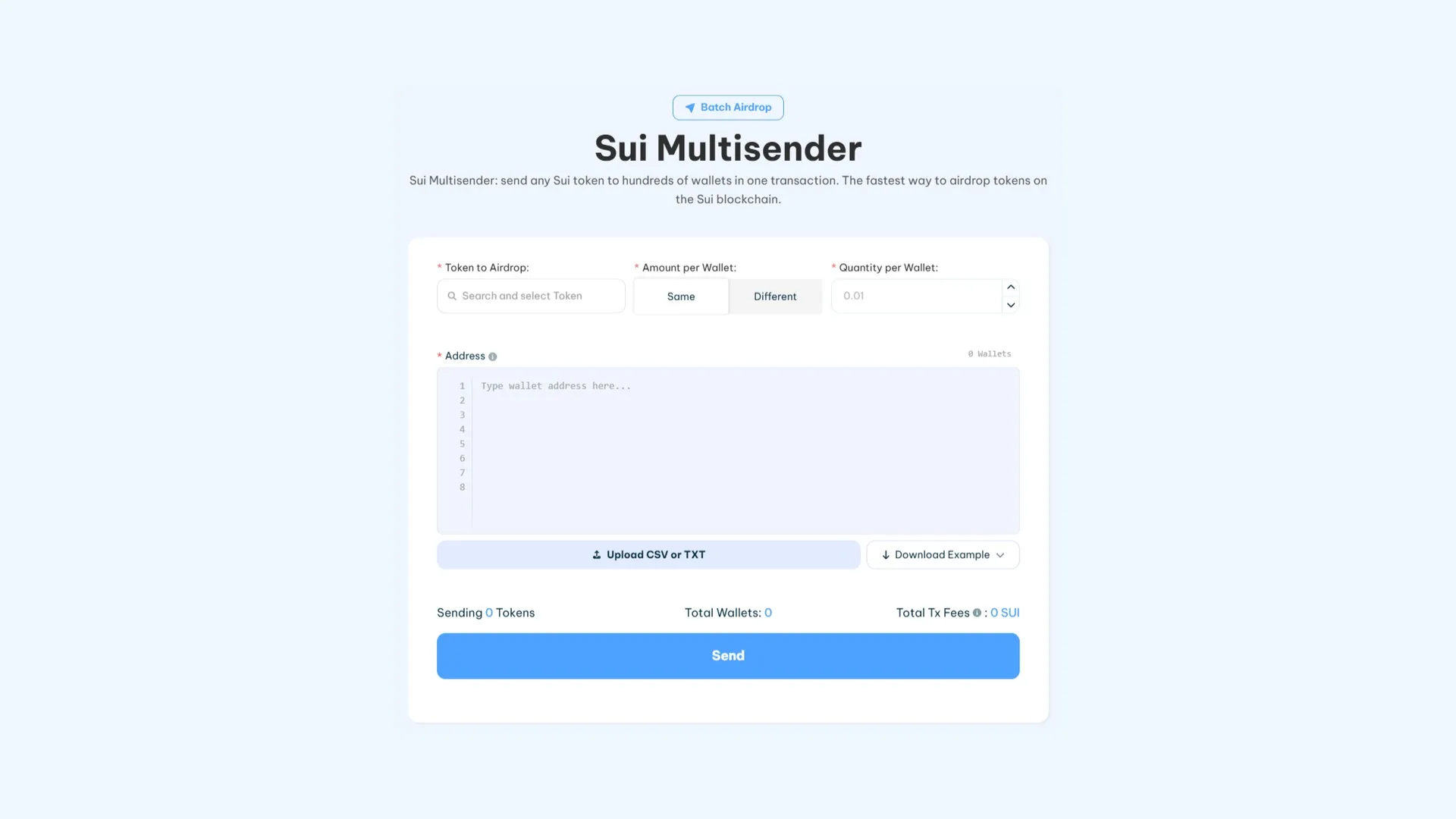
Smithii Tools द्वारा SUI Multisender interface, SUI पर airdrop करने के लिए उपलब्ध सभी options का स्क्रीनशॉट
  1. Smithii Sui Multisender पर जाकर इस tool को access करें।
  2. अपना wallet (जैसे MetaMask) connect करें और सुनिश्चित करें कि आपके पास gas fees और airdrop costs के लिए पर्याप्त SUI है।
  3. वह SUI token सेलेक्ट करें जिसे आप डिस्ट्रिब्यूट करना चाहते हैं।
  4. Wallet addresses को manually add करें या CSV file upload करें।
  5. प्रत्येक wallet के लिए कितने tokens distribute करने हैं, उसकी मात्रा set करें।
  6. प्रक्रिया शुरू करने के लिए “Send Airdrop” पर क्लिक करें।
  7. airdrop शुरू करने के लिए अपने wallet में transaction को approve करें।
  8. Tokens distribute होते समय progress को monitor करें।

Airdrop करने की लागत कितनी है

नीचे दी गई टेबल में अलग-अलग blockchains पर प्रत्येक wallet के लिए airdrop करने की लागत दिखाई गई है:

Blockchainप्रति wallet लागत
Ethereum0.0001 ETH + gas fees
Solana0.001 SOL + 0.00204 SOL प्रति wallet
Base0.0001 ETH + gas fees
Polygon0.5 POL + gas fees
Arbitrum0.0001 ETH + gas fees
Avalanche0.025 AVAX + gas fees
Binance Smart Chain (BSC)0.001 BNB + gas fees
Blast0.0001 ETH + gas fees
Sui0.075 SUI + gas fees

निष्कर्ष

Smithii Multisender जैसे tools की मदद से, आप बिना किसी programming knowledge के tokens को सुरक्षित तरीके से distribute कर सकते हैं। चाहे Ethereum पर हो, Solana पर हो, या किसी अन्य blockchain पर, ये step-by-step guides पूरी प्रक्रिया को आसान बनाती हैं और आपकी community तक प्रभावी ढंग से पहुँचने में मदद करती हैं।

How useful was this post?

Click on a star to rate it!

Average rating 0 / 5. Vote count: 0

No votes so far! Be the first to rate this post.

As you found this post useful...

Follow us on social media!

We are sorry that this post was not useful for you!

Let us improve this post!

Tell us how we can improve this post?

Leave a Comment