

How to Take a Snapshot of Holders on Polygon: A Guide for Project Creators
A holders snapshot on Polygon is the full list of wallets holding a specific token at a given moment. It’s the base input for any airdrop, loyalty program, governance snapshot, or pre-distribution audit.
In this guide you’ll see what a snapshot is, why it matters if you run a project on Polygon (especially if you launched a meme coin), and the 5 steps to extract it in under 1 minute for 49 POL.
What a holders snapshot is and what it’s used for
A snapshot locks on-chain who held how many tokens at a specific block. It’s used to identify the universe of holders eligible to receive an airdrop, vote on a governance proposal, or claim a reward, without depending on lists that go stale within hours. The extraction is done by querying the blockchain’s state at that exact moment.
How to take a snapshot on Polygon with the Polygon Snapshot Tool
Smithii offers the Polygon Snapshot Tool, a no-code dApp that takes the holders snapshot of any token on the Polygon network and returns the wallet list in CSV. The full flow takes under 1 minute and costs 49 POL.
Steps to take a snapshot on Polygon
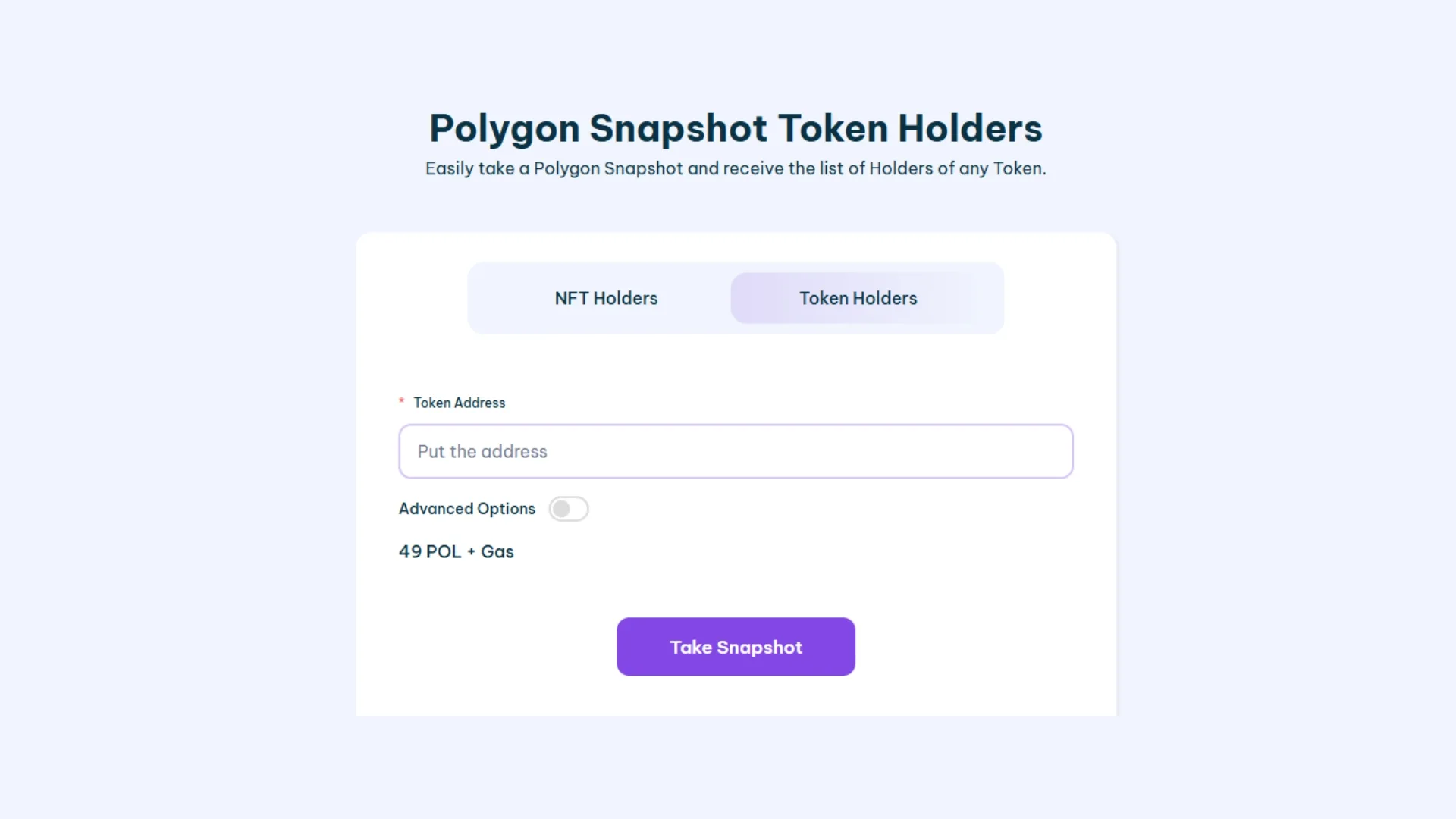
- Open Smithii’s Polygon Snapshot Tool (link above).
- Connect your wallet on the Polygon network to enable the tool.
- Select the Token you want to analyze from the “Select Token” search bar.
- Click “Take Snapshot” and confirm the transaction (just 49 POL).
- Wait a few seconds and download the addresses in CSV format.
Now you have a full list of holders you can use for airdrops or other marketing campaigns.
Other uses for a holders snapshot
- Reward distribution: identify holders at a specific moment for airdrops or staking rewards, fairly.
- Governance execution: define the eligible voter list for proposals based on token holdings at a specific point in time.
- Project management: understand token distribution to plan updates and growth strategies.
- Transparency and trust: enable pre-distribution audits, generating clarity around the actual allocation.
- Loyalty programs: reward loyal holders based on the holdings snapshot at a specific block.
FAQ on holders snapshots on Polygon
How much does it cost to take a snapshot on Polygon with Smithii’s tool?
The cost is 49 POL per snapshot, plus the Polygon network gas fees (super low, fractions of a cent). No subscription, no recurring fees: you pay per snapshot executed.
Do I need to be the creator of the token to take a snapshot?
No. The tool works with any token on Polygon, whether you’re the deployer or not. It’s also useful for analyzing holders of competing or complementary projects and building targeted outreach campaigns.
What format do I get the holder list in?
CSV, downloadable straight from the tool once the snapshot is done. Each row includes the wallet address and the token amount held at the snapshot block.
Does the snapshot include wallets that later transfer the tokens?
Yes. The snapshot locks in the ledger state at the executed block. Any later transfer doesn’t affect the captured list. That’s exactly what you need to run a fair airdrop or execute governance based on a specific distribution.
Does it work with ERC-20 tokens and POL?
Yes. The tool indexes any ERC-20 token deployed on Polygon, including POL as the native asset. Just paste the token contract address.
Wrapping up
Running a snapshot on Polygon is an effective way to strengthen your project’s management, boost transparency, and distribute rewards efficiently. With Polygon Snapshot Tool by Smithii, you get an accessible, easy-to-use tool that requires zero technical knowledge, plus it’s one of the cheapest and fastest options out there.
Want to outpace your competitors?
Join our newsletter and get weekly blockchain news tailored for NFT creators.


Industrial Engineer turned Solana trader. Marketing at Smithii and contributor to the $SHRIMP memecoin launch.



