HOW TO GET A NFT HASH LIST ON SOLANA IN 3 STEPS
If you have or want to create your NFT collection, you will need your collection’s NFT Hash List to list it on marketplaces, set up holder-gated channels, and more. You may have also seen Hash List referred to as Hashlist, Mint List, or Mint Hash List.
In this post, we’ll show you how to get a NFT Solana hash list in just 3 steps. If you’d rather watch a video, this section is for you. Otherwise, scroll down and we’ll get straight to it.
HOW TO GET A NFT HASH LIST
Let’s get to the point: how to get the hash list for a NFT collection step by step.
1. GET THE NFT ACCOUNT ID
We’ll need the ID of our NFT collection, which we call the “account id“, so we can use it to get the hash list.
To find it, our first step is to get the address or ID of any NFT that belongs to the collection we want the mint list for.
NFT ADDRESS
To get the address of a NFT, you have 2 simple options. Use whichever one you prefer.
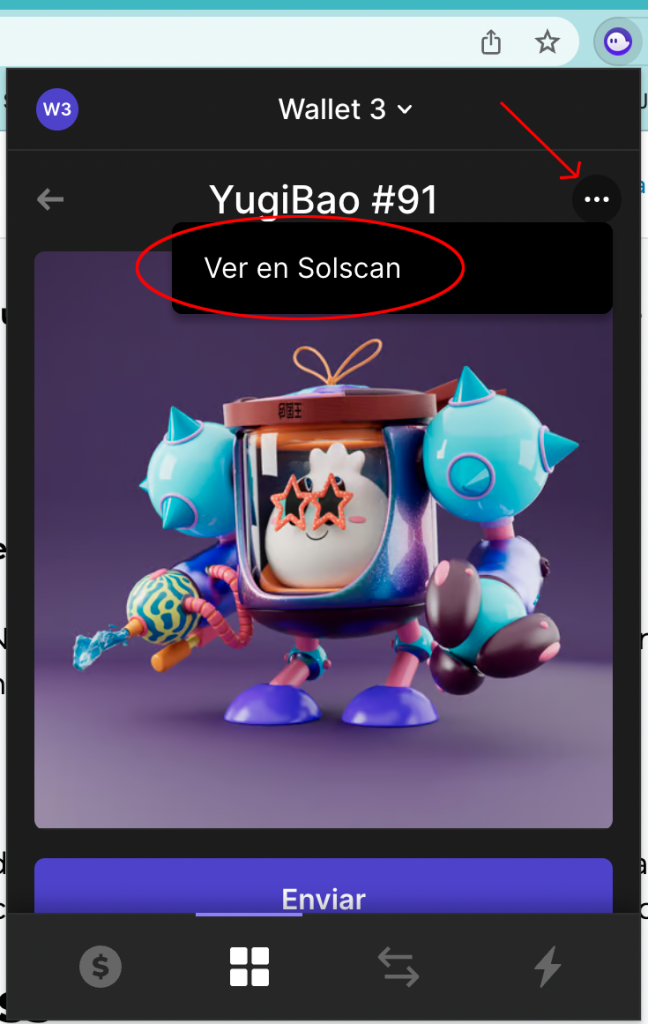
Option 1, get it from your wallet: open the wallet where you hold the NFT and go to its details view. In the top-right corner, you’ll see 3 dots. Click them, then click “view on solscan”.
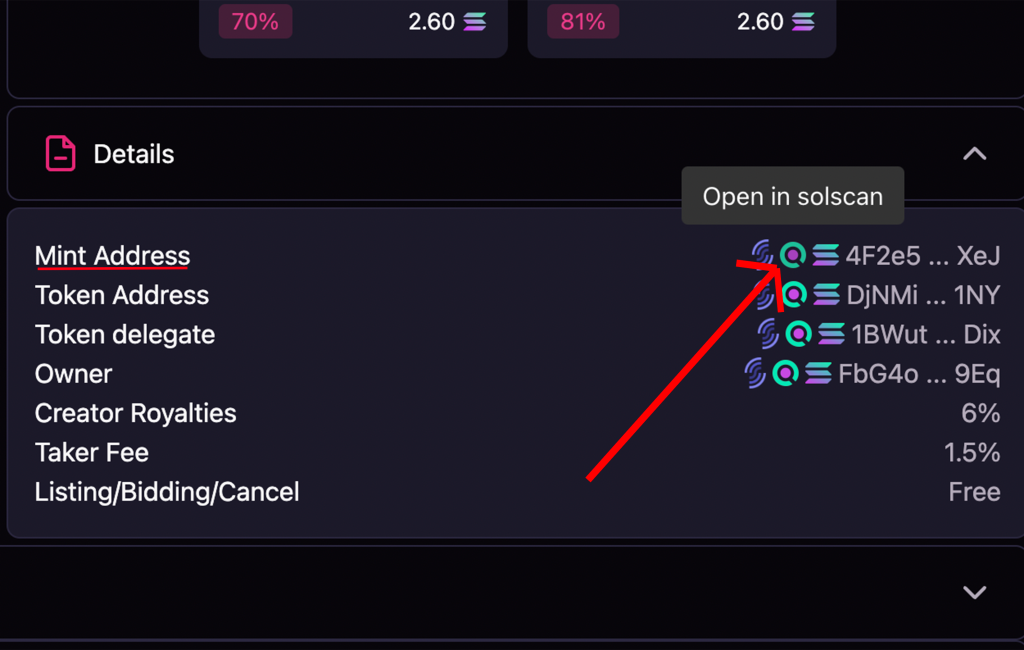
Option 2, get it from Magic Eden: open a NFT from your collection on Magic Eden (this also works with other marketplaces), scroll down, and you’ll see the “details” section. From there, click the solscan logo next to “mint address”.
ACCOUNT ADDRESS
Once we’re on solscan, we’ll see our NFT along with several details about it. At this point, click the “creators” dropdown. You’ll see at least 2 addresses: at least one will show 0%, and the rest will split the 100%. You need to click the first address that shows 0%.
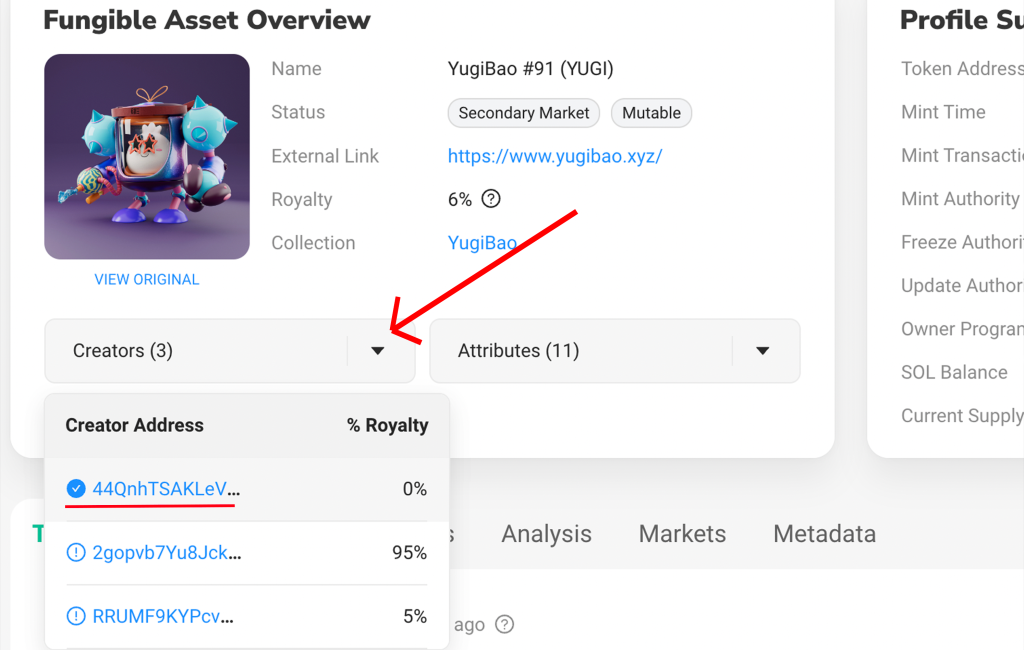
The address we clicked is the account address for the NFT collection. Its tab will open, and you need to copy that ID before moving on to step 2.

Want to beat your competitors?
Join our newsletter and get weekly blockchain news built for web3 creators.

2. GET THE HASH LIST
Once you’ve copied the account id, the next step is to generate the hash list from it. To do that, open our tool, “Hash List NFT Solana“. You can access it through this link: https://tools.smithii.io/hashlist/solana
Once you’re there, just paste the account id into the field labeled “Creator Address” and click the button “Get Hash List”.

From there, wait for the tool to do its job.
3. EXPORT THE HASH LIST AND USE IT
Once the tool has finished generating the hash list, you’ll be able to copy it or export it as a JSON file. To export it, just click the “export” button.

That’s it. You now have your hash list ready to use wherever you need it. If you lose it, just run the process again and generate a new one, so there’s nothing to worry about.
WHAT IS A NFT HASH LIST?
Of course, we still need to cover the basics, so let’s look at the details behind the hash list concept and how it’s used in the NFT space.
WHAT IS A HASH?
A hash is an identifier made up of letters and numbers with a fixed length that represents a set of data (documents, images, and so on).
This hash is generated through a “hash function”, a mathematical algorithm that turns the data set into that identifier.

WHAT HASH MEANS IN NFT
When we talk about a hash in NFT, the hash is the unique identifier for a token, a transaction, or a NFT. On Solana, this code is made up of letters and numbers.
You can use the hash in a blockchain explorer like Solscan to look up its details.
WHAT MINT LIST MEANS IN NFT
So, an NFT hash list or mint list is a list of identifiers from a collection’s mint transactions. Keep in mind that the hash list only includes the NFTs that have already been minted from your collection, even if the total supply is higher.
Want to Outperform Your Competitors?
Join our newsletter and get weekly Blockchain news built for web3 creators.

CEO & Co-Founder Smithii. Building on Solana since 2021 and passionate to share my experience on Solana projects. I also Founded Lince after years investing in DeFi.