

Solana Security Best Practices: How to Stay Safe
Picture this: you open your wallet where you hold all your digital assets, and they’re just gone. It’s not a connection glitch or a display error. Someone got into your keys and drained everything.
It’s every crypto user’s nightmare. Nobody wants to go through that, and the reality is that Web3 gives you incredible freedom and opportunity, but it also exposes you to real risk. That’s exactly why you need solid Solana security practices in place (so that scenario stays hypothetical).
In this article, we’ll walk through the tips you absolutely need to follow to keep your Solana portfolio safe.
A Real Security Incident: What Happened
At Smithii, user security is a core commitment, but that doesn’t stop bad actors from trying to take advantage. Recently, one of our users was scammed out of their $SOL.
We came across a Reddit thread detailing the case of a user who had 2.9 $SOL drained after using our launchpad. Here’s how it unfolded:
- Successfully created a token using our Solana tool.
- Had some questions and joined the official Discord to get answers.
- Loaded their wallet with 2.8 $SOL, and 10 minutes later it was gone.
- Reached out to “our technology lead” to report the issue, who then advised them to load the same amount into their wallet to fix it.
- They posted about it on Reddit.
We immediately directed them to open a ticket on our official Discord server to discuss the situation. They did, and it turned out someone was impersonating a member of our team. The user received instructions from the “Smithii tech lead” and was asked to verify their wallet on a different site.
What happened next? They handed over access to their wallet and the scammer drained everything in it. Then they were told to load more $SOL, which the scammer took as well.
Our support team banned the scammer and walked the user through the security situation. We also granted them one day of PRO access so they could recreate their token without paying our dApp fees. The user shared the full story themselves in a Reddit update about the scam.
This kind of scam may look obvious in hindsight, but it happens far more often than you’d think. That’s exactly why following solid security practices on Solana and across any blockchain or Web3 ecosystem is non-negotiable. Yes, there are more opportunities and freedoms out here, but they also come with real risks.
Solana Security Best Practices: How to Stay Safe
To stay safe in the Solana ecosystem (and Web3 in general), follow these tips. Better yet, make them second nature.
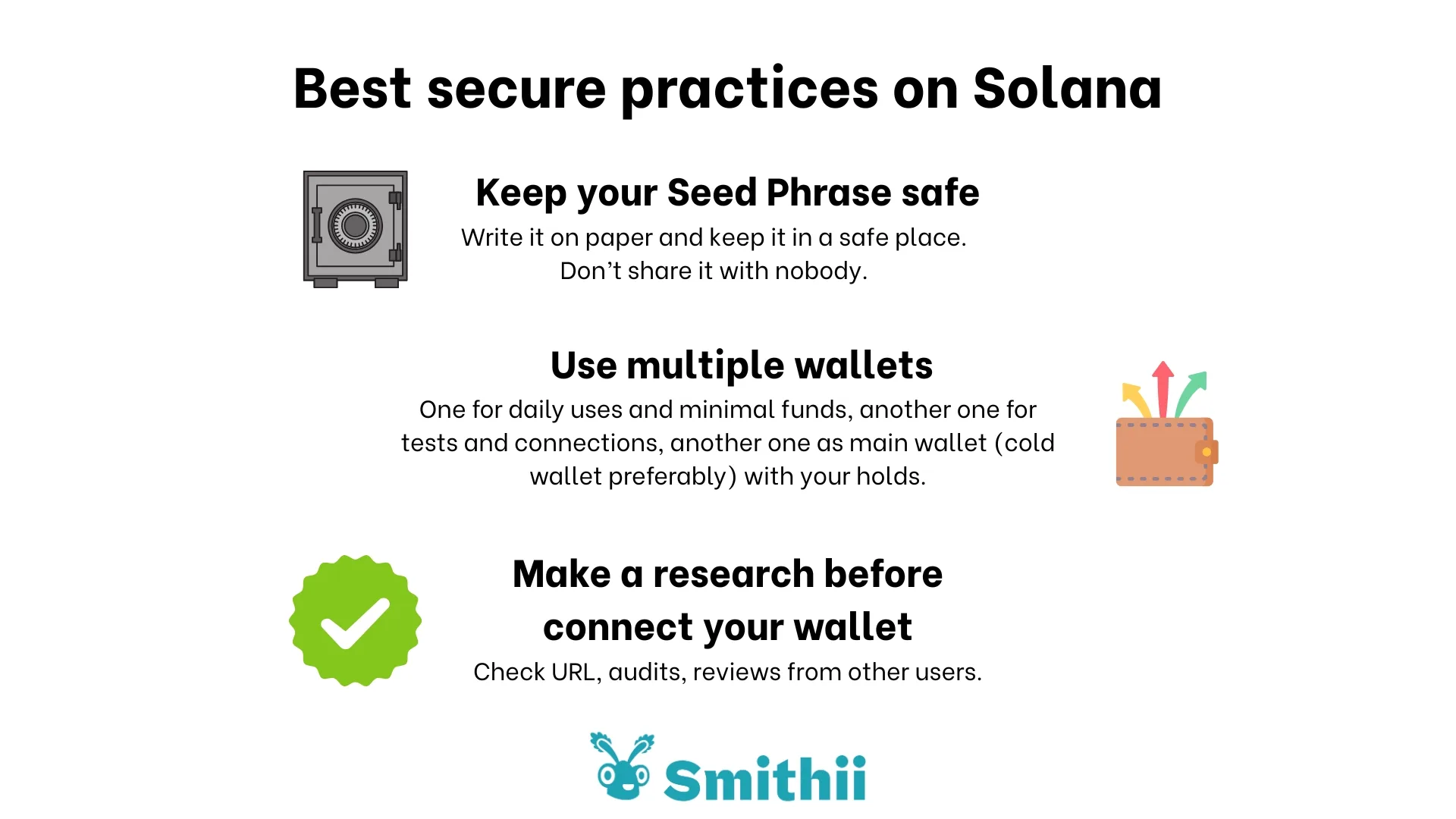
Write Your Seed Phrase on Paper and Never Share It
Your Seed Phrase is a unique 12-24 word phrase generated when you create your wallet. Whoever holds this phrase controls your entire wallet, so write it down on paper and keep it out of sight. Don’t carry it around or leave it somewhere visible; it belongs in a completely secure location.
Storing your Seed Phrase digitally is a bad idea, since operating systems and storage services can be compromised in countless ways.
And keep this in mind: you are the only one who ever needs your Seed Phrase. No support team, promotion, airdrop, or platform will ever need it to deliver a result.
Use More Than One wallet
The best Solana wallets let you create and manage multiple accounts from a single login. We recommend keeping a dedicated wallet for storing your assets (a cold wallet is even better for this), a separate one for everyday transactions, and a third for connecting to platforms or running tests.
If you’re using a single wallet for everything, one phishing link or fake site is all it takes to expose you completely and you could lose it all. Instead, connect an empty wallet to dApps you’re not sure about and test with a minimal amount before risking anything real.
If that wallet gets compromised, you just delete it and spin up a new one, keeping your other wallets untouched and your tokens safe.
Want to take it a step further? Use two separate browsers and set up a wallet with its own Seed Phrase in each one. To be fair, connecting a wallet to a dApp doesn’t expose your other connected wallets anyway, but this is the most reliable way to keep your accounts fully separated.
Cold Wallet: the ultimate security barrier
A cold wallet is a type of wallet that keeps your private keys completely offline. It’s a physical hardware device that holds your assets, and you can only move them when you physically use it. That means there’s no way for anyone to access your wallet remotely.
That said, the method is so secure it actually slows down transaction signing, which is why using it as your day-to-day wallet isn’t practical. There’s also the real risk of losing the physical device or your recovery phrase along with everything inside.
Always verify a platform before you connect
That standard approval you sign when completing a transaction or connecting to a dApp can include hidden instructions or permissions that transfer funds without your consent.
Fraudulent platforms don’t always act right away. Some wait until you’ve accumulated a certain amount of assets so you feel more comfortable. To avoid falling for these scams, here are our recommended verification steps to stay safe on Solana:
- Check the platform’s URL. Mirror sites are designed to look legitimate, but the URL gives them away. They usually include “vercel” or “development”, or use uncommon TLDs like .xyz, or free hosting domains like blogspot.
- Do your research before connecting. For reference, we have independent audits and TrustPilot reviews. If a page asking you to connect your wallet has no reviews and no verifiable track record, it’s almost certainly a scam.
- Bookmark official sites and don’t rely solely on search engines. Search results can surface fraudulent pages as sponsored listings instead of the real site.
- Disconnect your wallet and revoke all permissions after testing a dApp.
No one will ever offer you support via direct message
As we saw in the real case above, one of our users was convinced someone was part of the Smithii team and ended up having their funds drained. Never accept support through DMs, especially ones you didn’t ask for. Our team will never ask you to verify your wallet somewhere else, and we will never ask for your private keys or your seed phrase.
What to Do If Your wallet Solana Has Been Compromised
Following these Solana security practices will keep bad actors away from your assets. If you notice any suspicious activity in your wallet, here’s what to do:
- Don’t panic and move fast: it may not be too late to save your funds.
- Create a new wallet and move your funds there. Don’t transfer to old wallets or any that may also be compromised.
- Take screenshots and document everything so you can report the site or person that scammed you.
- Delete the compromised wallet. You can revoke permissions you’ve already granted, but spinning up a fresh one is always the safer call.
- Figure out where things went wrong and learn from it so you don’t fall for the same trick again.
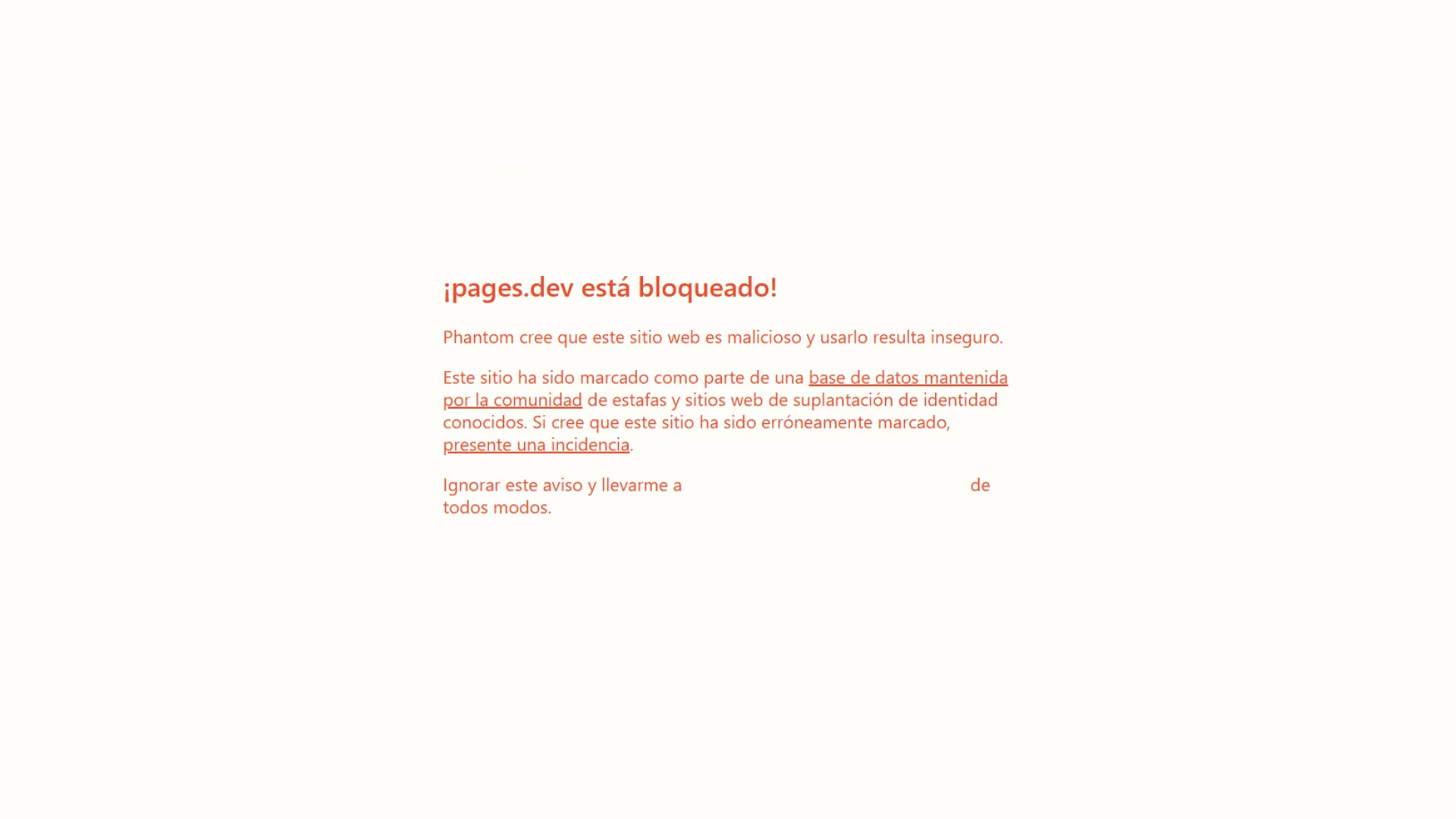
The crypto community is constantly reporting thefts and fraudulent sites. Phantom, for instance, maintains a list of verified, safe dApps that includes Smithii Tools. It also blocks sites that users have flagged. If you land on a scam page already flagged by Phantom, a warning message will block your access, as shown below.
Final Thoughts on Solana Security Best Practices
Make these recommendations a habit and never lose sight of Solana security best practices across Web3. You are the only one responsible for protecting your assets and account access, so take every precaution available to keep your funds from getting drained.
Don’t forget to subscribe to the Smithii newsletter to stay on top of everything happening in Solana, and bookmark our pages to manage your Web3 projects safely and efficiently.

CEO & Co-Founder at Smithii. Building on Solana since 2021 and sharing playbooks from the trenches. Also founder of Lince after years investing in DeFi.



