

How to Launch a token on Jupiter Studio (All the Options You Need to Know)
Jupiter Studio is one of the most important launchpads in the Solana ecosystem, having launched nearly 30,000 tokens in under 6 weeks since going live in early July 2025.
What makes this platform stand out? For starters, it’s backed by the largest liquidity aggregator on this blockchain, and this launchpad comes loaded with powerful features for devs who are serious about innovation and full customization.
In this post, you’ll find everything you need to successfully launch your project on launchpad Jupiter Studio, tailored to your specific situation and covering the key questions about what the platform has to offer.
Ways to Launch a token on Jupiter Studio
Jupiter Studio is the “creation lab” inside the liquidity aggregator Jupiter. It’s built for token creators who want to experiment with bounding curves, flexible vesting, and a dashboard to manage their community.
The good news is you can choose from three launch paths depending on your goals, strategy, and budget:
| Mode | Goal | Bounding Curve range (start ➡ end) |
| Meme | Quick tests, lightweight campaigns, or memecoins | 16K ➡ 69 K |
| Indie | Aiming for a mid-tier raise | 32K ➡ 240 K |
| Custom | A more pro-grade option where you can fine-tune the fee percentage, supply, and other detailed parameters. | Adjustable |
How to Launch a token or a memecoin on Jupiter Studio (Step by Step)
At Smithii, we know that the best way to launch a token on any launchpad, or even directly on the DEX, is by using a bundler bot.
This tool executes a bundled buy across multiple wallets immediately after launch. It keeps sniper bots from sniping early positions and tanking your token’s price. Coming soon to Jupiter Studio as part of the Smithii tools suite.
You might also like our guide on how to launch a memecoin on LetsBonk
Here’s how to launch your token directly on Jupiter Studio, broken into three key phases:
1. Lay the Groundwork: Concept and Communication Channels
One of the biggest mistakes you can make is launching without a clear concept that actually resonates with your audience and without communication channels that build trust.
To avoid that, get clear on whether your project will be a fun memecoin or a utility-driven narrative. If you’re just starting out and don’t have many connections yet, the first option is often the smarter choice. It all comes down to your goals and resources.
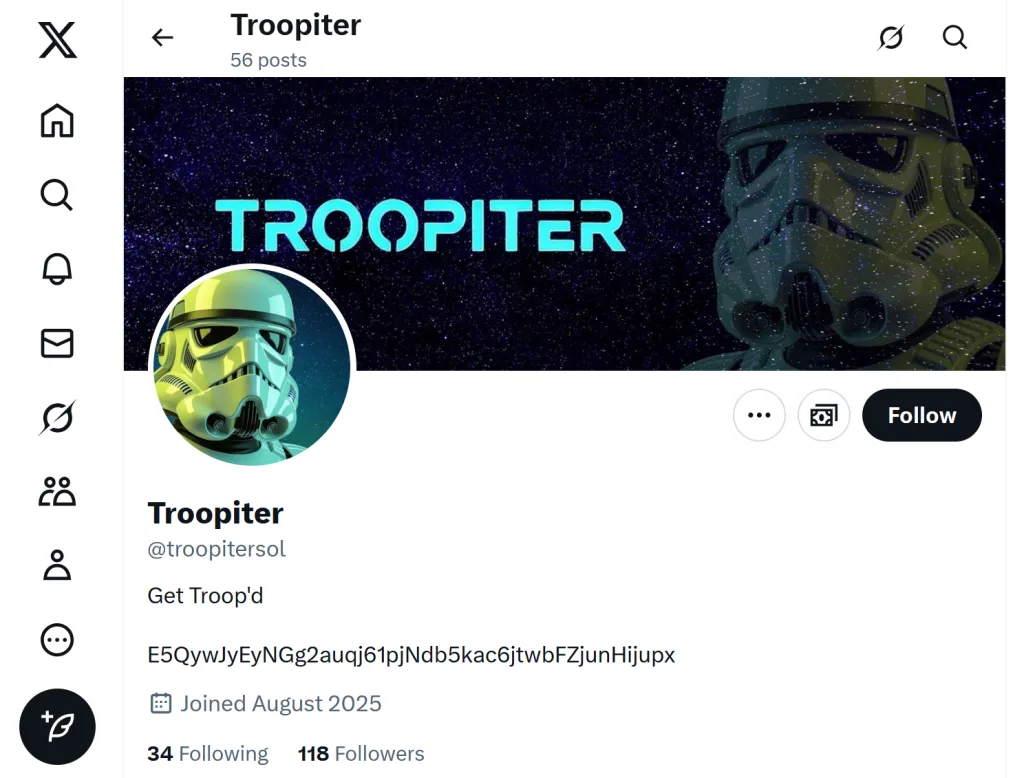
You’ll also want to set up your project’s official social media profiles, with images, descriptions, and posts that align with your concept. Keep everything clear and easy to follow. X and Telegram are non-negotiable.
While Jupiter Studio will generate a dedicated social landing page for your token within the platform (on top of the standard chart), having your own official website is still a smart move. It gives you extra room to build credibility and share the kind of detail that gets people behind your project.
Before you even launch, build some hype across social media and online channels like X, Telegram groups, Discord servers, Reddit forums, and beyond. That way you pull in curious eyes from people who may end up being first in line to invest.
2. Create your token on Jupiter Studio (Set the technical parameters)
Head over to the Jupiter Studio page, where you’ll find the three options we mentioned earlier that define your bounding curve’s parameters.
For this walkthrough, we’re going with the “Meme” option (formerly “Play”), where you start with a 16K market cap seeded by Jupiter and a fixed graduation target of 69K, after which the token migrates to Meteora.

The first thing you’ll be asked for is your metadata: image, name, and symbol (ticker). You can let the AI generate these for you, but it’s best to have them ready beforehand so everything stays consistent with your concept.
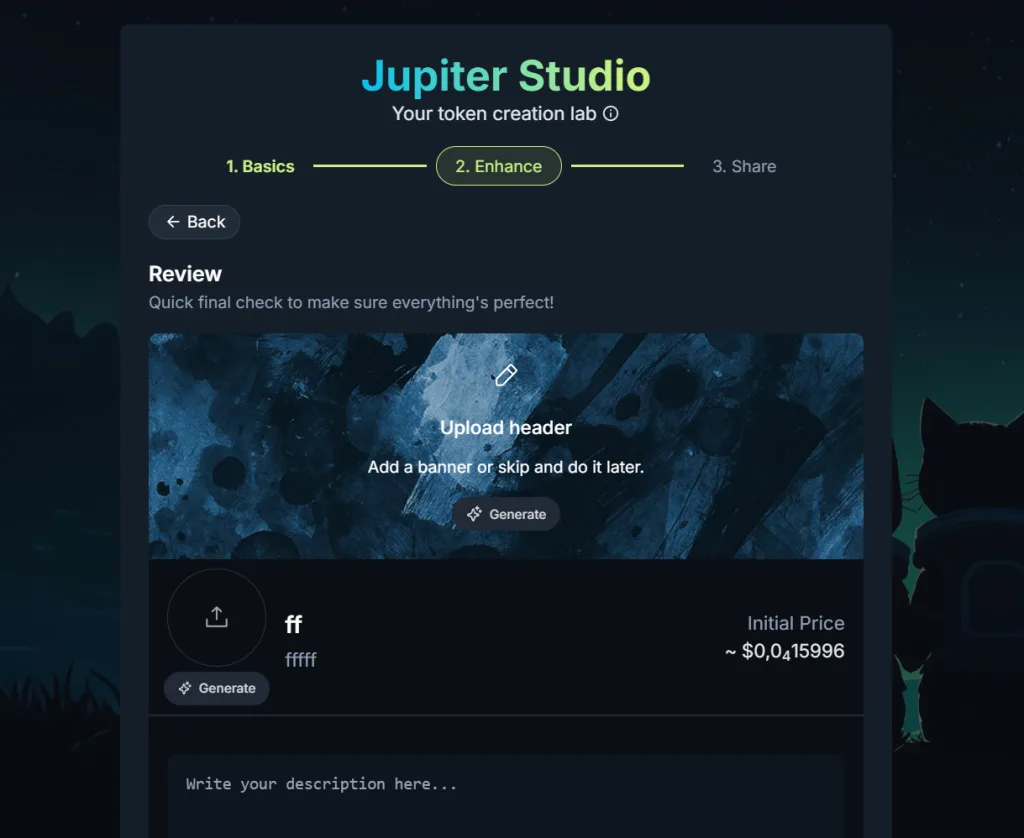
Next, fill in the description with a message that captures the core idea behind your project.
Finally, you can add your social links (Website, X, and Telegram), then hit the “Launch” button and pay 0.04 to launch your token on launchpad.
3. Give your token’s performance a boost
After launch, drive your chart metrics with a volume bot for Jupiter Studio. This tool lets you generate activity on your token and attract investors. Just make sure to use it in moderation.
On top of that, post the Contract Address across every communication channel you have access to. Combining bot activity with social media promotion can push users into Jupiter and get them interested in a fresh investment opportunity.
It’s also worth amplifying your social media presence with paid marketing and advertising strategies to reach a broader audience. Factor this into your budget to improve your odds of success.
Check out our guide on how to use the volume bot for Jupiter Studio.
Benefits of launching your token on Jupiter Studio
When creating a token on Jupiter Studio, you unlock two sets of perks: some available across all launch modes, and others exclusive to devs using the “Custom” option.
For all projects:
- 50% fee share for creators: you earn half of all swap fees and LP fees, both before and after graduation.
- Simple fee for traders: defaults to 1% per swap (they cover 1% of their transaction).
- Dedicated page + X integration: keeps your contract, posts, and updates all in one place; easy for new holders to verify.
- Organic discovery: Jupiter aggregates launches from Studio, LetsBonk, Pump.fun, and more, so you show up where traders are already looking.
Exclusive to the “Custom” option:
This is where creative devs get to fine-tune their token’s parameters.
- Adjustable fee: set your transaction/swap fee to 2% or keep it at 1%. If you bump it up, it’s worth letting your community know why.
- Configurable graduated LP unlock: defaults to 50% at 1 year; with Custom you can adjust the percentage and/or timeframe (be transparent with your community).
- Choose your quote token: pick SOL, USDC, or JUP based on your narrative and what’s easiest for your audience to buy in with.
- Anti-sniping: adds a temporary fee that starts at 99% and drops linearly to ~1% over 15–60 s, keeping bots out right at launch.
Frequently Asked Questions
Here are some of the most common questions about launchpad Jupiter Studio.
How secure is Jupiter Studio?
Jupiter Studio is part of the Jupiter ecosystem and includes built-in protections like LP lock and a verified token page on the platform. That said, every DeFi project carries risk; scammers are everywhere, so traders should always stay sharp and do their own research.
How many tokens graduate on Jupiter Studio?
As of August 15, 2025, Jupiter Studio has seen 29,580 tokens launched and 905 graduated.
What fees does Jupiter Studio charge?
Jupiter Studio charges a 1% trading fee, split 50/50 with the token creator.
How can I make money with Jupiter Studio?
You can create a token and earn from trading fees. You can also trade your own token or other devs’ tokens and pull in solid returns.
Conclusion
Launching on Jupiter Studio is as simple as filling out a form, but it carries the same weight as any Web3 project: identity, technical parameters, and public trust. Using tools like volume bot to activate the market is a strong move, but your real focus should be your community and staying transparent.

Industrial Engineer turned Solana trader. Marketing at Smithii and contributor to the $SHRIMP memecoin launch.



