

How to remove liquidity on TRON: get your tokens and TRX back in a few clicks
Rotating your TRX pair into a different USDT, collecting what the pool has earned, or closing a position all run through the same flow, and knowing how to remove liquidity on TRON keeps you from flying blind through the DEX interface. With the right tool you see exactly what you’ll receive before signing and decide whether to pull part of it or the whole thing.
In this post I’ll walk you through what SunSwap LP tokens are, how the Smithii Liquidity Remover works, the most common reasons to pull liquidity, and how your holders read that move. Let’s dive in.
What SunSwap LP tokens are and what they’re for
When you add liquidity to a SunSwap V2 pair, the pair contract hands you LP tokens: a TRC-20 that represents your share of both reserves. You don’t hold a fixed amount of each asset, but a slice of the pool, and that slice changes value with every buy and every sell.
Pulling liquidity means returning those LP tokens to the contract, which burns them and gives you back your share of both reserves at that moment. That’s why your LP token balance sets the cap on what you can withdraw, and why the tool shows it to you in the withdrawal field.
| What happened since you deposited | What you get when you withdraw |
|---|---|
| Your token price went up | More TRX and fewer tokens than you put in |
| Your token price went down | More tokens and less TRX |
| The pool had heavy volume | Your cut of the swap fees, already baked into the reserves |
How to remove liquidity on TRON step by step
The Smithii Liquidity Remover for TRON is a tool that lets you pull part or all of your SunSwap V2 position without hunting down the pair manually or doing the math on your share. You point it at the pool, pick how much to pull, and the tool shows you the preview before you sign. Once you’re in, follow these steps:
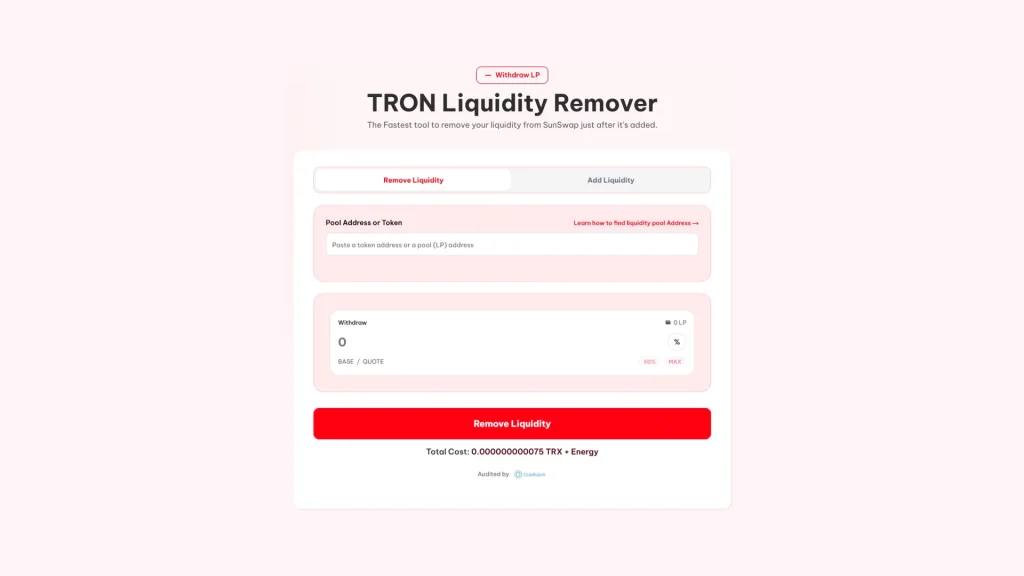
- Connect TronLink: use the wallet that holds the pool’s LP tokens.
- Point to the pool: paste the token address or the SunSwap pair address into Pool Address or Token.
- Pick how much to pull: in LP tokens or as a percentage, with 50% and MAX shortcuts if you want half or everything.
- Check what you’re getting: the preview of your token and the other asset in the pair, calculated from the current reserves.
- Hit Remove Liquidity and sign: the fee, the LP token approval, and the withdrawal.
Once confirmed, both assets land in your wallet together and the LP tokens you return get burned. If the connected wallet holds no LP for that pair, the withdrawal field shows zero and you can’t continue, which keeps you from signing an empty transaction.
If the pair is against TRX, you receive TRX
SunSwap pools hold WTRX, the TRC-20 version of TRX, because native TRX isn’t a token. The tool uses the router path that unwraps that WTRX back into TRX during the withdrawal, so you don’t have to do an extra step to get it in hand. If the pair is against USDT, you receive USDT as-is.
If you want to really get that difference, read what WTRX is and when you’ll run into it on TRON.
Three common reasons to pull liquidity
Not every withdrawal means the same thing. These are the most common scenarios for a dev on TRON:
- Switching pairs: a lot of projects launch against TRX and later prefer a pair against USDT so the chart reflects only their own demand. You pull from one pool and deposit into the other.
- Rebalancing: if the token has pumped hard, your position piles up TRX. Pulling part of it lets you put it to work in the project without leaving the pool empty.
- Fixing a bad launch: if the pool went live with the wrong price, pulling liquidity and recreating it at a better ratio is the cleanest fix. Just make sure you tell holders first.
To open the new pair afterward, check out how to create a pair on SunSwap for your TRC-20.
What to check before removing your liquidity on TRON
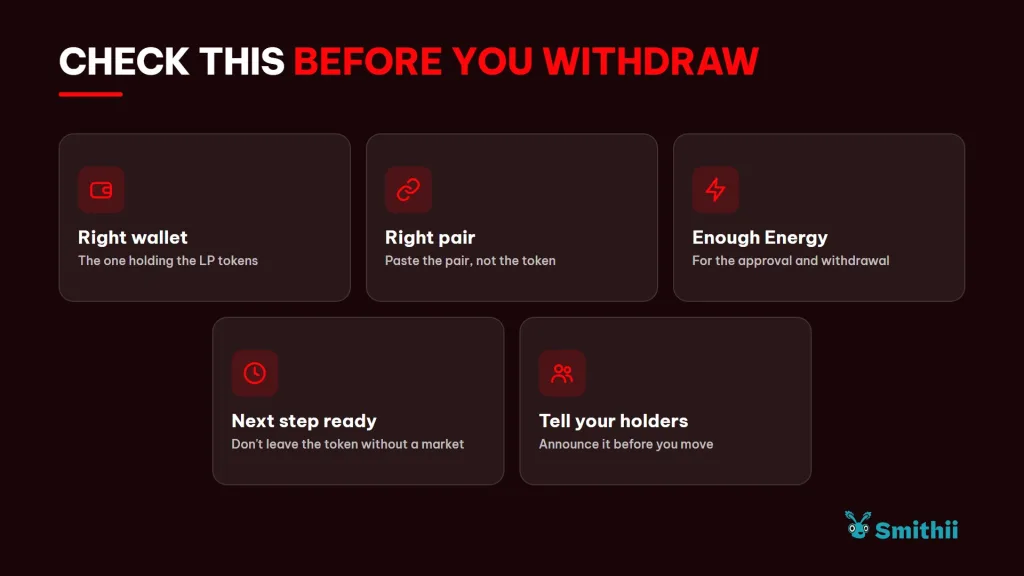
The withdrawal itself is just a few clicks, but most mistakes happen in the stuff people skip beforehand. Run through these points:
- The right wallet: the LP tokens live in the wallet that provided the liquidity. If your team used a different account to create the pool, connect that one.
- The right pair: if your token has multiple pools, paste the exact pair address instead of the token address, so you don’t end up pulling from one you didn’t mean to.
- Resources to sign: on top of the 75 TRX fee, leave enough TRX to cover the Energy for both the approval and the withdrawal. Running out of resources between signatures forces you to start over.
- Where the funds go: decide ahead of time what you’ll do with them. If you’re opening another pair, have the second operation ready so your token spends as little time as possible without a market.
Once that’s handled, the withdrawal is a routine operation. The preview the tool shows you is your last chance to confirm the amounts match what you expected, so read it carefully before signing.
How your holders see it when you remove liquidity on TRON
Any withdrawal shows up on TronScan and on screeners, and a pool that empties all at once is the classic signal of a rug pull. Security scanners, including the Rug Check from Smithii, flag liquidity under $1,000 or unlocked pool shares as a risk.
The way to avoid misunderstandings is transparency: announce what you’re doing with the liquidity before you touch it, especially if you’re switching pairs, and move fast so your token isn’t left without a market.
Here’s how anyone can check whether a TRC-20 is showing signs of rug pull, including yours.
How much it costs to remove liquidity on TRON
The Smithii fee is 75 TRX per withdrawal, plus the Energy and Bandwidth from the network. A withdrawal eats more resources than a transfer because it includes approving the LP tokens and calling the router, and TronLink shows you what each signature needs before you confirm.
The operation also comes with a 20% slippage protection and a 20-minute deadline. If the pool price moves more than that margin while you’re signing, the transaction gets rejected instead of paying you less than you expected.
FAQ
How much does it cost to remove liquidity on TRON with Smithii?
The fee is 75 TRX per withdrawal, plus the Energy and Bandwidth the transactions consume. Same rate as adding liquidity.
Do I get TRX or WTRX back when I withdraw from a pair against TRX?
You get native TRX. If the pair is against WTRX, the withdrawal uses the router path that converts it back, so the balance lands straight in your wallet.
Why don’t I get back the same amounts I put in?
Because what you hold are pool shares, not fixed amounts. If your token price moved, you’ll get more of one side and less of the other, plus the share of fees the pool generated.
Can I withdraw just part of it?
Yes. You pick the amount of LP tokens or the percentage you want to withdraw, and the rest stays in the pool earning fees.
What happens if I lose the LP tokens?
Without them, there’s no way to pull that liquidity. The LP tokens are the proof of your share, so don’t send them to another wallet unless you know exactly why.
Conclusion
Once you know how to pull liquidity on TRON, you can exit your SunSwap position with a clear plan, in native TRX if the pair is against TRX, without relying on the DEX interface. What you get back depends on how price has moved, so double-check the amounts before you sign.
And if the token is yours, flag any significant withdrawal. Liquidity is what holds trust in a pair together, and pulling it without warning has a cost no tool can undo.

Industrial Engineer turned Solana trader. Marketing at Smithii and contributor to the $SHRIMP memecoin launch.



