
How to Check token Holders on Robinhood Chain (Full List)
Want to know how to check token holders on Robinhood Chain? You’re in the right place. Every ERC-20 token on Robinhood Chain stores its full holder list on-chain, and you can pull it in seconds. Here’s what actually works: the Holders tab on Blockscout, the Blockscout API to export the full list, and a one-click option to get the whole thing as a CSV without writing a single line of code.
A holder list is the foundation of any on-chain due diligence. Traders use it to check whale concentration before buying, and projects use it to understand their community and set up an airdrop. Once you have the wallets, you can distribute rewards to all of them in a single transaction.
What Is a Holder List?
A holder list is a snapshot of every wallet holding a token, with each one’s balance and its share of the total supply. On an EVM network like Robinhood Chain – which is an Arbitrum Orbit L2 that settles on Ethereum and is 100% EVM-compatible – this data lives in the token contract and is completely public. Every ERC-20 token stores balances in a public mapping, so anyone can reconstruct the full holder set. No permission, no API key, no paid subscription required. That transparency is exactly what makes holder analysis so useful for spotting concentration risk before it becomes your problem.
A few terms you’ll see constantly: the rich list is the holder list sorted from the largest wallet to the smallest. A whale is any wallet sitting on a significant chunk of the supply, and concentration is how much of the total is piled up in the top wallets. If the top 10 addresses hold 80% of the tokens, that’s a red flag: a handful of wallets could dump everything whenever they feel like it. A healthy token typically has a long tail of small holders rather than a few giants. Also worth noting: liquidity pools, the burn address (0x000...dead), and bridge or team contracts all show up as holders too, so check the top rows in context before passing judgment on a project.
How to Check token Holders on Robinhood Chain with Blockscout
Robinhood Chain runs Blockscout as its block explorer at https://robinhoodchain.blockscout.com. It’s not an Etherscan-type explorer, so ignore any tutorial that tells you to use Etherscan: its API doesn’t support chainId 4663. Everything you need is in Blockscout, and it’s free.
Check Holders in the Explorer, Step by Step
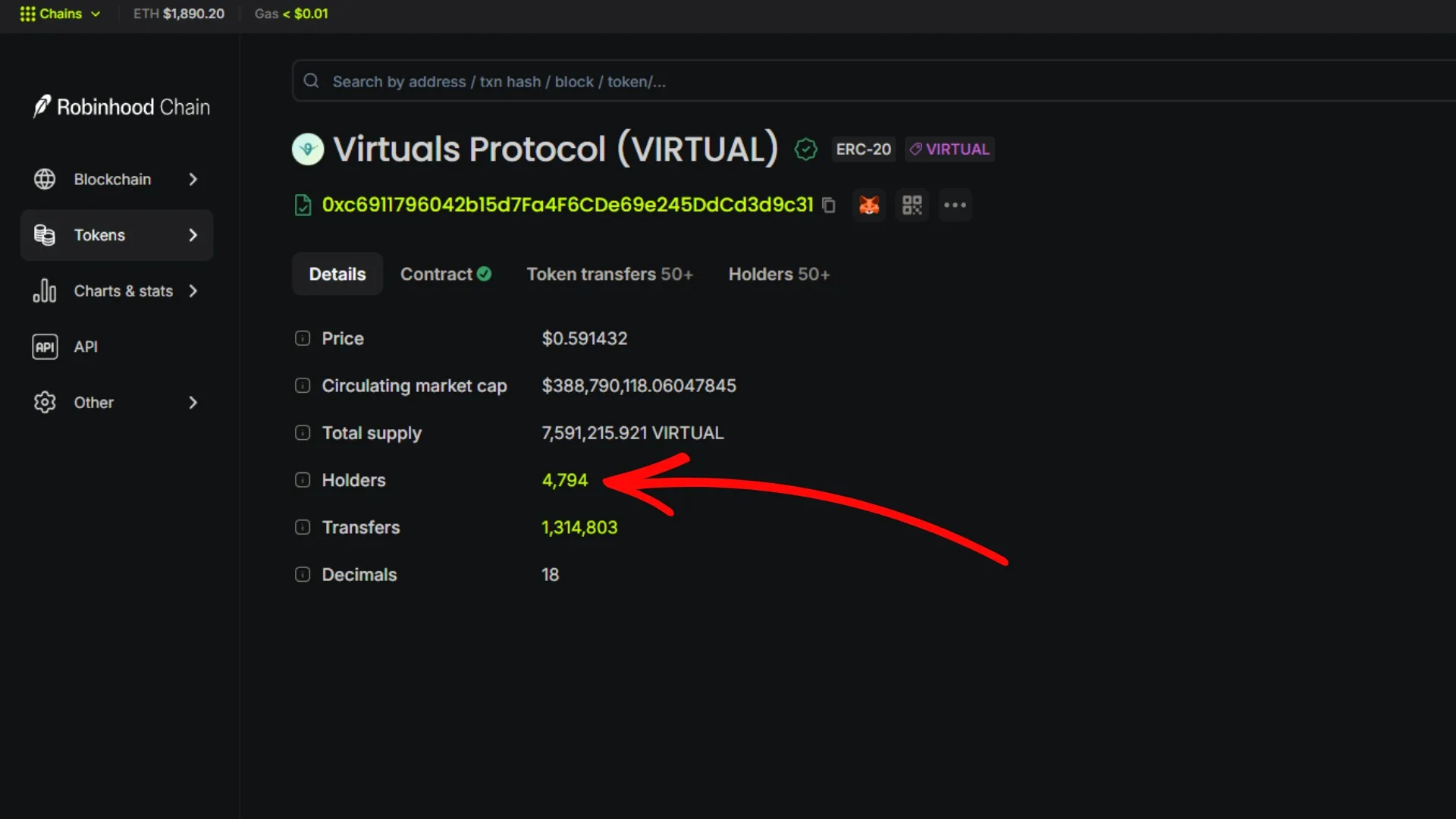
- Open Blockscout: go to robinhoodchain.blockscout.com.
- Find the token: paste the contract address into the search bar and open its token page.
- Open the Holders tab: on the token page, click the Holders tab. You’ll see every wallet ranked by balance, with its share of the total supply.
- Read the distribution: scroll through the list to see the top holders and how concentrated the supply is. This is your rich list. If a single wallet that isn’t a pool holds a big chunk of the supply, treat it as concentration risk before buying.
- Verify the contract first: if the token isn’t verified, run it through contract verification so the explorer shows clean, readable data.
Export the Full List with the Blockscout API
The Holders tab is great for a quick look, but if you want the full list as raw data, the Blockscout API at https://robinhoodchain.blockscout.com/api returns it in JSON. Call the token endpoint with your contract address:
https://robinhoodchain.blockscout.com/api?module=token&action=getTokenHolders&contractaddress=0xTU_TOKEN_ADDRESSThe response lists every holder address and its raw balance in JSON. It’s paginated, so append &page=1&offset=100 (incrementing the page number) to walk through the full set. Balances come as raw integers, so divide each one by 10^decimals to get readable amounts: a token with 18 decimals and a raw balance of 1500000000000000000 holds 1.5 tokens. Once you have all pages, you have the complete list ready to convert to CSV for a airdrop or any other analysis. No API key needed for basic reads, though heavy or automated usage can hit Blockscout’s rate limits; in that case, register a free key on the explorer.
The One-Click Alternative: Smithii Snapshot
Reading the API manually works, but building a clean, deduplicated CSV from thousands of wallets is a grind. That’s where Smithii comes in with Snapshot: an online tool that pulls holders from any token and hands you the full wallet list ready to download, no code required.
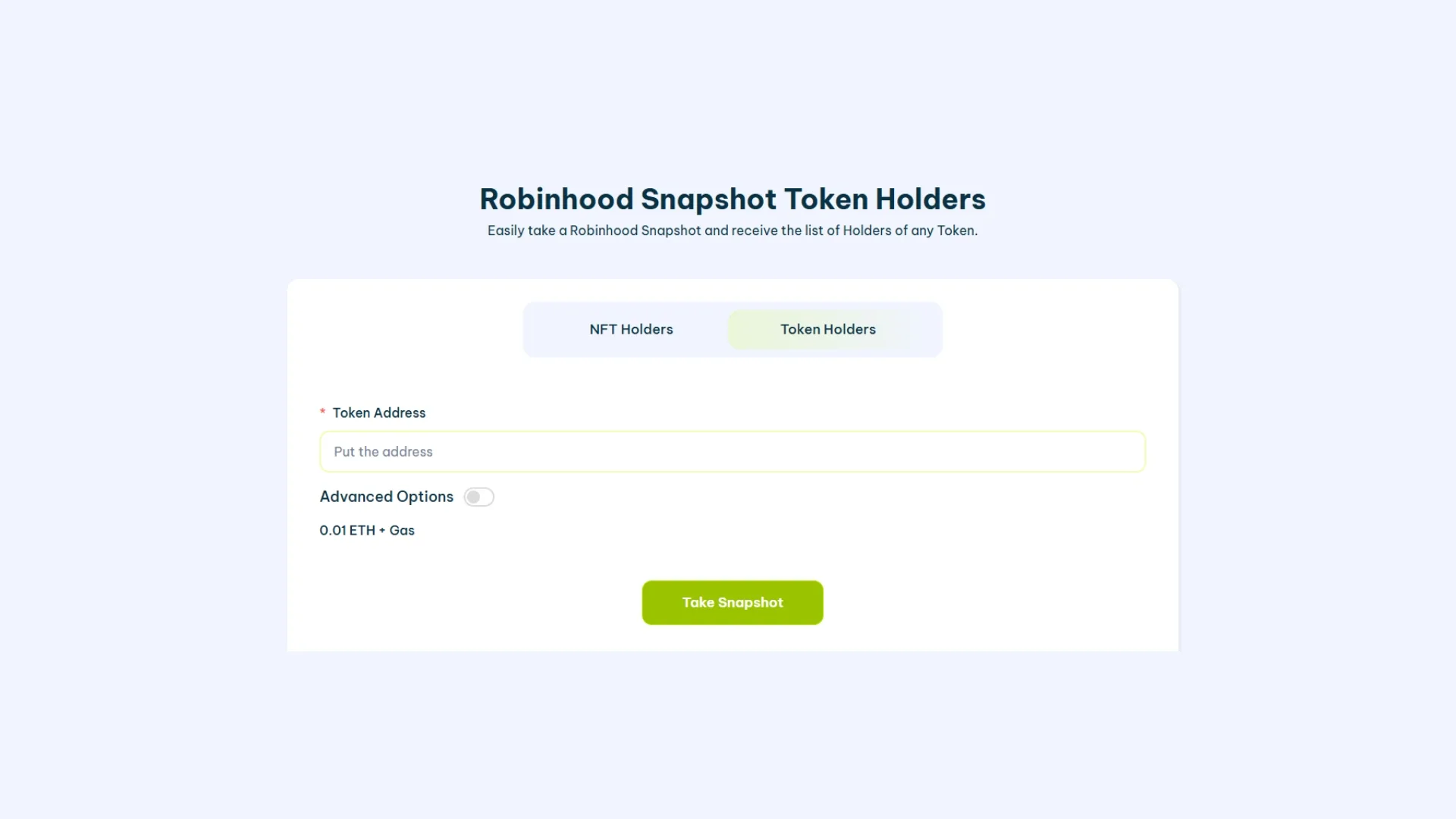
Hiring a dev to write a holder export against an RPC node is expensive: $200 or more once you factor in pagination and dedup logic. Smithii Snapshot does the same thing for free, in about a minute, with zero code. The Smithii suite opens the crypto ecosystem to everyone: no dev skills required, same result. On top of that, Snapshot pairs perfectly with the multisender, so you can pull your holders and distribute tokens to all of them in a single flow for just 0.00015 ETH.
You might also like: learn what Robinhood Chain is and how to create a token on Robinhood Chain.
What You Can Do With a Holder List
- Due diligence: check whale concentration and top holders before buying into a token.
- Airdrops: feed the wallet list straight into a multisender to reward your holders in a single send.
- Governance and rewards: decide who qualifies for votes, staking, or loyalty programs based on their balance at a given point in time.
- Transparency: publish a rich list to build trust with your community.
FAQ
How do I view the holders of a token on Robinhood Chain?
Open the token page on the Blockscout explorer at robinhoodchain.blockscout.com and click the Holders tab. For the full list as data, call the Blockscout API at robinhoodchain.blockscout.com/api with your contract address.
Can I use Etherscan to view holders on Robinhood Chain?
No. The Etherscan API doesn’t support Robinhood Chain (chainId 4663). The official explorer is Blockscout, so use robinhoodchain.blockscout.com for both the Holders tab and the API.
How do I export the full holder list?
Use the Blockscout API’s getTokenHolders endpoint and paginate through the results, or use Smithii Snapshot to pull the holders and download a ready-made CSV with zero code.
Is viewing holders on Robinhood Chain free?
Yes. Reading the Holders tab and basic Blockscout API calls are free. You only pay a small fee in ETH if you later distribute tokens to those wallets using a multisender.
What gas token does Robinhood Chain use?
ETH. Robinhood Chain is an Arbitrum Orbit L2 that settles on Ethereum, so all fees are paid in ETH.
Can I snapshot holders at a specific block?
Yes. A holder list is a point-in-time snapshot, so for a airdrop you typically lock in a block or cutoff date and record who held the token at that moment. Smithii Snapshot lets you capture that exact holder set so nobody can game the drop by buying in after you announce it, and the exported CSV plugs straight into a multisender.
Conclusion
Viewing the holders of a token on Robinhood Chain is fast and free: the Blockscout Holders tab for a quick look, the Blockscout API for a full export, and Smithii Snapshot when you want a clean CSV in one click. Now that you know how to pull your holder list, the natural next step is rewarding those wallets with an airdrop on Robinhood Chain. Subscribe to the Smithii newsletter and get weekly on-chain tips built for web3 creators.
The Complete Robinhood Chain Kit
Everything you need to launch and grow a Robinhood Chain project, no-code, powered by Smithii:
- Get started: What is Robinhood Chain · best wallets
- Create and launch: create a token · create a meme coin · create a liquidity pool
- Distribute: token airdrop · airdrop and testnet guide
- Manage and verify: add logo and socials · verify your contract · view the holder list
- Grow: volume bot · market maker
- Flap volume bot · Trench volume bot · Bankr volume bot

CEO & Co-Founder at Smithii. Building on Solana since 2021 and sharing playbooks from the trenches. Also founder of Lince after years investing in DeFi.



