

How to create a liquidity pool on Blast step by step (Smithii and Uniswap)
Knowing how to create a liquidity pool on Blast is one of the key steps for your token to stop being just a contract on a blockchain and start having a price, volume, and traders. Blast runs as an L2 of Ethereum and its dominant DEX is Uniswap V3, so the pool creation flow follows concentrated liquidity rules.
In this guide we walk through two paths to create your pool: one with the Smithii tool for Blast, which wraps the setup into a single transaction, and another directly in the native Uniswap V3 interface, with more granular control over every parameter.
If you haven’t created the token yet, start with the guide to creating a token on Blast before moving forward. The rest of this post assumes you already have the token contract and some ETH in your wallet to pair with.
What is a liquidity pool and why create one on Blast?
A liquidity pool is a token pair deposited into a smart contract that traders use to make swaps. On Uniswap, liquidity providers set a specific price range where their capital works (concentrated liquidity).
In Blast’s case, there’s one detail that changes the math compared to other L2s: the network pays native yield on ETH and USDB. That means the ETH sitting inside the wallet or the contract generate yield by default (around 4% for ETH and 5% for USDB according to the official documentation). It’s something worth factoring in when you design your pool’s economy.
The other relevant factor is the DEX ecosystem. Uniswap V3 holds most of Blast’s volume, which makes it the natural place to list a new token. That’s why this guide focuses on creating the pool on Uniswap V3, either with the Smithii suite or directly in the native UI.
If you haven’t deployed your token contract yet, check out the step-by-step tutorial to deploy a token on Blast before moving on to the pool.
How to create a liquidity pool on Blast with the Smithii tool
The liquidity pool tool by Smithii for Blast cuts the process down to a single transaction and lets you skip manual fee tier and range setup if you don’t want to dig into that detail. The tool costs 0.001 ETH plus the transaction gas.
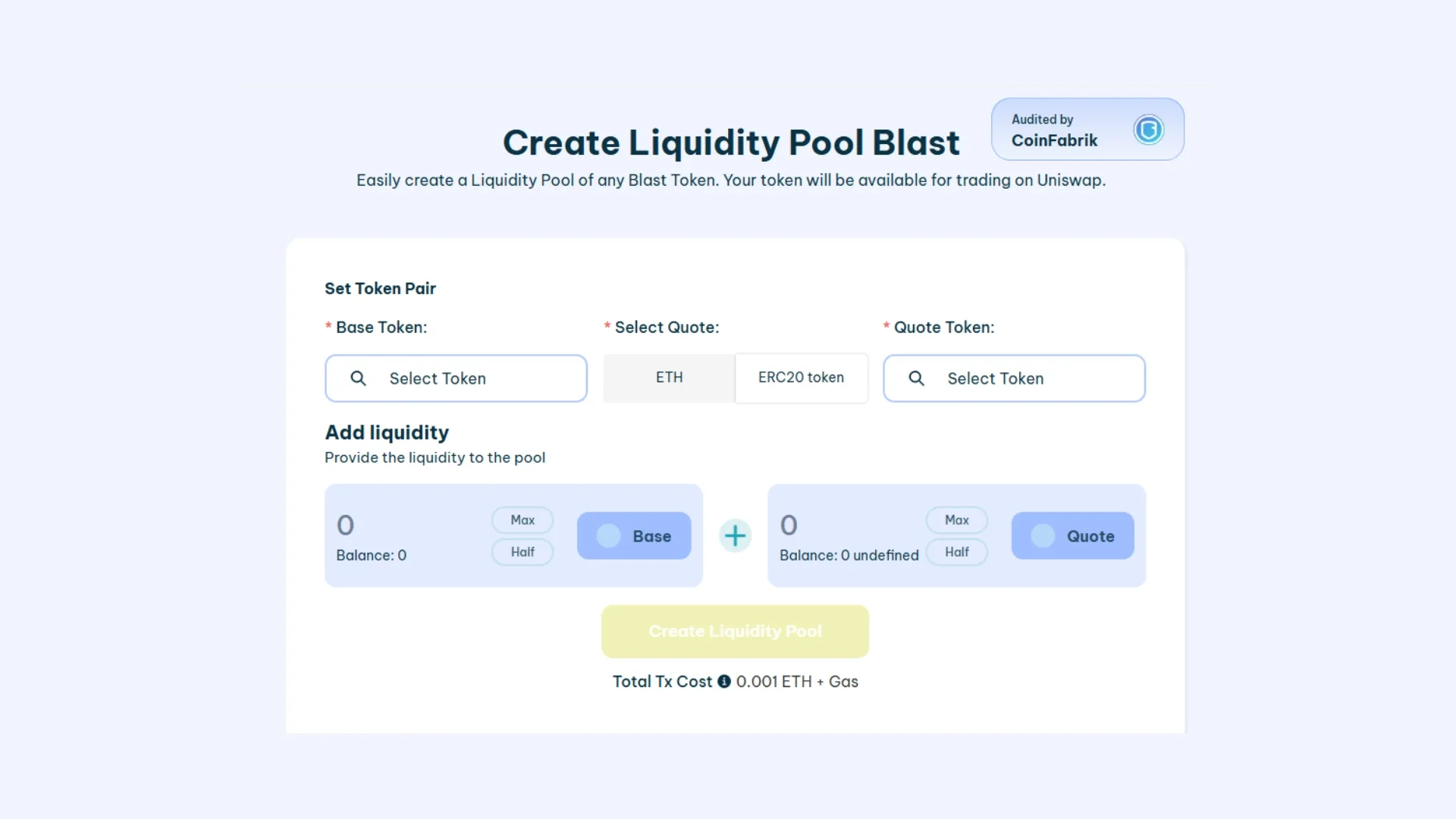
- Connect your wallet on the Blast network: MetaMask, Rabby, or any other EVM wallet. If you haven’t set up Blast yet, the tool detects the network and offers to add it automatically.
- Pick the base token and your token: the base token is usually WETH or USDB, depending on how you want your token to be priced. Paste your token address into the matching field.
- Set the amounts on each side of the pool: the ratio you put in sets the initial price. For example, if you deposit 1 WETH and 1,000,000 of your token, the initial price will be 0.000001 WETH per token.
- Create the pool and sign the transaction: the tool bundles the token approvals and the pair creation into a single flow. Once the transaction is confirmed, the pool goes live on Uniswap V3 on Blast and traders can start swapping.
If you need to pull the liquidity out later, there’s a separate flow for that in the guide to removing liquidity on Blast.
How to create a liquidity pool on Blast directly on Uniswap
If you prefer granular control over the fee tier, the price range, and the liquidity curve, the direct path through the Uniswap interface (V3 or V4) is the way to go. It’s a few more steps, but you keep every lever in your hands.
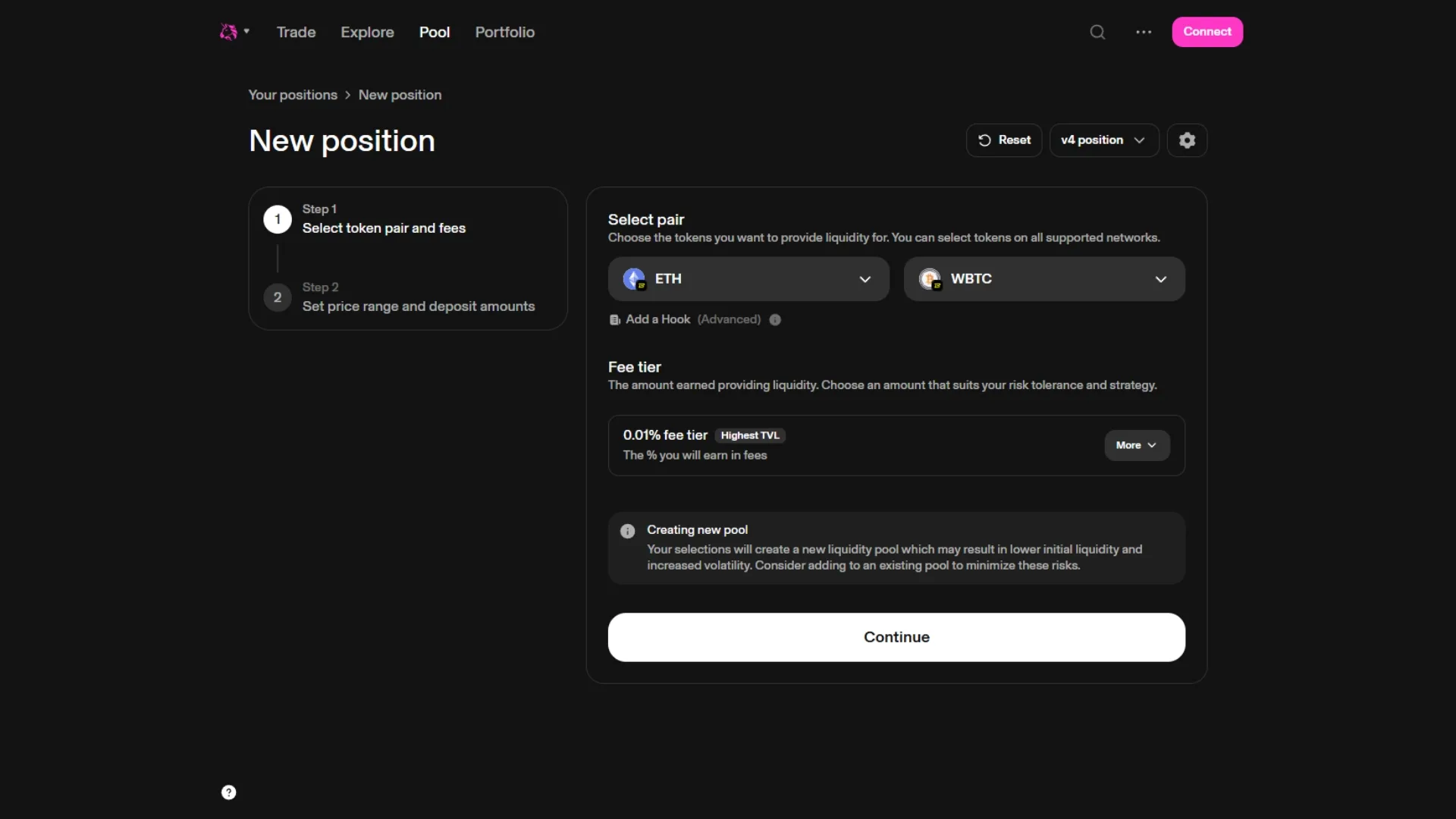
1. Connect your wallet to Uniswap on the Blast network
Go to app.uniswap.org, connect your wallet and select Blast in the network dropdown (top right). Then open the Pools section and click “New position”.
2. Create the token pair and pick the fee tier
Pick the base token (WETH, USDB, or whichever you prefer) and then paste your token address into the other field. Uniswap will warn you that the pool doesn’t exist yet and ask you to choose a fee tier:
- 0.05%: for stable pairs (stable-stable).
- 0.3%: the default for most token pairs with some volatility. It’s the most common choice for memecoins and new tokens.
- 1%: for highly volatile pairs or exotic tokens.
3. Set the initial price and the range
This is where you define the starting price of your token and the two prices your liquidity will sit between. You have two modes: full range (your liquidity works from 0 to infinity, just like Uniswap V2) or concentrated (your liquidity is concentrated in a specific range, earning more fees but with the risk of going out of range if the price moves).
For a typical launch of a new token, many creators go with full range at the start and then migrate to concentrated positions once the price stabilizes.
4. Approve the tokens and deposit the liquidity
Enter the amounts you’ll deposit for each token. Uniswap automatically calculates the other side based on the initial price. You’ll sign two or three transactions: approve for each token and mint for the position. Once it’s done, the pool is live and your liquidity position shows up as a NFT in your wallet.
Smithii vs native Uniswap: side-by-side
A quick rundown of the differences between the two paths, so you can pick the one that fits your situation best:
| Feature | Smithii tool | Uniswap V3 direct |
|---|---|---|
| Transactions to sign | 1 single bundled transaction | 2-3 transactions (approve + mint) |
| Fee tier setup | Preset (0.3% by default) | Choose between 0.05%, 0.3% and 1% |
| Price range | Full range by default | Full range or concentrated, fully customizable |
| Learning curve | Suitable for users without prior Uniswap V3 experience | Requires understanding concentrated liquidity |
| Cost | 0.001 ETH + gas | Gas only |
| Granular control | Limited | Full |
If you’re still pre-launch, take a look at the Smithii suite for Blast, where you’ll find the tools to create the token, launch the pool, and run the launch.
Things to consider before creating your liquidity pool on Blast
Picking the right fee tier
The fee tier affects how much you charge each trader who swaps against your pool. For a new token with high volatility, 0.3% is the safe pick. Going up to 1% tends to scare off organic volume, and dropping to 0.05% only makes sense when the pair is tightly correlated in price (typically stable-stable).
Concentrated vs full range
Concentrated earns more fees per unit of capital, but it requires you to actively manage the range. If the price moves outside the defined range, your liquidity stops earning fees until the price comes back or you reset the position.
Full range is more passive and tends to be the preferred option at the start of a launch, when you don’t know where the token price will settle. It’s the closest thing to how Uniswap V2 behaves.
Impermanent loss and how to mitigate it
Impermanent loss shows up when the relative price between your two tokens shifts from where it was at the time of deposit. On Blast, the native yield on ETH and USDB offsets part of that passive loss, but it doesn’t cancel it out. It’s worth monitoring the active range if you’re running concentrated liquidity and rebalancing once the market has moved enough to justify the gas cost of the reset.
Why create your liquidity pool on Blast?
Blast has a couple of properties that set it apart from other L2s when it comes to hosting a pool:
- Native yield on ETH and USDB: the yield generated by the assets accrues with no extra steps, which helps offset part of the impermanent loss.
- Gas significantly cheaper than Ethereum L1: creating pools and rebalancing positions costs a fraction of what you’d pay on mainnet.
- Uniswap V3 as the main DEX: it concentrates the ecosystem’s volume, which means more organic exposure for your pool once it’s live.
- Ecosystem with active incentives: retroactive programs and liquidity campaigns that pop up periodically in the Blast ecosystem (check DefiLlama for up-to-date data).
FAQ
These are the questions we get most often about creating a liquidity pool on Blast:
How much does it cost to create a liquidity pool on Blast?
With the Smithii tool, the cost is 0.001 ETH plus the gas for the bundled transaction. If you go directly through Uniswap V3, there’s no tool fee and you only pay the gas for the two or three transactions (approve + mint). Either way, the total cost on Blast is usually much lower than on Ethereum L1 thanks to the gas difference on an L2.
Do I need to know how to code to create an LP on Blast?
No. Both the Smithii tool and the native Uniswap V3 interface are no-code. All you need is your wallet connected, the address of your token, and the other asset you’re going to pair it with (WETH, USDB, etc.).
Which fee tier should I pick for my token on Blast?
For most new tokens on Blast, 0.3% is the most commonly used fee tier. 0.05% only makes sense for highly correlated stable pairs, and 1% is usually reserved for very volatile or low-volume tokens, since such a high fee reduces the incentive to swap against the pool.
What happens with native yield if my ETH or USDB is inside the pool?
Native yield behavior depends on how the contract holding the tokens is implemented. Uniswap V3 on Blast has its own rebasing treatment, and in many cases part of the yield is redistributed or managed through the protocol. It’s worth reviewing the Blast yield mode documentation before running detailed numbers on expected returns.
Can I withdraw my liquidity at any time?
Yes. You own the position (which on Uniswap V3 is represented as an NFT in your wallet) and you can withdraw the liquidity whenever you want. The step-by-step is in the guide for withdrawing liquidity from your pool on Blast.
Conclusion
Creating a liquidity pool on Blast takes just a few minutes, whether you use the Smithii tool (faster, fewer levers) or go directly through Uniswap V3 (more manual, more control). The choice comes down to how much detail you want to control and how familiar you are with concentrated liquidity.
Before creating the pool, double-check the fee tier and the range you’re going to use, and factor in how Blast’s native yield affects the economics of the pair. After launch, monitor the active range and rebalance once the price has moved enough that the rebalance is worth the gas.

Industrial Engineer turned Solana trader. Marketing at Smithii and contributor to the $SHRIMP memecoin launch.



