HOW TO GET LISTED ON THE MAGIC EDEN DROP CALENDAR IN 3 STEPS
If you’re creating an NFT collection, you need to get it as much exposure as possible. That’s why we’ll show you how to get listed in Magic Eden’s Upcoming Drops section, step by step.
This helps you reach hundreds of users every day and, in turn, improve your mint results. For how simple the process is with this guide, the upside is solid. Let’s get into it.
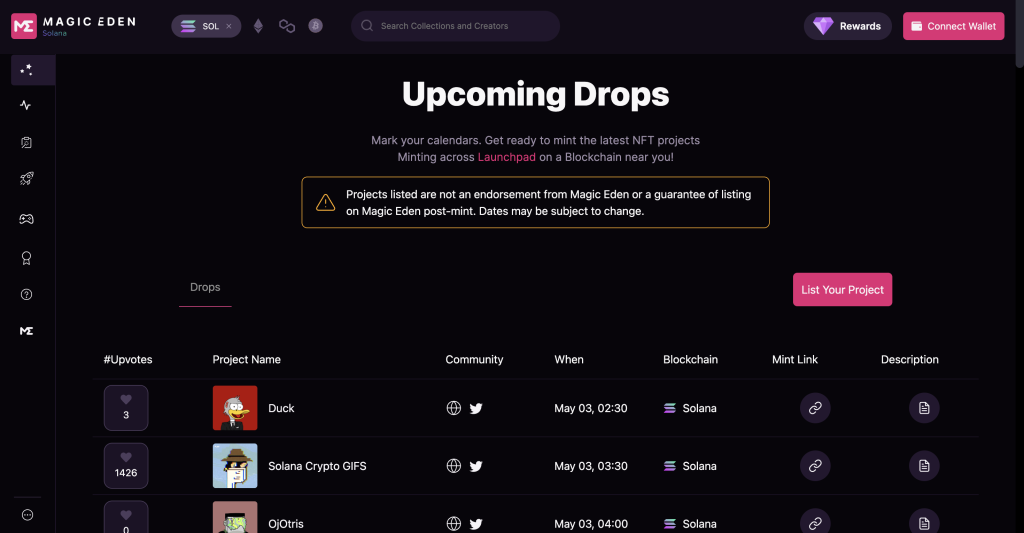
WHAT IS MAGIC EDEN’S DROP CALENDAR?
Drop Calendar, also known as Upcoming Drops, is a Magic Eden section where you can see upcoming mints. In practice, it works like a list-based calendar with key information about projects getting ready to mint.
HOW MUCH DOES IT COST TO GET ON MAGIC EDEN DROP CALENDAR?
You’re probably wondering how much it costs to appear here. The answer is that getting listed on Drop Calendar is completely free. You just need to follow the steps below.
WHY LIST YOUR NFT COLLECTION ON DROP CALENDAR?
The main reason is obvious: it gives you visibility. In other words, you can reach more users at no cost.
Plus, by completing the Drop Calendar listing process, you’ll avoid having to list your collection on Magic Eden again, since all that will be left is adding the hash list for your NFT collection.
Below, we break down everything in detail.
Want to Outrun Your Competitors?
Join our newsletter and get weekly Blockchain updates built for NFT creators.

HOW TO LIST A NFT COLLECTION ON THE MAGIC EDEN DROP CALENDAR
Listing on the drop calendar is similar to listing your collection on the marketplace. The key difference is that you are still in the pre-mint stage.
We start right from the process on the official site, magiceden.io.
1. GO TO THE CREATORS SECTION ON MAGIC EDEN
To start, open the “Creators” section in the left menu and click “Apply for Listing”.
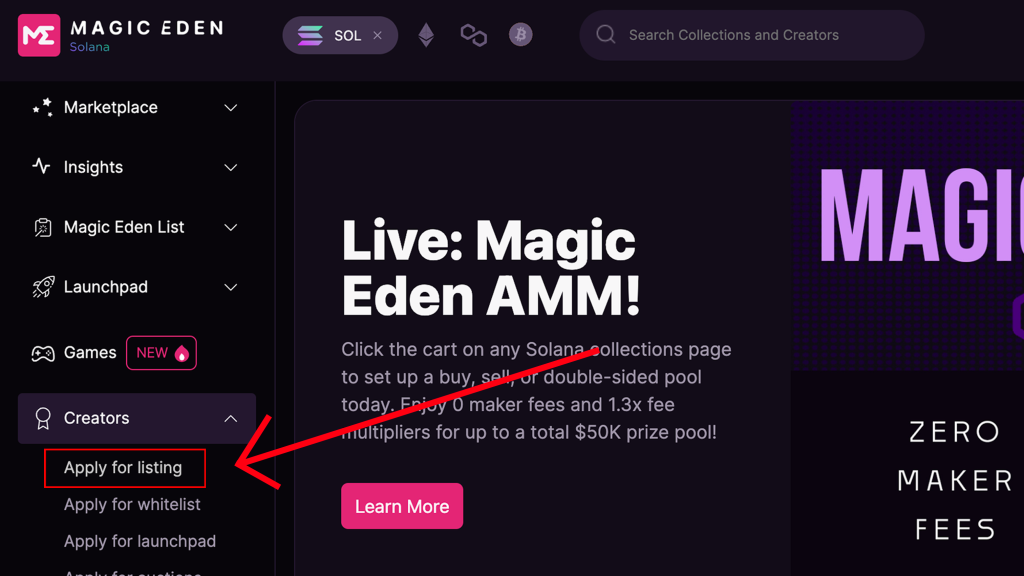
This will open Magic Eden’s Creators Hub. From there, you can sign in and list the collection on the drop calendar. To sign in, enter your email. You’ll receive a message from Magic Eden that lets you complete the login process.
Inside the Creators Hub, you’ll see several sections.

2. ADD YOUR COLLECTION INFORMATION
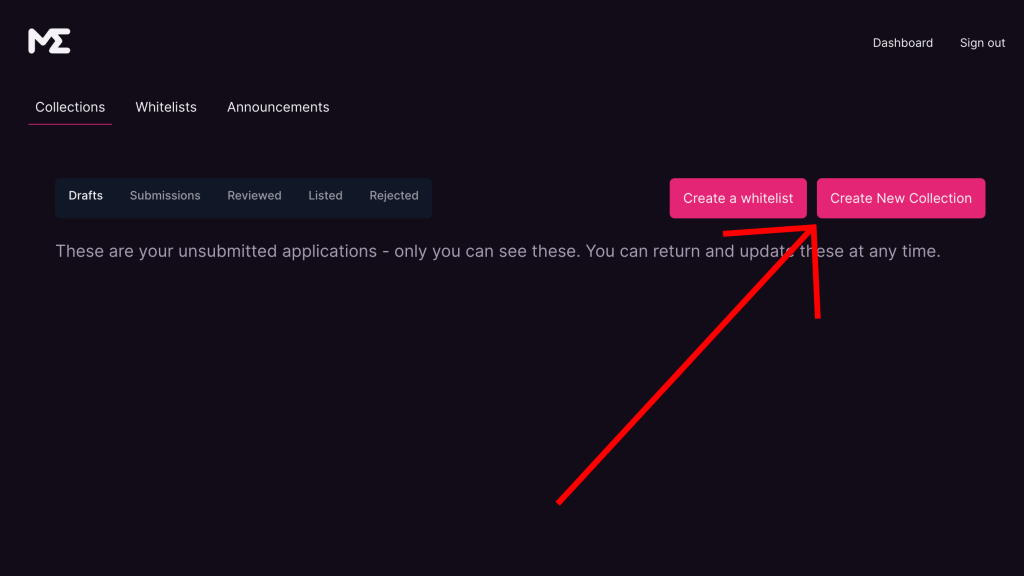
In the Creators Hub, start by “creating the NFT collection”. Click the “Create a New Collection” button.
A new page will open with the different steps and required information. Let’s get started.
2.1. INTRODUCTION
In the first section, called “introduction“, select which blockchain your collection belongs to. Right now, Magic Eden supports manual collection listings for Solana, since collections on its other supported blockchains are listed automatically.
You also need to choose whether you created the artwork for the collection or whether you have the license to use it.
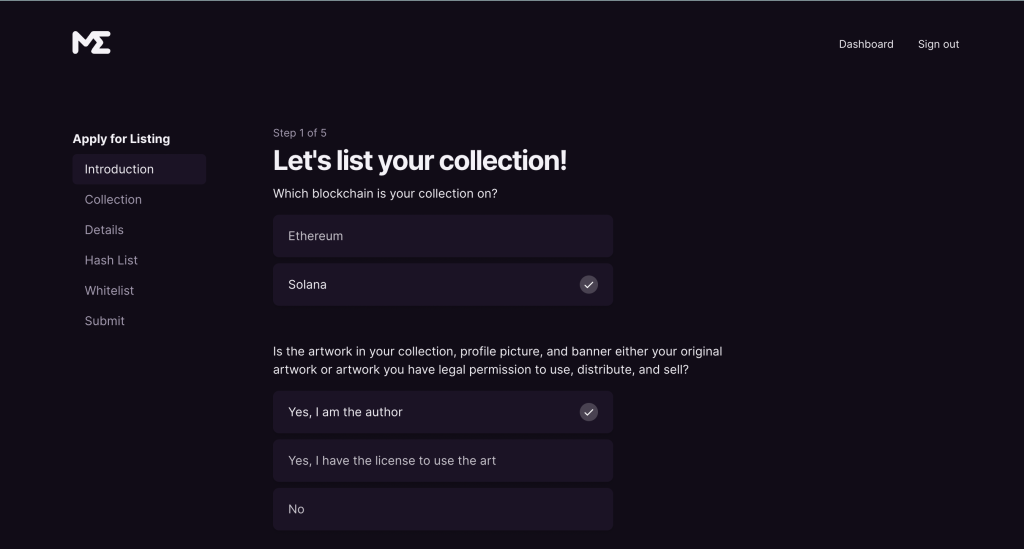
Since you have not completed your mint yet, you do not need to select the Metaplex option. Just continue.

2.2. COLLECTION
In this section, you only need to enter the Collection Name and symbol.
The symbol is basically the term that will appear in your collection URL on the marketplace. If you enter “SMITHII“, the URL will be: magiceden.io/marketplace/SMITHII.

Next, click “Save & Proceed”.
2.3. DETAILS
Next, add more details about your collection. Here, you’ll enter the description that appears on the collection page. Keep it short, but make it clear what your NFT collection is about.
Next comes the profile picture. Make it as eye-catching as possible. If you don’t have a logo, using an image of one NFT from your collection can work well.

Then, select whether your art is derived from any existing NFT collection.
Next is the collection category. Right now, this is fairly irrelevant.
To wrap up this section, add your social links. You need to link your Twitter account, which must have at least 100 followers, add your discord link, and include a web page if you have one. Having one is highly recommended.

2.3. HASH LIST – APPLY FOR LISTING
Now we move into the final step of the tutorial. We’ll treat it as its own section.
3. NFT COLLECTION HASH LIST
Since we are still in the pre-mint stage, we do not need to fill out every detail. Even so, we will walk you through how to list your collection later once it has been minted.
With that set, choose “review (not approval for listing)” and the mint launch date. Once that’s done, you’ll move to the final step, where you can review the information summary and confirm it.
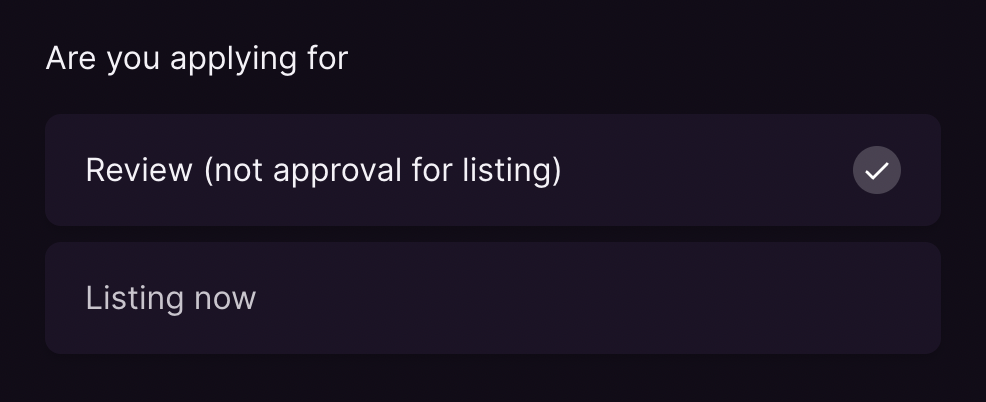
After that, you will need to wait for Magic Eden to accept your request. If they approve it, your request will appear under “Reviewed” and it will automatically be listed in the Drop Calendar section with the details you provided. You can find it by going to your mint date.
LIST YOUR COLLECTION ON MAGIC EDEN
Once the mint is complete, you can list your NFT collection on the Magic Eden marketplace. To do it, you will need to go back to your previous request and add your collection’s hash list.
You can learn how to get it here: how to get the hash list of a NFT collection.
Want to Outpace Your Competitors?
Join our newsletter and get weekly Blockchain news built for NFT creators.
BOTTOM LINE
Now that you have the full picture, it is time to keep putting in the work to take your collection as far as it can go. Hope this helped.

CEO & Co-Founder Smithii. Building on Solana since 2021 and passionate to share my experience on Solana projects. I also Founded Lince after years investing in DeFi.