

How to Do an Airdrop on SUI: No-Code Guide
If you want to run an Airdrop on SUI, meaning send a token from the SUI network to multiple wallets, this post is for you. We’re going to show you how to distribute tokens from your token in just a few minutes and without writing a single line of code.
On top of that, you can do it for just 0.5 SUI per wallet (plus 0.003 SUI in gas fees). Without further ado, let’s jump straight into the step-by-step on how to do an Airdrop on SUI.
If you’d rather watch a video tutorial, check out the one below.
Airdrop on Sui: Step by Step
To run the Airdrop on SUI, we’re going to use our SUI Multisender tool. This dApp handles sending the token you pick to the wallets you specify in just a few minutes.
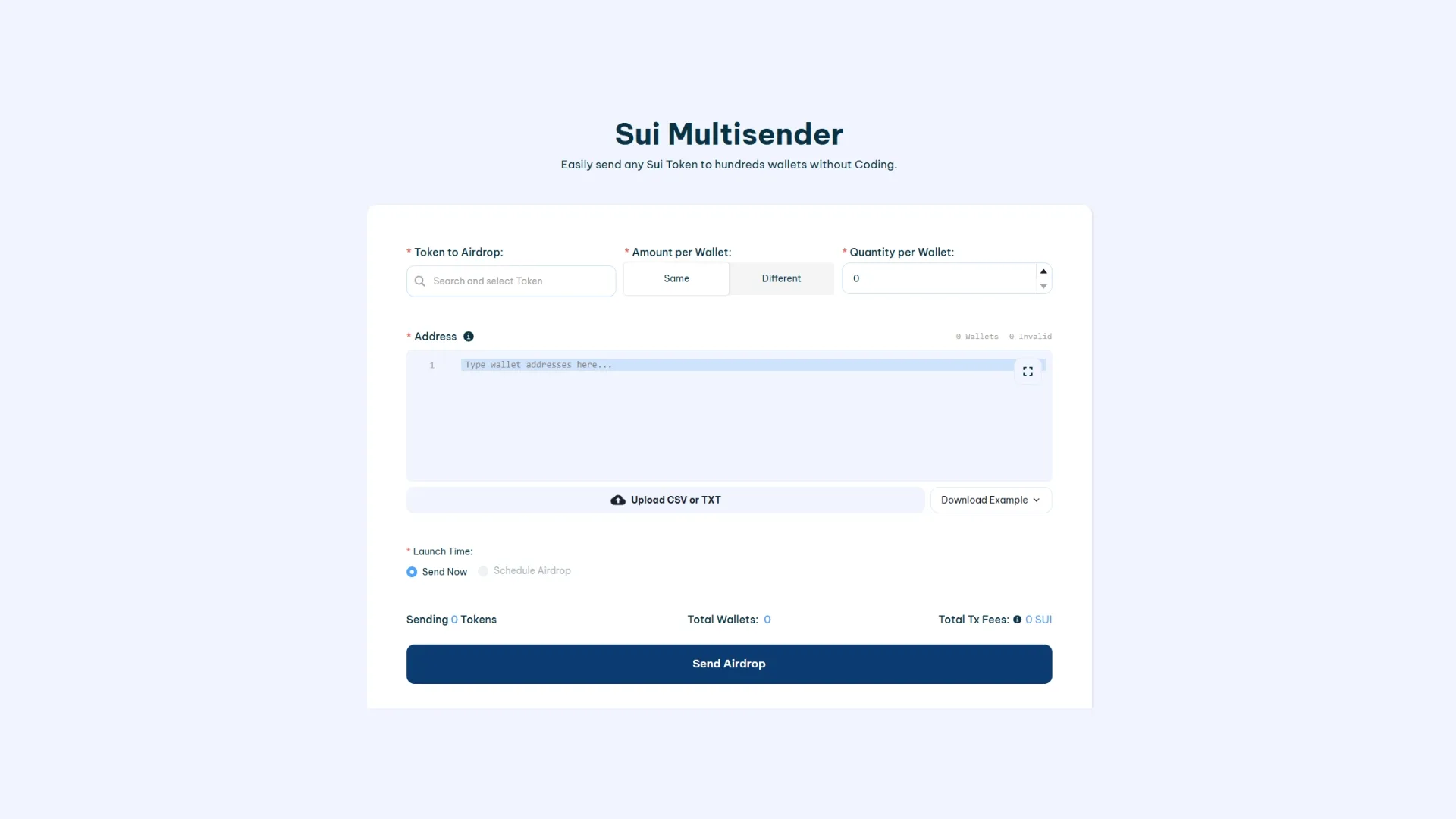
- Head over to SUI Multisender.
- Connect your SUI wallet so you can use the tool.
- Select the token you want to airdrop (it must be available in your wallet).
- Choose the amount you want to send to each wallet (or pick the “amount per wallet different” option to set a custom amount per wallet).
- Paste or import a CSV with your target wallets. Any badly formatted addresses will be flagged in a dedicated section.
- Click “Send Airdrop“, which will open a transaction in your wallet.
- Approve the transaction (it covers both the token transfers and the corresponding fees).
Once the transaction is confirmed, the airdrop will kick off and you can track its progress until it’s fully complete.
Is it safe to run an Airdrop on SUI with this tool?
The SUI Multisender by Smithii is used by hundreds of users every month and was built by our team of crypto-tooling experts. On top of that, the dApp never has access to your tokens or any other assets, since it only requests approval for the transaction needed to run the airdrop. So your assets stay safe.
Plus, our Smart Contract has been audited by multiple developers, ensuring a high level of security and minimizing any risk.
What Airdrops on SUI Are Used For
Airdrops on SUI are typically used for a range of purposes, including:
- Revenue Sharing
- Promotion
- Equity
- Whitelist
- Refunds
- Payments
FAQ
Below are a few questions that might come in handy if you’re running airdrops on SUI:
1. Do I need to have my own token on SUI before launching an Airdrop?
Yes. You need a token already deployed on the SUI network. Make sure the token is in your SUI wallet and that you have enough balance to cover every send. If you haven’t launched your own token yet, check out our guide to creating a token on SUI.
2. How much does a Airdrop on SUI cost?
The tool charges roughly 0.5 SUI per address, plus network gas fees. Double-check that you have enough SUI to cover the full address count.
3. What file types can I upload to load the addresses?
You can upload a CSV file containing the addresses (and optionally the amounts). Make sure each address is properly formatted to avoid failed sends.
4. Can I reverse or cancel a Airdrop if I send tokens to the wrong address?
No. Every transaction on the SUI network is immutable once confirmed. Carefully review your address list before approving the transaction.
5. What happens if my Airdrop gets interrupted halfway through?
If your wallet runs out of SUI or your connection drops, the remaining sends won’t go through. Once you top up your balance or reconnect, you can pick up where you left off.
6. How can I verify that every address received its tokens?
You can check each transaction on a SUI network explorer. That lets you confirm all transfers went through correctly and see the final balance of each wallet.
7. Is there a limit on how many addresses I can send tokens to in a single Airdrop?
There’s no hard cap on the number of addresses you can include in a single distribution. The main constraint is having enough SUI balance to cover the sends.
8. How do I calculate the total cost of my Airdrop before approving the transaction?
The tool automatically estimates the total cost, adding up the per-address fee and the network’s gas fees. You’ll see the final amount before confirming the operation in your wallet.
Conclusion
Running a Airdrop on SUI is a powerful play for marketing and growing your project. With a tool like SUI Multisender that removes the technical barriers, you can send your token to multiple wallets quickly and safely (before or after creating the liquidity pool on Sui), boosting your project’s reach.
We hope you can get the most out of this guide. Don’t forget to subscribe to our newsletter for exclusive weekly content built for Web3 creators.
Subscribe and get a free E-Book!
Get our free e-book with all the tools you need to launch on Cetus


Industrial Engineer turned Solana trader. Marketing at Smithii and contributor to the $SHRIMP memecoin launch.



