How to use a bundler bot on Stonk.fun: launch, buy and sell with multiple wallets
To use a bundler bot on Stonk.fun, there’s one thing you need to get straight first: your wallets don’t buy the token with SOL here, they buy it with whatever asset the creator picked for the pair, which can be a tokenized stock or a stablecoin. A solid bundler handles that swap for you and lets you launch, stack or exit a position across multiple wallets at once, as if the pair were SOL.
In this guide we walk through the three bundle tools for Stonk.fun (Bundler, Bundle Buy and Bundle Sell), their real limits, and the situations where they’re actually worth it. Let’s get into it.
What changes when you run a bundle on Stonk.fun
A bundle is a group of up to 5 transactions that Jito executes in order, in the same block and atomically: either they all land or none of them do. Since they’re sent straight to Jito instead of the public mempool, no bot can slip in between your buys to sandwich you.
On Stonk.fun, each wallet swaps its SOL for the pair asset and buys on the curve within the same transaction, using a Jupiter route with 10% slippage. That’s why the entire launch fits inside a single bundle, and that’s also why the limit is lower than on other launchpads:
- Launch: 4 wallets, or 3 if you do a dev buy, because the dev wallet buy takes up its own transaction.
- Bundle Buy and Bundle Sell: up to 25 wallets per run. The first 4 go in an initial bundle and the rest get sent in bundles of 5 once that first one is confirmed.
- Jito tip: 0.0009 SOL per bundle on launch and 0.0005 SOL on buys and sells. It’s not a Smithii fee.
Since buys and sells go through Jupiter routes, the tools work both while the token is still on the curve and after it graduates to Raydium.
How to use a bundler bot on Stonk.fun to launch your token
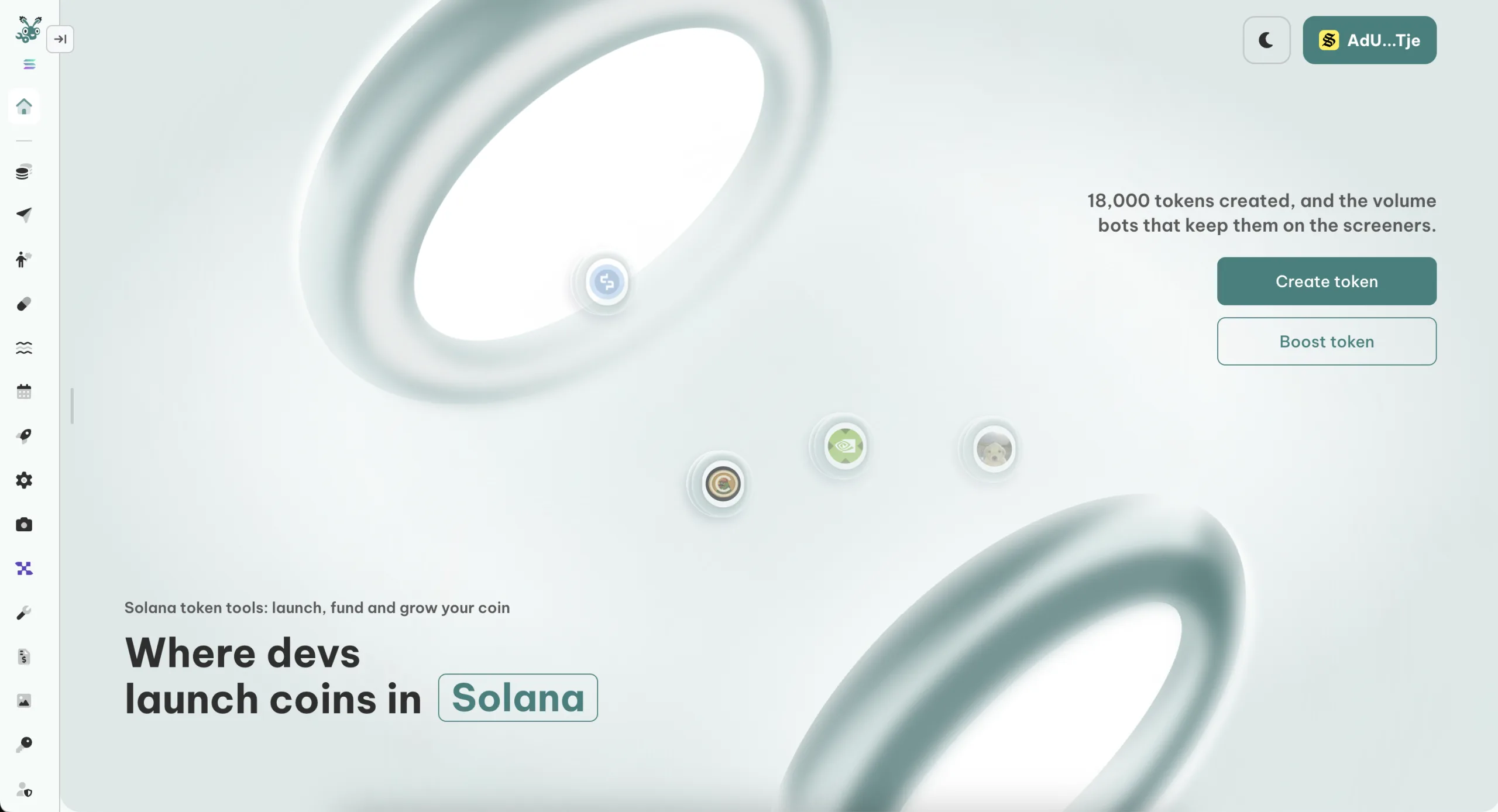
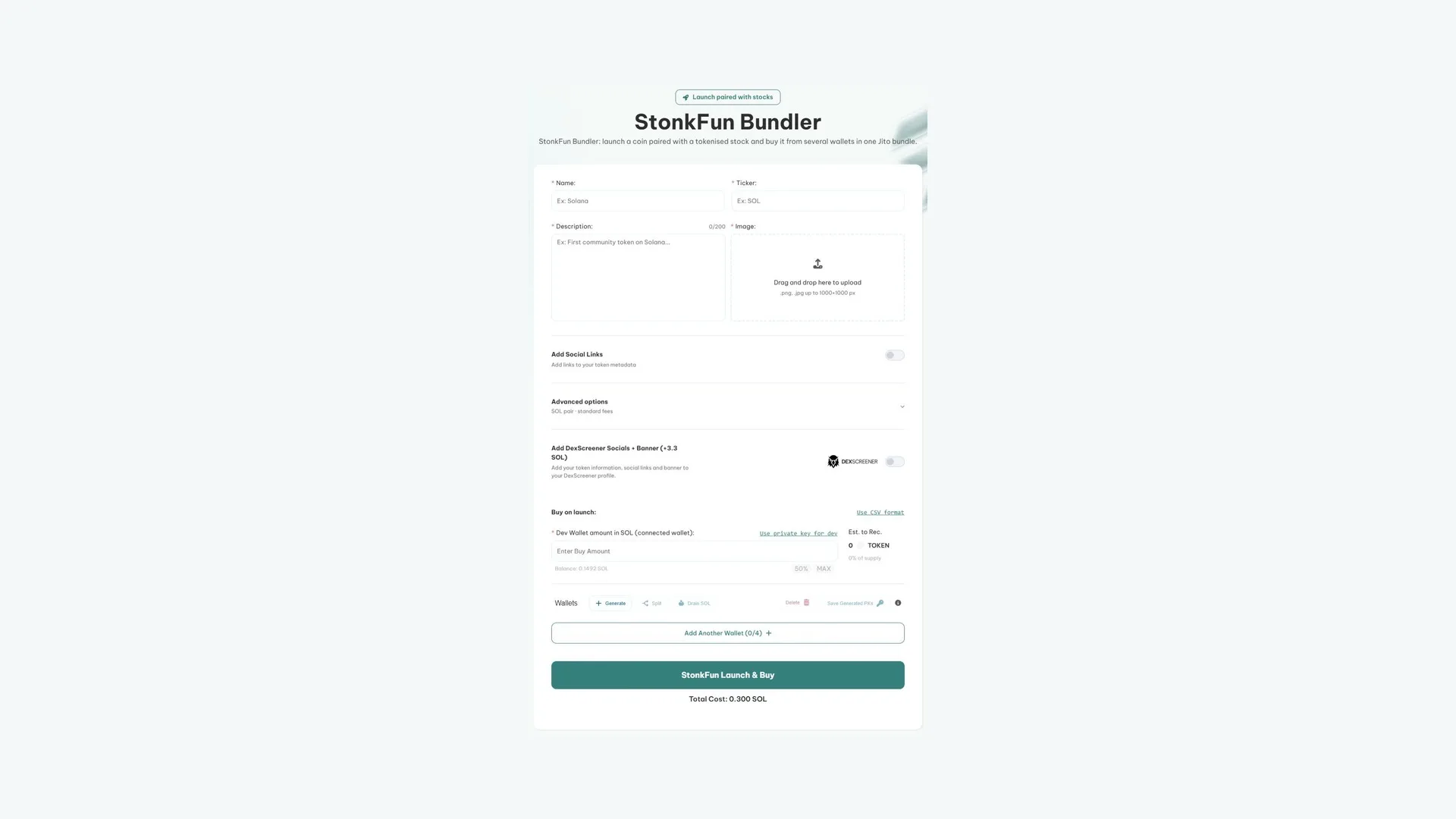
The Bundler for Smithii on Stonk.fun lets you create the token and buy it from your own wallets in the same block, fast and with no code. On top of the buys, it helps you prep the wallets: you can import them, generate new ones or spread SOL across them from the same screen. Here’s what the interface looks like:
Once you’re in, here’s what to do:
- Set up the bundle wallets: add each one with its private key and amount, paste them as CSV, or hit Generate to spin up new wallets. Freshly generated ones start empty, so fund them with SOL before launching.
- Fill in the token: name, ticker, description, image, and socials if you want. The pair is picked under advanced options.
- Set the dev buy and the buys: between 0.001 and 85 SOL per wallet. The 50% and MAX buttons size the amount from each wallet’s balance; a row left at 0 gets skipped.
- Launch: before you sign, the tool checks that each wallet has its buy amount plus 0.005 SOL. If any is short, it flags which one and sends nothing.
When it finishes, a panel pops up with the token, the chart, and the live balance of the bundle wallets. If you see a notice that the token was created, don’t launch again: you’d spin up a second, different token.
When the Bundler pays off: when you’re launching a new token and want several wallets buying in at the same time, in the same block as the launch.
If you’re after the strategy side (how to pick the pair, what to prep, and how to pull in eyes), that’s in our guide to launching a meme coin on Stonk.fun.
How to run a bundle buy on Stonk.fun with up to 25 wallets
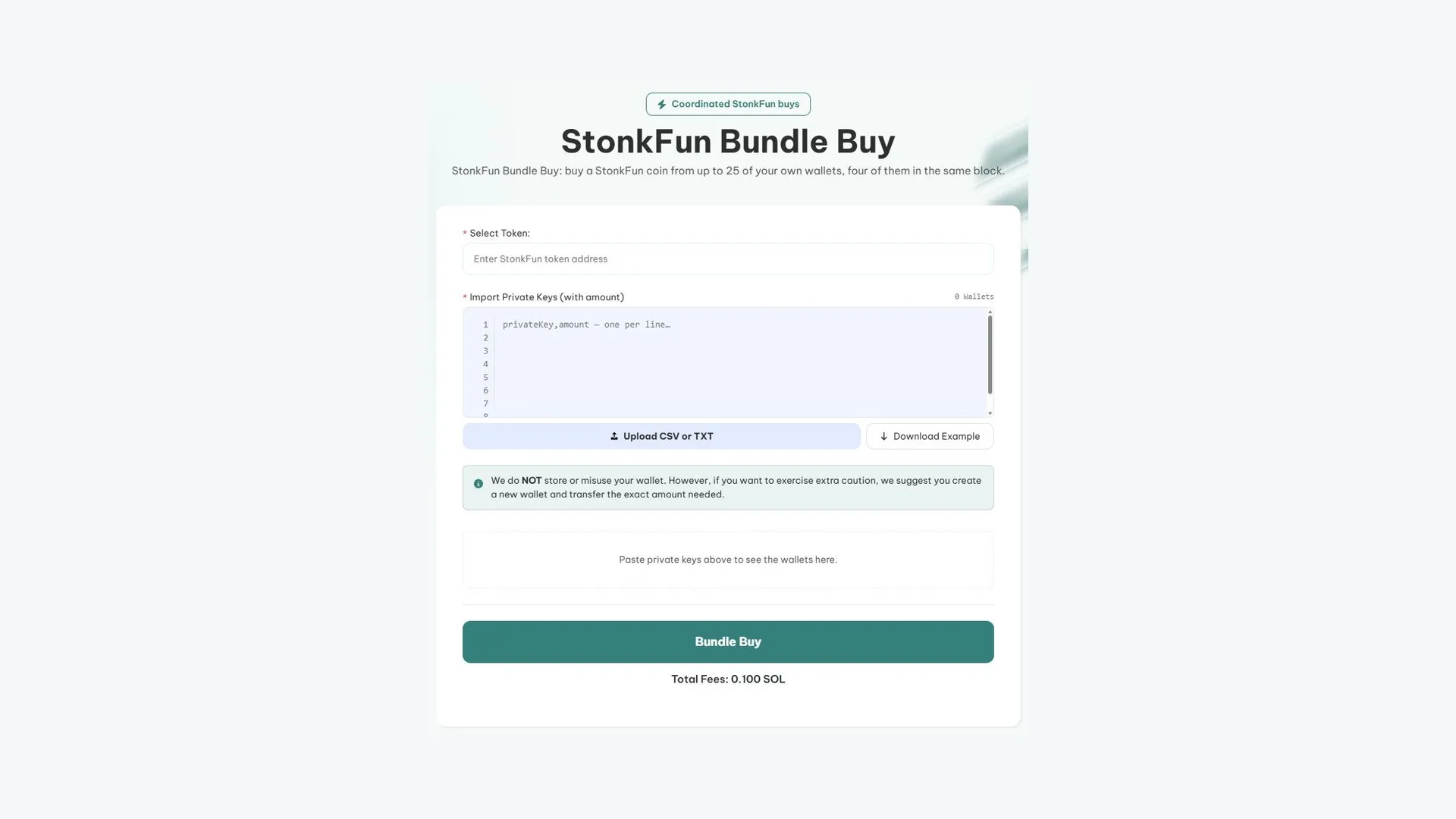
The Stonk.fun Bundle Buy buys an existing token from many wallets at once. It works with any token on the platform, whether you launched it with Smithii or not, and it’s how you reinforce your position without signing every single buy. Here’s what you’ll see when you open it:
With the token address ready and SOL in each wallet, follow these steps:
- Connect your wallet. You only sign the Smithii fee; the buys are signed by the bundle wallets themselves.
- Paste the token address and double-check that the name, symbol, and logo match.
- Paste one line per wallet with the private key and the SOL amount separated by a comma, or upload a CSV or TXT file.
- Check the table: the tool flags invalid rows and hides wallets whose balance doesn’t cover their buy plus 0.005 SOL. You can uncheck any you don’t want to use.
- Hit Bundle Buy and approve the fee.
When Bundle Buy pays off: when the token is already live and you want to buy from several wallets in the same block.
On Stonk.fun, the Smithii fee travels inside the first bundle alongside the first 4 wallets: if that bundle doesn’t land, you don’t pay. Keep in mind that a freshly launched token can take a few seconds to have a route on Jupiter, so a buy right after launch may fail with an error naming the affected wallet. Wait a moment and retry.
How to run a bundle sell on Stonk.fun and get paid in SOL
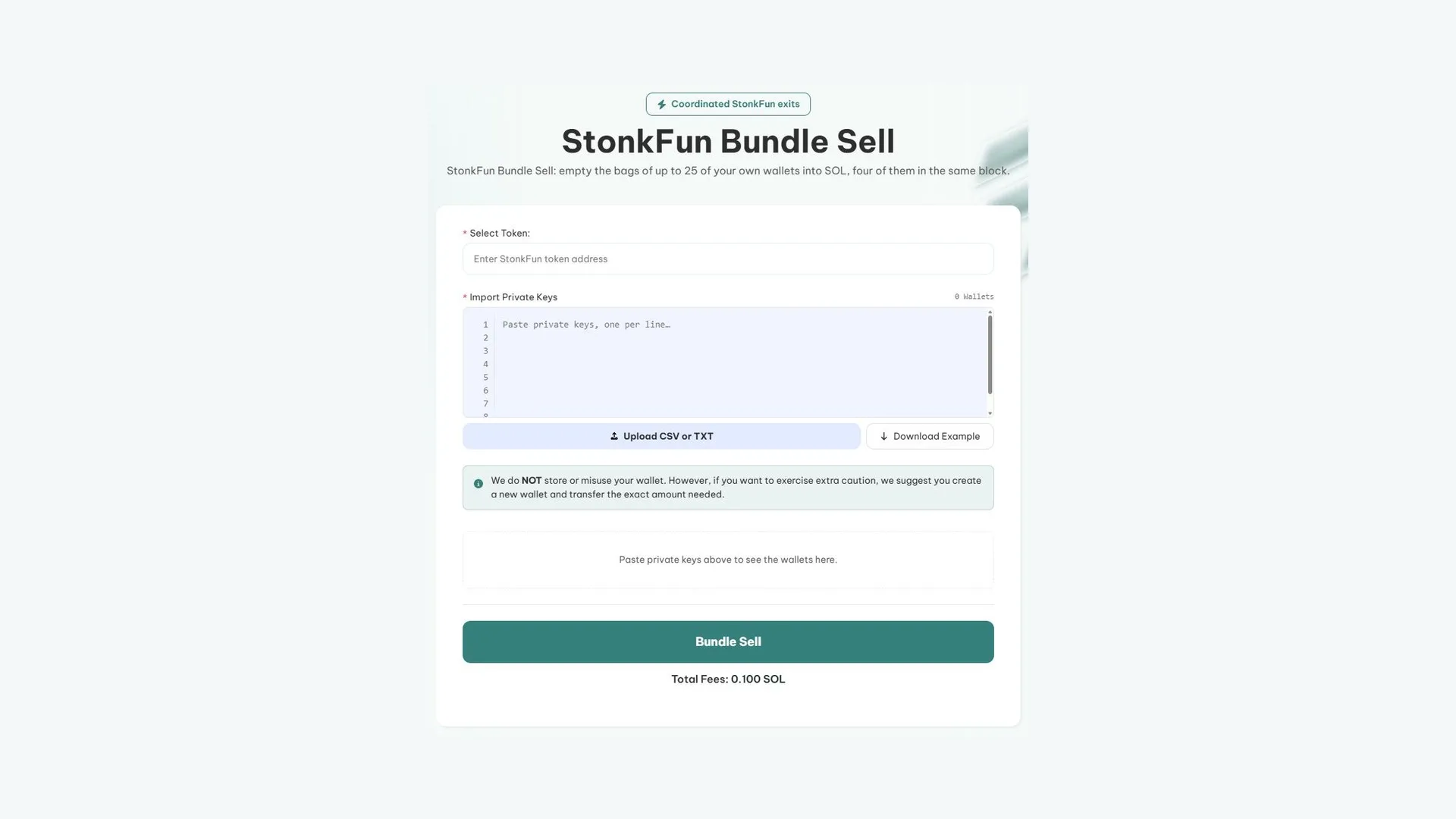
The Stonk.fun Bundle Sell sells the token from several wallets in a single run and lands the proceeds in SOL on each one, without you touching the pair’s other asset. Here’s the screen:
The flow is nearly identical to the buy side:
- Connect your wallet and paste the token address.
- Paste the private keys of the wallets that will sell, one per line, or upload a CSV.
- Review each wallet’s balance: any without tokens get hidden. Uncheck the ones you want to hold on to.
- Hit Bundle Sell and approve the fee.
When Bundle Sell is useful: when you want to sell from multiple wallets at the same time.
One important detail: Bundle Sell dumps 100% of the balance from every wallet you select. There’s no percentage slider, so if you want to sell less you have to uncheck wallets or move some of the tokens out beforehand. Also keep in mind that selling from many wallets at once pushes the price down, and buyers see it on the chart.
How much the bundler bot costs on Stonk.fun
Smithii fees are flat per execution: they don’t change with the number of wallets or the amount you buy or sell.
| Tool | Smithii fee | When it’s charged |
|---|---|---|
| Bundler (launch) | 0.3 SOL | Only if the launch lands on-chain |
| Bundle Buy | 0.1 SOL | Inside the first bundle |
| Bundle Sell | 0.1 SOL | Inside the first bundle |
| Selling from the post-launch panel | 1% of the estimated SOL from the sale | Once per trade, after the sale |
On top of that, each wallet pays its own gas and the first one in every bundle covers the Jito tip. None of those costs go to Smithii.
What to watch out for when using the bundler bot on Stonk.fun
- Use fresh wallets for the bundle and fund them with only what they’re going to spend. Never paste the private key of your main wallet.
- Save the key file if you generate wallets from the tool (Save Generated PKs): whoever has it controls those wallets.
- Don’t relaunch a token that already exists. If the warning says the token is already live, fill the missing buys with Bundle Buy instead.
- Keep in mind Stonk.fun doesn’t pay a creator fee: the platform keeps the 1% from every trade, so your initial position is your main source of upside.
If you’re still deciding where to launch, check out the pros and cons of launchpads before committing your budget.
FAQ
How many wallets can I use with Stonk.fun’s bundler bot?
At launch, 4 wallets, or 3 if you do a dev buy. In Bundle Buy and Bundle Sell, up to 25 per execution, split across several bundles.
Can I sell just a portion of my tokens with Bundle Sell?
No. Bundle Sell dumps 100% of the balance in every wallet you select. If you want to sell less, uncheck wallets or move some tokens out before running the sell.
Does it work on Stonk.fun tokens that already graduated?
Yes. Bundle Buy and Bundle Sell route through Jupiter, so they work both on the bonding curve and on the Raydium pool after graduation.
Is the fee charged if the bundle doesn’t land?
No. At launch, the fee is only charged if it lands on-chain. In Bundle Buy and Bundle Sell it rides inside the first bundle, so if that bundle doesn’t land, nobody pays.
Conclusion
Now that you know how to use a bundler bot on Stonk.fun, you can launch with multiple wallets in the same block, stack buys with up to 25 wallets, and sell in a single execution. You also get why this platform has different limits than other launchpads.
Once your token is live, the next step is keeping the activity going: our guide on the Stonk.fun volume bot walks you through it, and the meme coin promotion guide covers how to pull in real buyers.

Content creator and SEO contributor at Smithii. Systems Engineering student and crypto-tech enthusiast.