
How to Snapshot Token Holders on Solana: updated guide
In this guide I’ll walk you through how to Snapshot Token Holders on Solana quickly, easily, and with zero friction. It’s useful if you’re running any kind of project and want to study holder profiles of tokens similar to yours so you can run a airdrop or back up your growth strategy with real data.
Before we dive into the step-by-step tutorial, let’s cover what a snapshot token holders actually is and what you can use it for. If you’d rather watch the video version, here it is:
What is a Snapshot Token Holders?
When we talk about a snapshot token holders, as the name suggests it’s a “snapshot” of the wallets holding a given amount of a specific token. In other words, a snapshot of solana token is a list of wallets currently holding some amount of that same token.
This opens up a range of use cases and utilities we’ll cover further down in this article.
What can we see with a snapshot of token holders on Solana?
Naturally, running a snapshot gives you the list of wallets holding a token of Solana, which you can copy or export as CSV for easier analysis and use.
If what you’re looking for is how to snapshot NFT Holders on Solana, click here.
Common ways to get the most out of the SPL Snapshot Tool
When we talk about Snapshot, the first thing that comes to mind is running an airdrop. And that really is the most common use case: you run a snapshot and then reward your holders with an airdrop, whether it’s revenue sharing, distributing more tokens, or dropping NFTs.
Another common use is running a snapshot to grant access to a presale or a whitelist.
Without further delay, let’s get to work. We’re kicking off the step-by-step tutorial for running a Snapshot of Solana Token Holders.
Step-by-step guide to running a Snapshot of Token Holders on Solana
No need to mess around with scanners. Smithii lets you run the snapshot and download a CSV in seconds. Just head over to the dApp, where you’ll see an interface similar to this one:
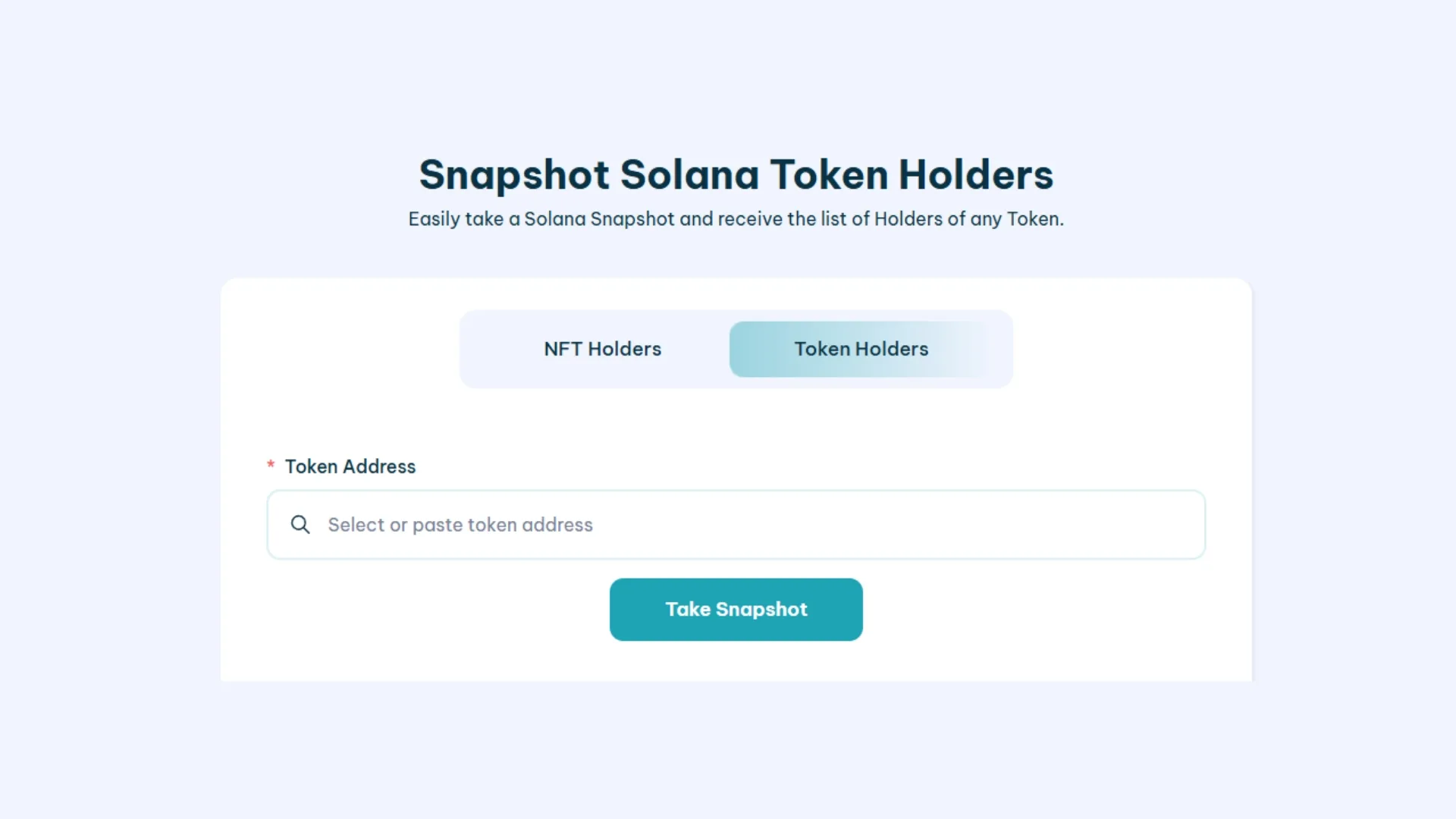
- Connect your wallet to use the software (if you don’t have one, check out this tutorial on creating a Solana wallet)
- Paste the token address of the asset you want to snapshot
- Click Take Snapshot and confirm the transaction (costs 0.2 SOL)
- Wait a few seconds.
You’ll get a list of every wallet holding the selected Solana Token, which you can copy or export as CSV.
Once that’s done you can run an airdrop to the token holders, or take any other action to boost your project based on the data you’ve collected.
Learn how to run an airdrop on Solana using the wallets you’ve pulled from the Snapshot Tool. It’s the natural next step after getting the holder list of a project similar to yours.
FAQ
Our Snapshot Token Holders tool on the Solana network is dead simple to use, but if you’ve got questions, check the FAQs below.
What exact information do I get when I download the CSV file from the snapshot?
The CSV gives you a clean list of public keys for every wallet holding the token at the exact moment of the snapshot, along with the precise token balance each one holds. That lets you filter, organize, or run detailed data analysis for your marketing campaigns or airdrops.
Is there a minimum wallet balance required for a snapshot to show up in the snapshot?
By default, the tool captures every address holding a positive balance of the token. Once you download the CSV, though, you can easily filter the list in Excel or Google Sheets to narrow it down to holders that meet your specific criteria (for example, those holding more than 1,000 tokens), so you can fine-tune your strategy and resources.
Does the snapshot run in real time, or does it use historical data?
The snapshot runs in real time, capturing the current state of the blockchain at the exact moment you confirm the transaction. That’s why, if you plan to announce an airdrop or a perk for holders, it’s crucial to clearly state the date and time of the snapshot. Otherwise, you’ll get complaints from users who bought the token afterwards.
Can I run a snapshot on a token that isn’t mine?
Yes, absolutely. The tool is built so you can run a snapshot on any token SPL on the Solana network. It’s a very common play among devs and marketing teams: analyzing the competition, spotting active communities, or pulling holders from similar projects into their own ecosystem.
Wrapping up
Now that you know how to run a snapshot of token holders on Solana, the natural next step is to back your outreach strategy with a volume bot. That way you’ll reinforce organic traffic with artificial activity to keep your position fresh across different DEXes and screeners.

Crypto writer focused on the Web3 space. Former contributor to the Smithii editorial team.



