

How to Revoke Authority of a Token on Solana: Guide with no-code tools
When creating a token, there’s a simple way to boost trust and the perception of your coin, and that’s revoking authority on Solana.
Your token has three initial attributes: Freeze, Mint, and Update. If these stay active, it means the token creator has unique powers like freezing tokens in a wallet, minting more supply, or updating the token’s metadata, respectively. If you give up these authorities, you’ll get a better perception and people may feel more inclined to buy.
In this guide we walk through how to revoke authorities on Solana, in one click and with no coding required. I’ll leave you this explainer video, but keep reading the guide for the full picture.
How do I renounce ownership of a token on Solana?
For context, on Ethereum the action of renouncing ownership of a token (there’s only 1) is called “Renounce Ownership“, so we could also refer to our case as Renounce Ownership on Solana.
In this quick read you’ll learn enough to revoke authority on Solana so you can pass the Rug Check audit and scale your token project. Here’s a video too in case you prefer that format:
If you don’t know yet how to create a Token on Solana for your web3 project, we have a dedicated guide on using our tools.
Reasons you should revoke the authorities of a SPL token
One tool that audits the state of a token’s properties is RugCheck. It’s a site that makes it easy to analyze the rugpull potential of a token. As an example, I’ll use a token I created with Smithii Tools.
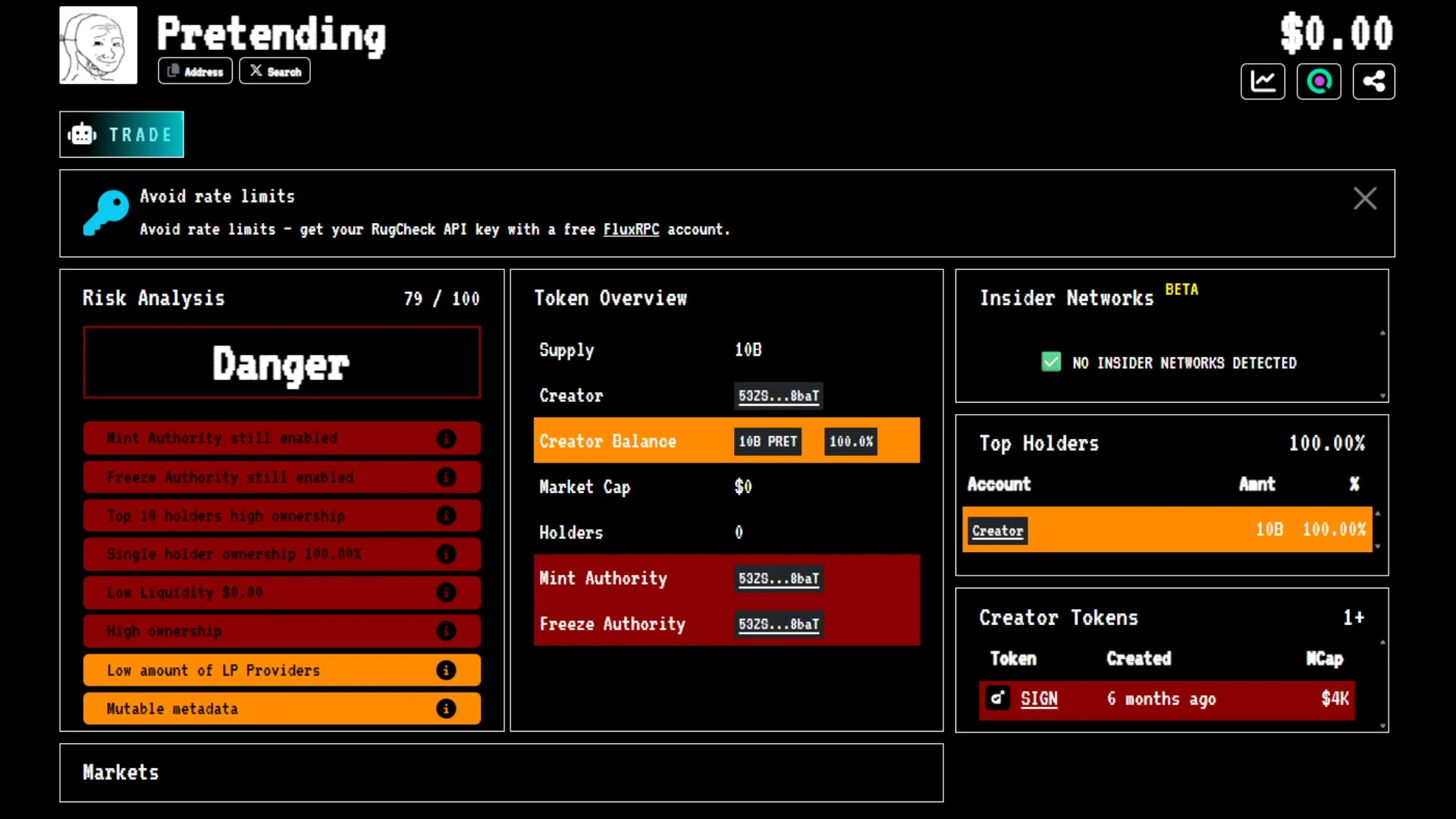
Here we’ve got 8 red flags:
- Mint Authority still enabled
- Freeze Authority still enabled
- Top 10 holders high ownership
- Single holder ownership 100%
- Low Liquidity $0.00
- High ownership
- Low amount of LP Providers
- Mutable metadata
3 of these relate to authorities (Mint, Freeze, Mutable Metadata), so let’s walk through step by step how to revoke authority on Solana:
Step by step to revoke the authorities of a SPL token
It’s clear by now that revoking authority and renouncing ownership are 2 search terms that mean the same thing within the Solana blockchain. With that said, let’s see how Smithii’s Tool dApp lets us do it without coding and in no time.
How to Revoke the Freeze Authority
Use the Revoke Freeze Authority tool to give up this authority. The process is super simple, just follow these steps once you’re in the interface:
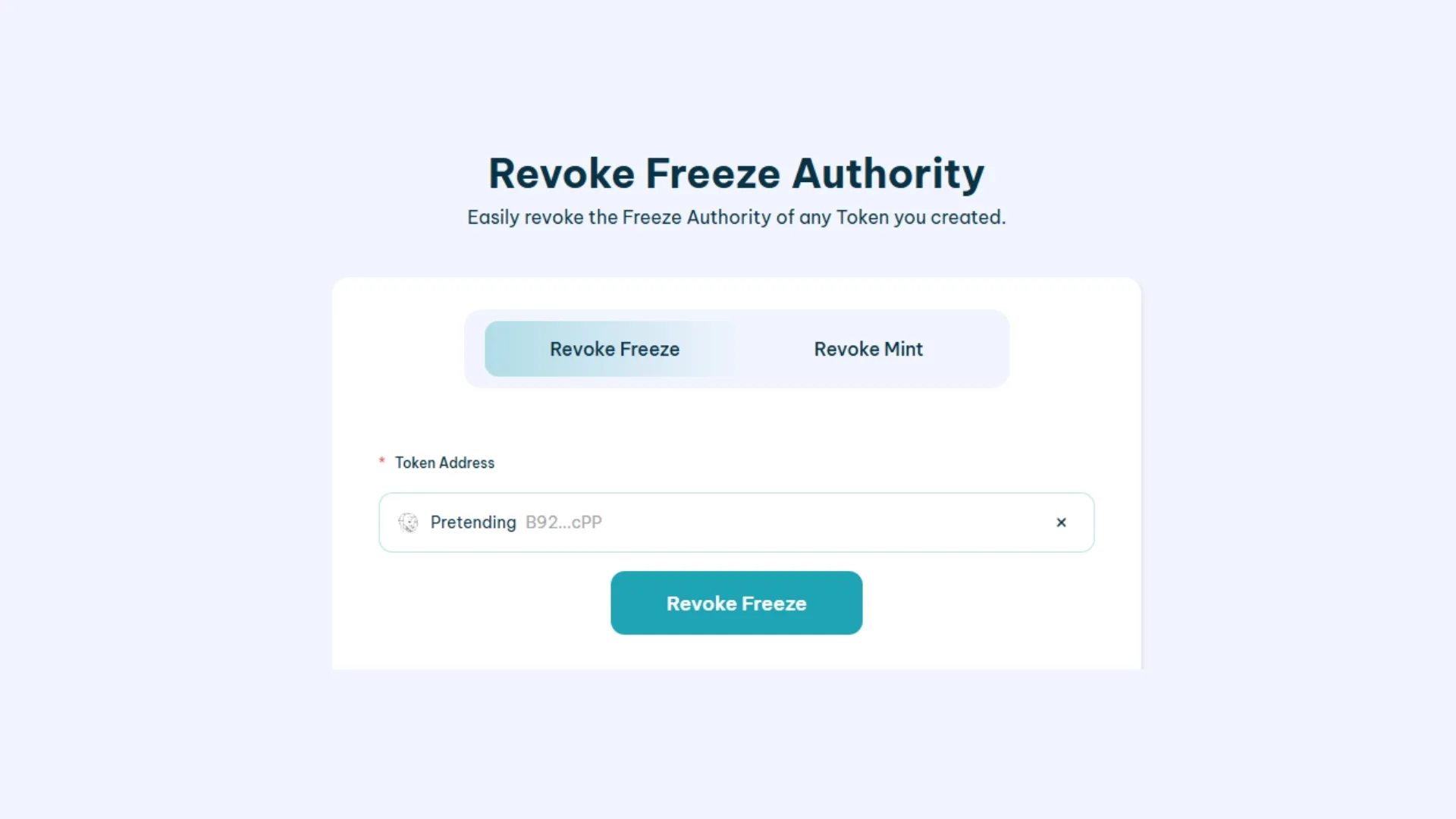
- Connect a compatible wallet.
- Pick the token you want to revoke freeze authority for. Keep in mind that you have to connect the wallet that holds those permissions, meaning the wallet that created the token.
- Click “Revoke Freeze” and confirm the transaction. This action costs 0.1 $SOL + Solana gas fee.
How to Revoke Mint Authority
Now you need to pick the next tool, which is Revoke Mint Authority. Once you see an interface like the one below, follow these steps:
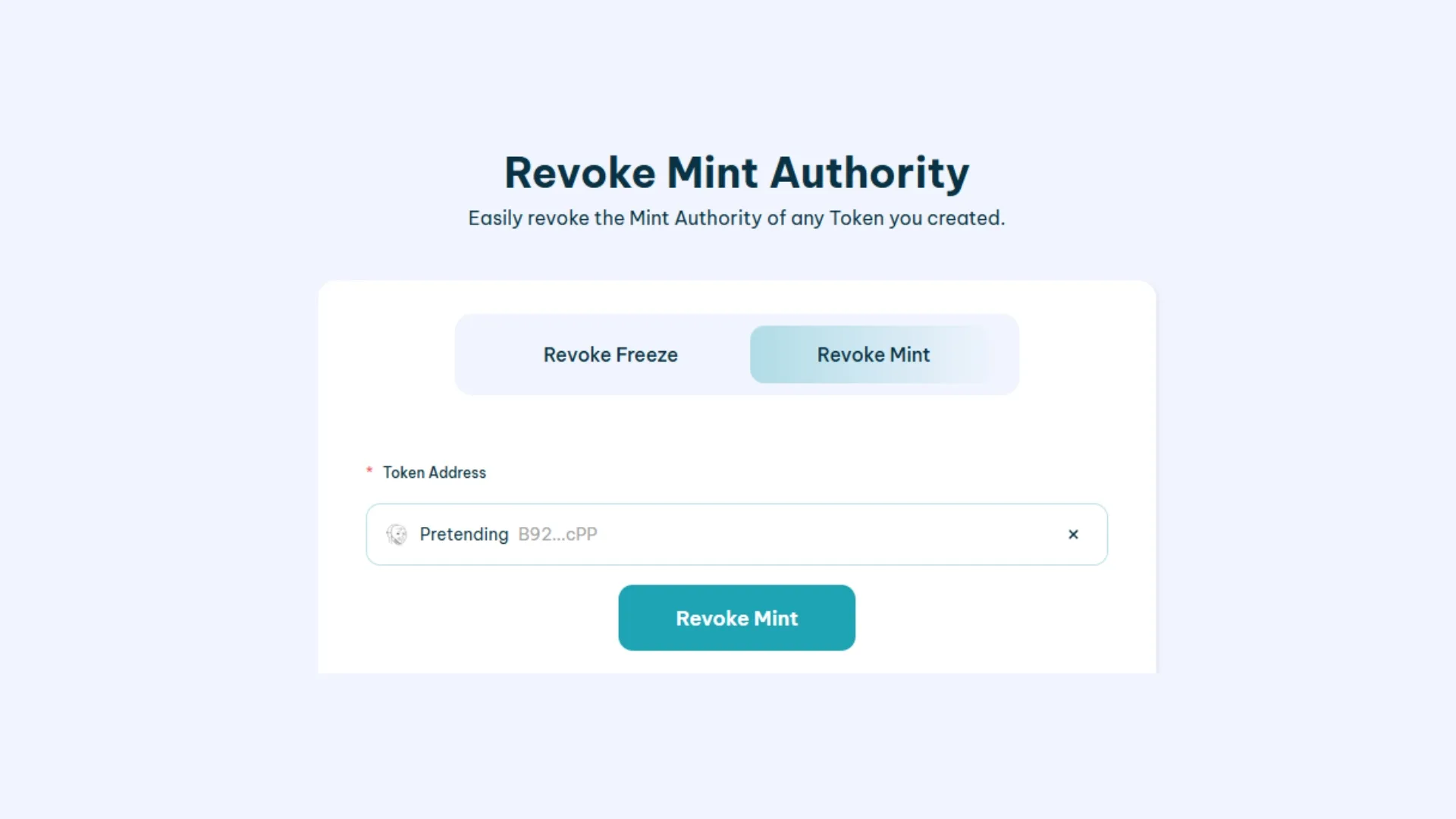
- Connect a compatible wallet.
- Pick the token you want to revoke mint authority for. Keep in mind that you have to connect the wallet that holds those permissions, meaning the wallet that created the token.
- Click “Revoke Mint” and confirm the transaction. This action costs 0.1 $SOL + Solana gas fee.
How to Revoke Update Authority
The last key approval on every token SPL is Update. To revoke it, Smithii also has a dedicated tool called Make Token Immutable. Once there, you’ll see an interface similar to this:
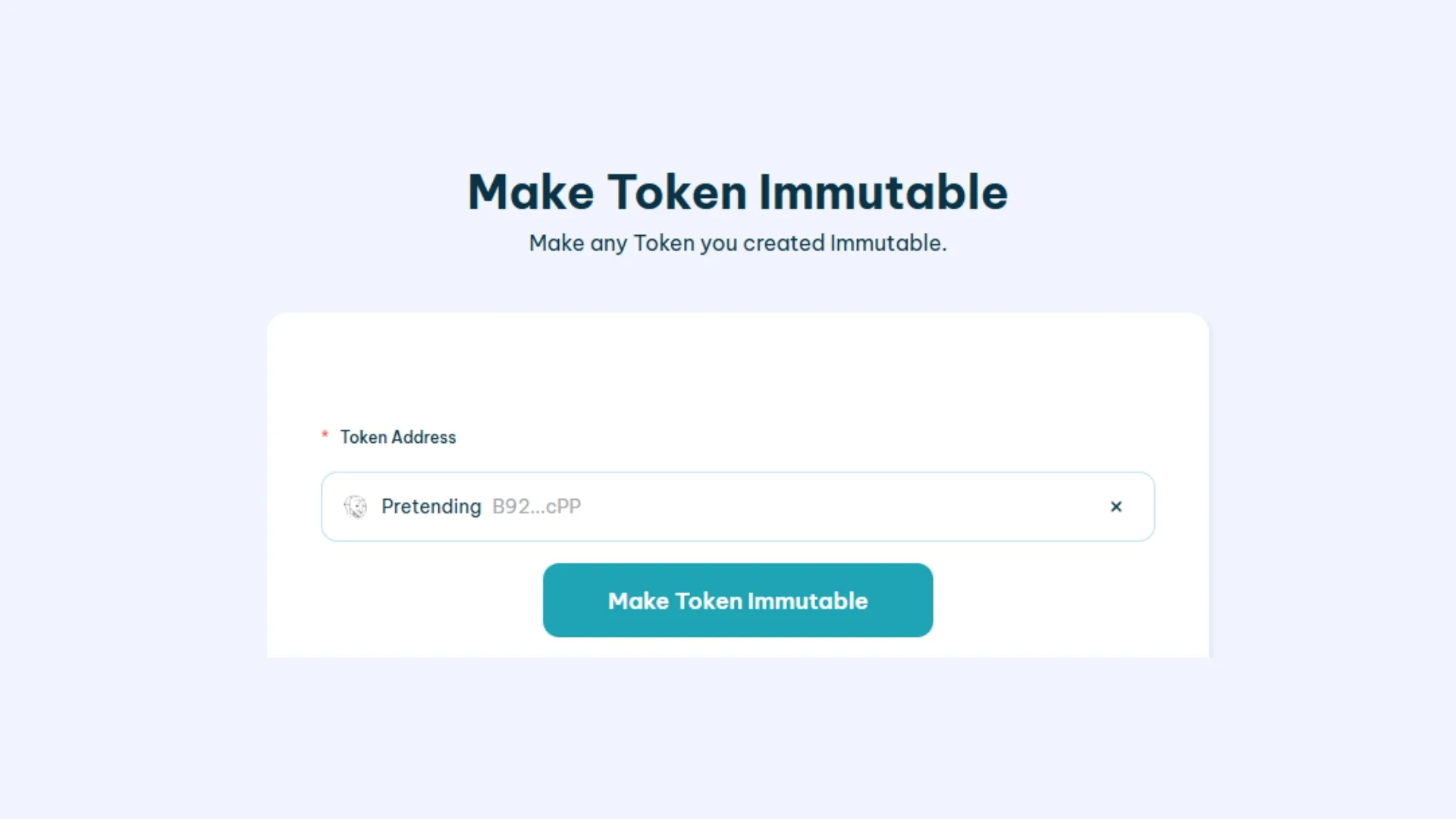
- Connect a compatible wallet.
- Pick the token you want to revoke update authority for. Keep in mind that you have to connect the wallet that holds those permissions, meaning the wallet that created the token.
- Click “Make Token Immutable” and confirm the transaction. This action costs 0.1 $SOL + Solana gas fee.
Launching with no authorities on a fresh token
Another way to revoke all authorities right from the launch of a token SPL is by enabling the optional features for it when using the Solana Token Creator.
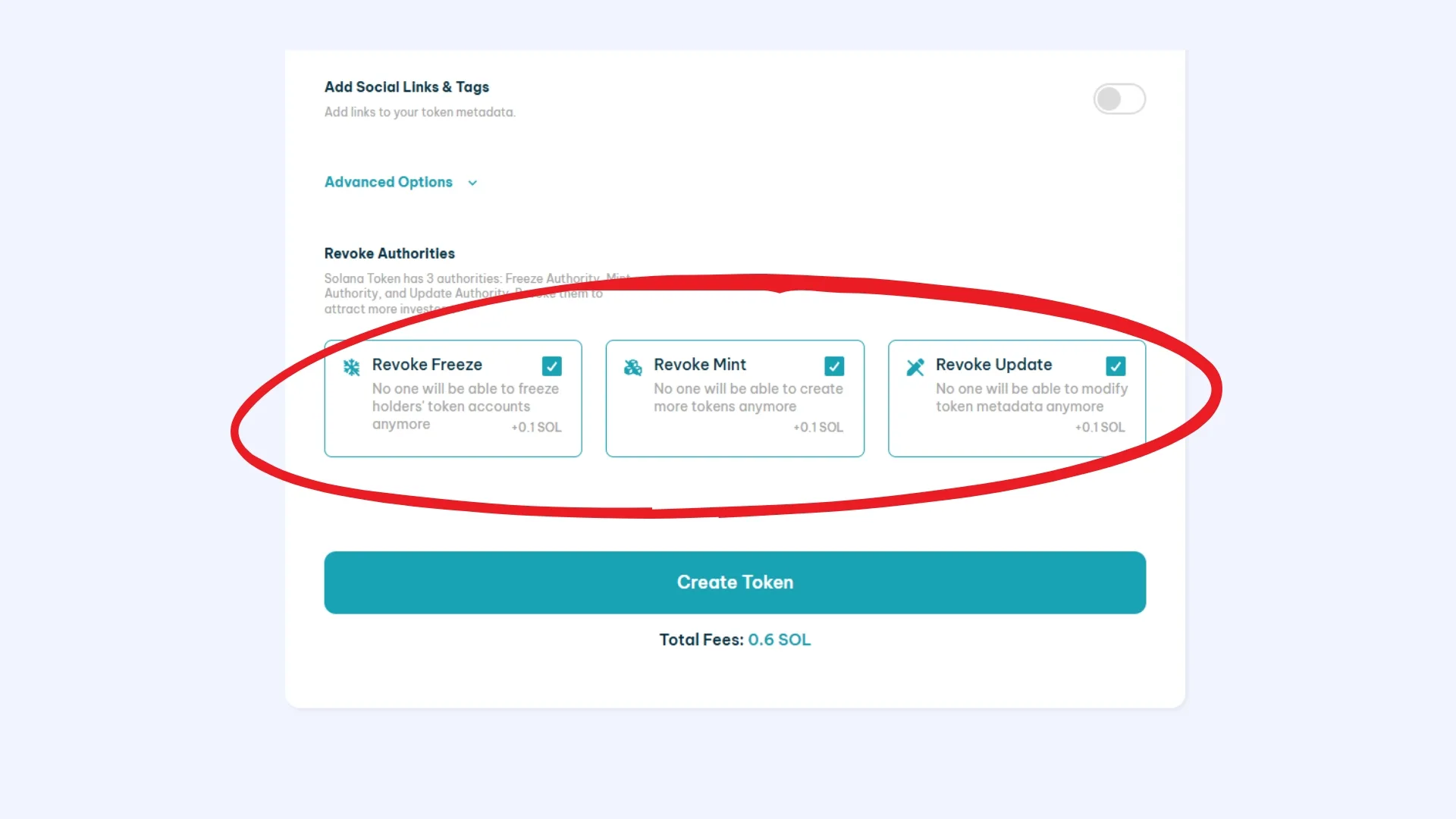
Once we finish this process, we can head back to Rug Check, refresh, and we’ll have 3 red flags cleared. We’ve now renounced ownership of our token, which makes it more trustworthy.
How do I pass the RugCheck analysis?
At this point we know that out of the 8 red flags on Rug Check, 3 are tied to the token’s authorities. All the remaining red flags come down to distribution. Basically, it’s not a good look to have a large share of your token sitting across a small number of wallets.
There are several ways to fix this. A common move is running an airdrop to distribute tokens, push marketing, and grow your token’s holder base. You can use Solana Multisender to run an Airdrop. I’d recommend running snapshot to holders of well-known tokens to spread the word about your token.
If you follow an airdrop strategy, you can get pretty solid results. You can combine the airdrop with other marketing strategies to anchor your project inside existing communities (and build your own). For more on this, check the guide on how to promote a meme coin.
Once you’re done distributing across different wallets, all that’s left is adding a healthy amount of liquidity. I’d say the coins with strong outcomes add at least 2-5k USD. The most important step after adding liquidity is burning or locking it.
I’d also like to show what your token should look like after going through these steps. For this example, I’ll use PRNT, one of the top tokens on Solana.

As you can see in the image, they have a “Good” rating and it shows the market cap, liquidity across different markets, etc. It’s always good to learn from success stories!
Why use a Solana Revoker like Smithii’s
Revoking Authority on Solana is a mechanism that ensures no one can hold control over the token down the line. This action has several important implications and purposes:
- Transparency and Trust: By renouncing ownership on Solana, the developer signals transparency, showing they can’t unilaterally alter the contract or its critical functions. This builds trust with users and investors, since it guarantees the contract will operate according to its programmed logic without outside interference.
- Manipulation Prevention: Revoking Authority on Solana stops the original developers or admins from manipulating the contract for their own benefit. This is critical in DeFi projects, where the ability to change contract rules or logic could enable fraudulent actions like theft, governance rule changes, or shifts in token distribution.
- Decentralization: Renouncing ownership reinforces the principle of decentralization in the crypto ecosystem. By removing centralized control over the token, it enables genuine community-driven management and aligns with the philosophy of a decentralized, immutable system.
- Long-Term Security: With no ability to change the token’s functionality, the original logic and features stay intact, which is critical for the project’s long-term security and the protection of users’ assets.
Conclusion
In the crypto ecosystem, trust is everything. Revoking authorities on Solana and renouncing ownership are key actions that strengthen the security and integrity of tokens.
By understanding and applying these concepts, token creators can build a solid base of trust with their community, fostering a safer and more stable environment for everyone in the market.
With the right tools and a strategic approach, managing tokens on Solana can be effective, transparent, and beneficial for the growth of the crypto ecosystem as a whole. Now, if someone runs a Solana Token Approval Checker like RugCheck on your token, they’ll be able to trust your project a bit more when they see you have no unrevoked authorities.
Want to outpace your competition?
Join our Newsletter and get weekly Blockchain news tailored for NFT creators.


Crypto writer focused on the Web3 space. Former contributor to the Smithii editorial team.



