

How to spot a honeypot on Hyperliquid: simulate the sell of any HyperEVM token before you buy
The worst outcome when apeing into a fresh token isn’t it dumping, it’s realizing you can’t sell it, which is why it pays to know how to spot a honeypot on Hyperliquid before you buy. New tokens get deployed on HyperEVM every day, plenty of them are only hours old, and the only reliable way to know if they can be sold is to try it, without putting your funds on the line.
In this guide I’ll walk you through what a honeypot is, how to check for one using the Smithii Rug Check for Hyperliquid, how the buy and sell simulation works, and which parts of the report can’t be verified on this network. Let’s get into it.
What a honeypot is and how it traps buyers
A honeypot is a token that lets you buy but blocks or punishes the sell. The chart only goes up because money keeps flowing in, new buyers see a trending token and ape in, and when someone tries to exit they find out their transaction reverts or that almost nothing makes it back to their wallet.
The trick lives in the contract. It could be a whitelist of wallets allowed to sell, a 90% sell fee, or a function that reverts any transfer into the pool. Reading the code doesn’t always expose it, because the logic can be hidden or triggered later, and that’s exactly where a simulation makes the difference.
| Trap type | What the buyer sees |
|---|---|
| Sell blocked | The sell transaction always reverts |
| Abusive fee | The sell goes through, but they get back a fraction of what they expected |
| Seller whitelist | Only the team can sell; everyone else is stuck |
How to spot a honeypot on Hyperliquid step by step
The Smithii Rug Check for Hyperliquid is a free tool that lets you simulate buying and selling a HyperEVM token without sending a single transaction, and rounds out the result with the owner powers and visible liquidity. You don’t connect a wallet or sign anything. Once the check finishes you’ll see a report like this one:
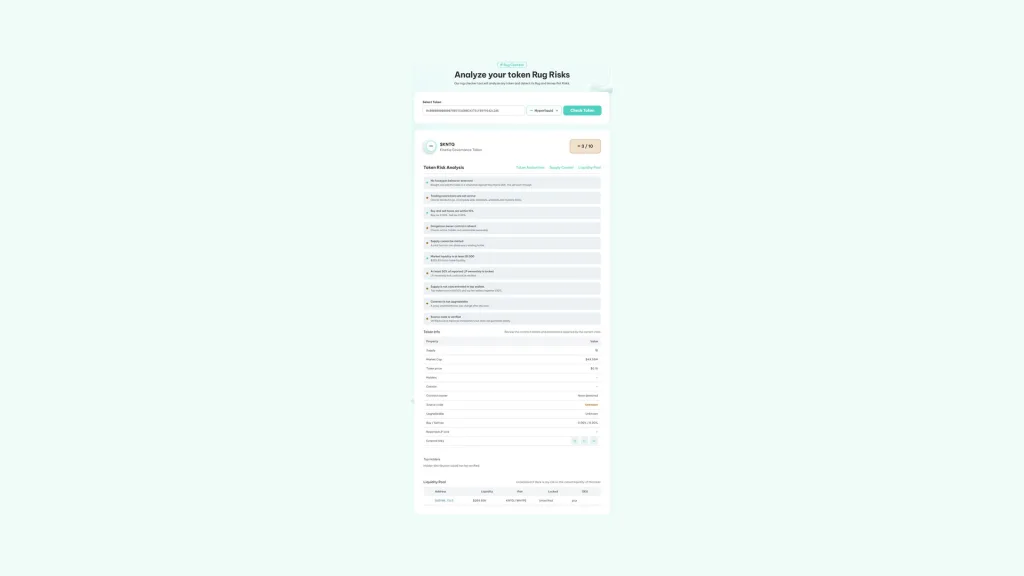
All you need is the contract address on HyperEVM, which you’ll find on HyperEVMScan or on the pair page of whichever screener you use. With just that you’re ready to go:
- Copy the token contract on HyperEVM: the 0x address of the token, not the pair address.
- Paste it into Select Token: with Hyperliquid picked in the network dropdown.
- Hit Check Token: so the contract gets read, the buy and sell get simulated, and its market is located.
- Check the honeypot control first: right at the top, with details on whether the simulated sell went through or reverted.
- Go through the rest of the report: measured tax, owner powers, liquidity, and the checks that stay unverified.
If the simulated sell reverts, the report quotes the reason returned by the router and flags the token as Danger, even if every other check comes back clean. It’s the clearest signal a scanner can give you.
How the buy and sell simulation works
The tool doesn’t take the contract’s word for anything: it actually buys and sells, but inside a simulation. It uses a read call to HyperEVM where it temporarily drops in a test contract with a small balance, and from there runs both operations against the HyperSwap V2 router:
- Buy with HYPE: a small amount so the price impact itself doesn’t get mistaken for a fee.
- Measure what comes in: it compares the tokens that should arrive with the ones that actually arrive, and the gap is the buy tax.
- Sell what was bought: if the sell reverts, the token can be bought but not sold. If it goes through, it measures how much HYPE comes back and calculates the sell tax.
Everything happens inside that call and nothing gets written to the chain. Below 0.1%, the difference is treated as pool rounding, not as a fee someone deliberately set.
When the simulation can’t give you an answer
To simulate a trade, you need a pair of the token against WHYPE on HyperSwap V2. If the token only trades in another type of pool or has no market yet, the simulated buy comes back empty and the honeypot check is left unverified instead of being passed as safe.
If what you need is a market for your own token, here’s how to open a liquidity pool on HyperSwap.
How the Rug Check can help you if you’re the one launching the token
If you already went through the guide to create a token on Hyperliquid and you have yours live, keep in mind that there are parts of your project that can raise red flags. That’s why I’d recommend analyzing its contract to spot weaknesses worth fixing, such as:
- Reasonable sell fees: above 10% the tax check breaks, and a sell that returns far less than expected gets flagged as a scam fast.
- Launch protections with an end date: an antibot that blocks sells during the first few hours can cause the simulation to revert. Make it clear when it ends.
- A pair on HyperSwap V2: if you already launched a liquidity pool on HyperSwap, the simulation will work. If you did it somewhere else, the most important check stays unverified.
And once you no longer need to tweak the contract, renounce ownership of your token on Hyperliquid. An owner with no powers is the best possible answer to the question of whether the token could turn into a honeypot down the line.
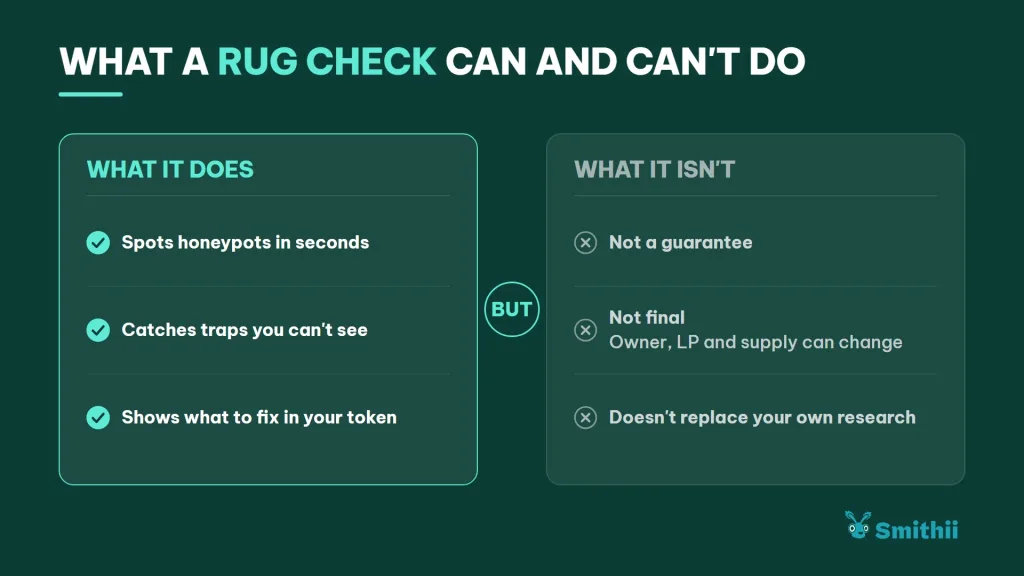
How to fill in the gaps by hand
The two gaps can be covered with a bit of your own work, and it’s worth doing before a big buy:
- Concentration: pull the holder list of the token and check how much the top wallets hold, excluding the pool and contracts.
- Liquidity: check on HyperEVMScan who holds the pool’s LP tokens and whether they sit in a lock contract or in a regular wallet.
If the token is yours, these same points are what your buyers will want to see explained. Publishing where the liquidity sits and how the supply is distributed saves you a lot of questions.
For the first one, it helps to export the holder list of a Hyperliquid token to CSV.
FAQ
Does the scanner actually buy the token to simulate it?
No. The buy and the sell run inside a read call, with a test contract that only exists during that query. Nothing is sent to HyperEVM, no HYPE is spent, and no wallet is involved.
Why do holders show up as unverified on Hyperliquid?
Because GoPlus, the provider that supplies the holder distribution and LP lock data, doesn’t cover HyperEVM. Instead of faking a green light, the tool leaves those checks as unverified.
Can a token that passes the simulation turn into a honeypot later?
Yes. If the owner keeps permissions to change fees or block sells, they can switch them on later. The simulation tells you what’s happening right now, what the owner can do, and what could happen.
Does it work with HyperCore spot tokens?
The scanner analyzes ERC-20 contracts on HyperEVM. A token that only exists as a HyperCore spot asset has no contract to read on HyperEVM.
How much does the Hyperliquid Rug Check cost?
It’s free, read-only, and doesn’t need you to connect a wallet. You can analyze as many tokens as you want.
Conclusion
Once you know how to spot a honeypot on Hyperliquid, you’re able to check whether a HyperEVM token can actually be sold before putting down a single HYPE, with a simulation that also measures the real tax on each side. It’s free, no wallet required, and it tells you clearly what it can’t verify.
Pair it with your own review of holders and liquidity. The simulation answers the most urgent question, but the rest of the call is still yours to make.

Industrial Engineer turned Solana trader. Marketing at Smithii and contributor to the $SHRIMP memecoin launch.



