

How to Export the Holders List on Arc, for Both a token and a Collection
Before running an airdrop, setting up an allowlist, or gating access to the people already in, there’s one question you need to answer first: who’s holding your token or your collection right now. That’s why it pays to know how to export the holders list on Arc so you can download a file with every holder of a token or NFT.
Whether it’s for a token or a NFT, the process is the same. What matters is knowing which snapshot to run and the easiest way to put it to work. In this guide I’ll walk you through it. Let’s jump in.
How to Export the Holders List of a token on Arc Step by Step
The Token Snapshot by Smithii for Arc queries on-chain data directly, without relying on an external indexer or requiring the token to appear on any list. All it needs is the contract address, so it works with any ERC-20 on the network, whether it’s yours or not. This is what the interface looks like:
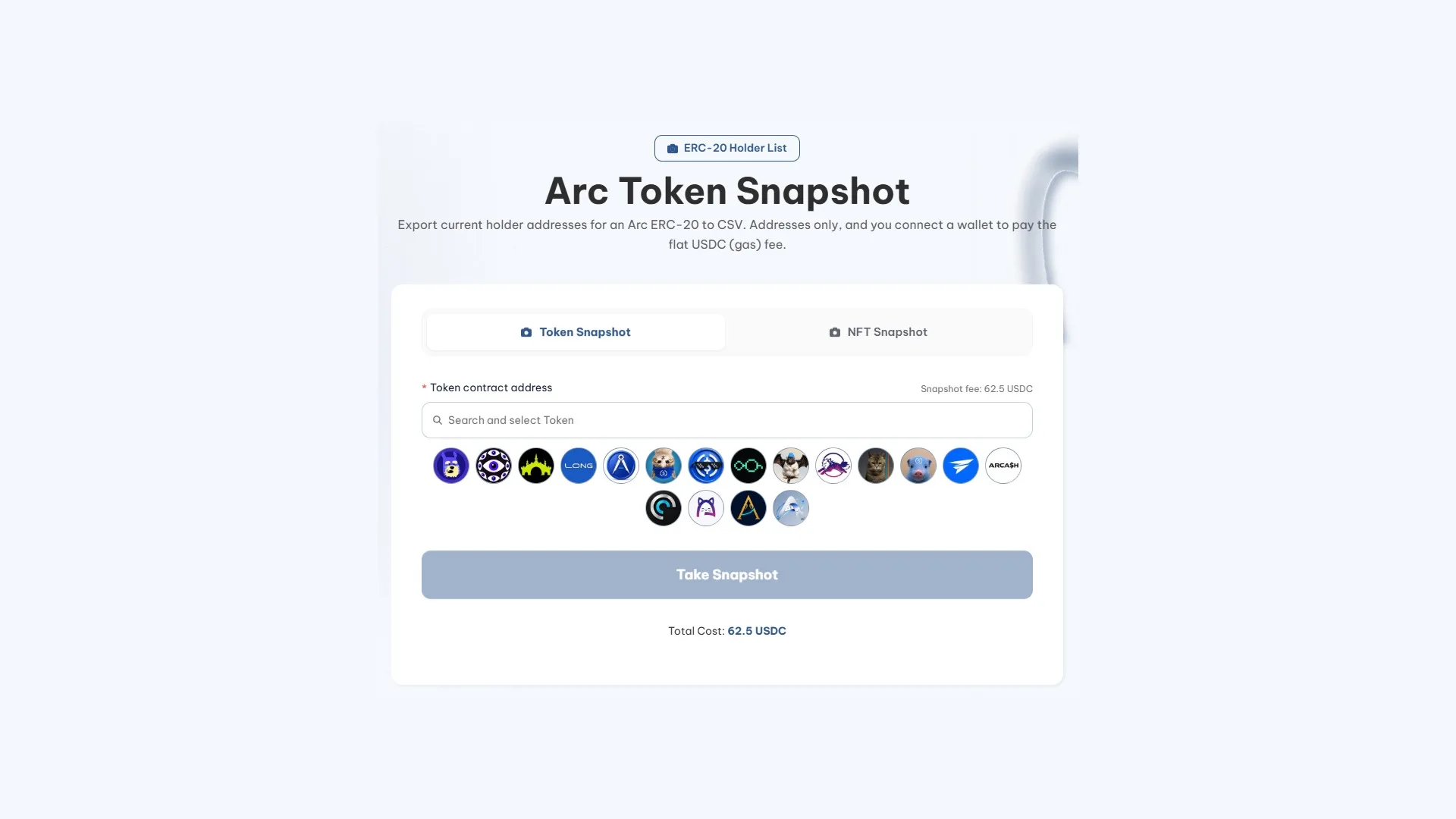
Once you’ve got the contract address, it’s five steps:
- Connect a wallet to the network. You need it to pay the fee and so the tool can keep your history.
- Stay on the Token Snapshot tab, which is the one that handles ERC-20.
- Enter the contract: paste the address or search by name. Below the field you’ll find shortcuts to the most active tokens on the network.
- Hit Take Snapshot and approve the payment. The amount shows up right above the button before you sign.
- Wait for the scan to finish and download the CSV with the addresses.
How to Export the Holders List of a Collection on Arc Without Writing Code
The second tab is the NFT Snapshot for Arc collections, and you switch between the two using the tabs at the top. It asks for the same single input, the contract address, except here it’s an ERC-721. Since NFT ownership is public data, it works with any collection that exists on Arc. Here’s how it looks:
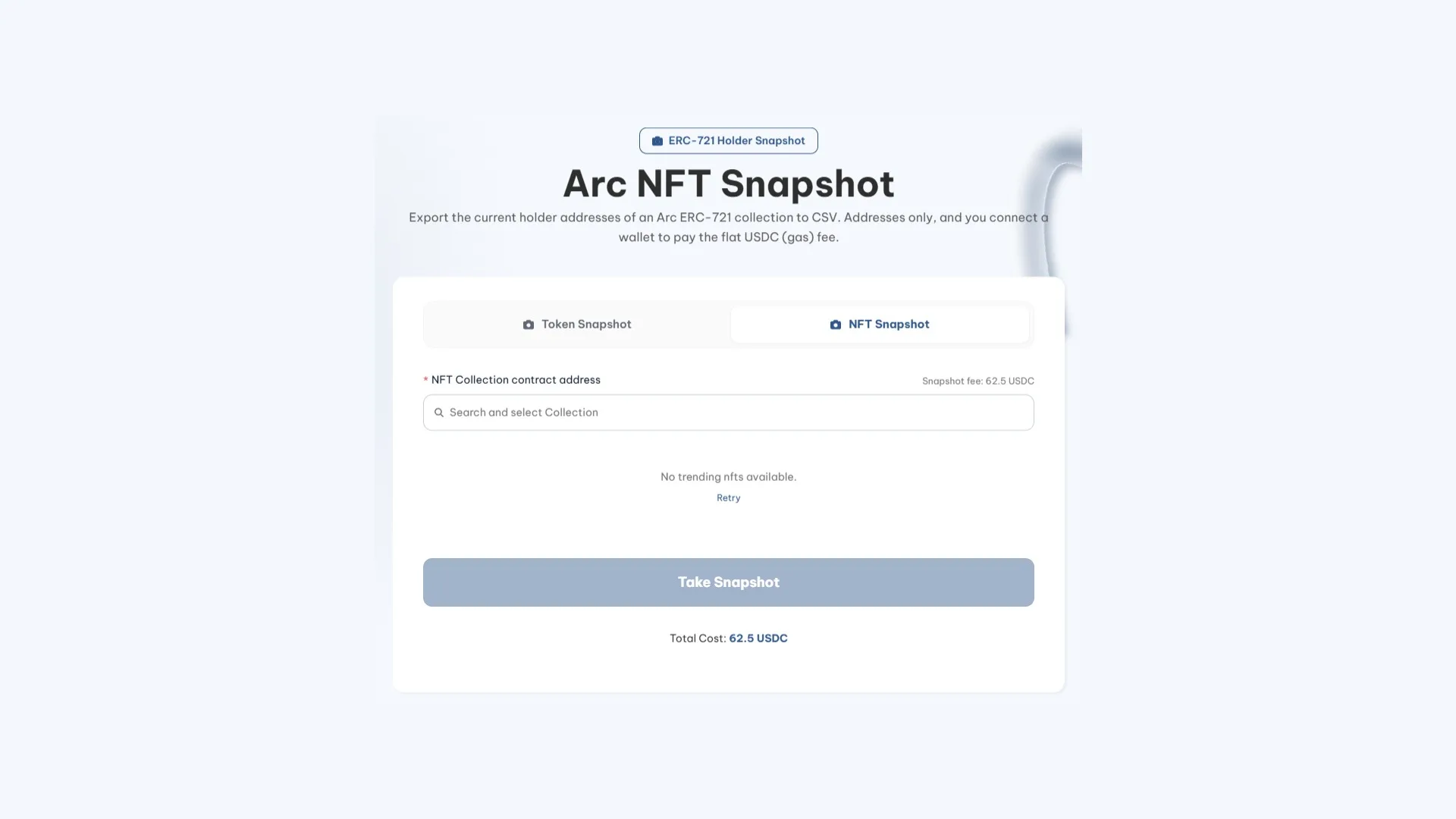
The flow barely changes compared to the previous one:
- Connect your wallet to Arc. Without it, there’s no way to pay the fee or have the extraction recorded.
- Go to the NFT Snapshot tab, the second of the two. The first one reads ERC-20 and doesn’t recognize collections.
- Paste the ERC-721 contract address into the search field, or type the collection name to pick it from the list.
- Hit Take Snapshot and sign the payment. The total shows up under the button before you confirm anything.
- Download the CSV once the read finishes. It also stays tied to the wallet you paid with, in case you need to grab it again.
What each list gives you back
This is where the two tabs stop looking alike. Both export addresses and nothing else, but the logic behind each row is different, and that determines what the file is actually good for.
| Token Snapshot (ERC-20) | NFT Snapshot (ERC-721) | |
|---|---|---|
| What a row is | An address holding a balance of the token | An address holding at least one piece of the NFT |
| Repeats | One per holder | Deduplicated by owner |
That deduplication in the second column is worth understanding properly, because it catches a lot of people off guard. A wallet with forty pieces from the collection takes up one line, exactly the same as one holding a single piece, and nothing in the file tells you which of the two you’re looking at.
For an allowlist that’s the right approach: the point is to reserve one spot per person, and whoever stacked forty units shouldn’t walk away with forty seats. If you want to reward holders in proportion to what they own, it’s a limitation, and the same logic applies to the tokens tab, where there are no balances to weight anything either.
Contracts show up without labels in both lists
As far as the chain is concerned, the holder is whichever address is recorded as such. And behind that address there isn’t always someone you can actually talk to.
In an ERC-20 list the liquidity pool shows up as just another address, along with any contract that custodies tokens. For a collection the typical case is different: when a piece is listed on a marketplace that custodies it while the listing is live, the owner during that period is the custody contract. Same goes for vaults, staking, and lending protocols that accept NFTs as collateral. The person is still behind the operation, but what shows up in the file is the contract.
Since neither export includes labels, those rows are indistinguishable at a glance. The check is cheap: look up any addresses you don’t recognize in the Arc explorer and see whether they show associated code. If they do, it’s a contract. It’s worth doing this before you distribute anything, because a transfer to a contract that doesn’t know what to do with what it receives isn’t going to be reversed by anyone.
Decide the cutoff before you run the read
The file is a snapshot of the chain’s state at the moment you trigger it. It doesn’t update on its own: every transfer after that changes reality and the CSV stays the way it was.
That matters more with a collection than with a token, because NFTs don’t change hands at a steady pace but in bursts. A listing, a price move, or a secondary market that suddenly wakes up can shift more in an hour than quiet weeks do, so two reads an hour apart may fail to match on a meaningful chunk of the addresses.
That’s why order matters. Fix the cutoff moment first, then run the read. Announcing ‘the snapshot is taken Friday at 18:00’ saves you the predictable complaint from whoever sold half an hour earlier and didn’t make it. And if what you want is to reward holders who stick around, the answer is to repeat the query: two runs spaced out in time, cross-referenced in a spreadsheet, give you the list of addresses that show up in both.
How Much It Costs to Run a snapshot on Arc
62.5 USDC per run, flat rate and identical across both tabs, plus the transaction gas. Since Arc charges gas in USDC as well, the full spend stays in a single currency with no conversions in between. If the wallet doesn’t have a balance yet, you’ll need to bridge USDC to the network before running the read.
Flat means size doesn’t factor into the calculation: a token with fifty wallets costs the same as one with twenty thousand, and a series of two hundred pieces costs the same as one with ten thousand. The consequence cuts both ways. On a large base, each address you pull ends up very cheap, which flips the intuition of anyone coming from tools that charge per record. On a small project it’s the opposite, so it’s worth having a purpose lined up for each extraction rather than running one out of curiosity.
A quick budget note before moving on: if the only thing you’re doing with the list is an immediate distribution, the multisender can pull it itself for the same price and you skip a step. Exporting it separately here makes sense when you want the file to save, reuse, or compare later on.
What Exporting the Holders of a token on Arc Is Good For
The lack of balances and counts looks like a gap until you look at how the file gets used in practice. These three cases don’t need anything beyond the address:
- A flat distribution, where everyone gets the same amount. The CSV drops straight into the bulk token sender on Arc with zero reformatting.
- An allowlist for a mint, a presale, or early access, where the only thing that matters is whether an address is on the list or not.
- Tracking how your base evolves. Two snapshots taken at different times tell you who’s new, who’s gone, and who’s been around since day one.
That third use is the most underrated one. Comparing two files in a spreadsheet gives you the list of who stuck around and who walked, which is excellent segmentation and doesn’t need a single balance to work. On a fresh chain like Arc that kind of tracking is worth even more, because the base is small and every entry or exit carries weight.
To be straight about it, some things stay out of reach too. You won’t be able to distribute in tiers, measure supply concentration, or find out which wallet an average collector piles up. Those three questions get answered on the network explorer, which does show balances and lets you inspect a specific address. The snapshot gives you reach; the explorer gives you detail.
FAQ
How much does an Arc holder snapshot cost?
62.5 USDC per extraction, flat rate, plus network gas, which is also settled in USDC. The price is the same on the token tab and the collection tab, and it doesn’t change with the number of holders or the size of the series.
Does the CSV include balances or the NFT count for each wallet?
No, in neither case. An ERC-20 export gives you addresses without balances or supply percentages, and a collection export doesn’t include token IDs or the piece count per owner either. If your campaign needs to weight the reward, you’ll have to pull that data another way before designing it.
Can I pull holders from a token or collection that isn’t mine?
Yes. Who owns what is public data on the blockchain, so the contract address is all you need and no connection to the project is required. This is the standard way to reach a related project’s community with a distribution, or to size up how big a holder base really is.
Which tab do I need, token or NFT?
Whichever matches the contract type. If the asset is fungible and people hold an amount of it, it’s an ERC-20 and belongs in Token Snapshot. If each unit is unique and gets owned piece by piece, it’s an ERC-721 and belongs in NFT Snapshot. Dropping a contract into the wrong tab returns no results.
Can I use this to distribute a airdrop to holders?
Yes, as long as everyone gets the same amount. With one address per line, the file plugs straight into the network’s multisender with no edits. What it can’t do is scale the amount to what each wallet holds, because that number doesn’t ride along in the CSV.
Can I recover an old snapshot?
Yes. The tool keeps a history of extractions tied to your wallet, so once you connect it you can see everything you’ve pulled before. Even so, save each CSV on your side, especially if you’re planning to compare two lists taken at different times.
Wrapping up
Now that you know how to run a snapshot on Arc, for tokens and NFT collections, the only thing left is deciding what to do with that list. If you’re auditing wallets for your own project, this data is useful to see whether your holder count has shifted or grown, or to run a reward airdrop across your own community.
With the right expectations set, the file covers what people actually ask of it most of the time: gating access, building an allowlist, or feeding a flat distribution. Lock in the cutoff, run the export, and review the list before you sign anything with it.

Content creator and SEO contributor at Smithii. Systems Engineering student and crypto-tech enthusiast.



