
How to run a rug check on Monad: scan any token in seconds
Before you buy a new token, agree to a collab or launch your own, knowing how to run a rug check on Monad gives you in seconds what would otherwise take a solid chunk of time on the explorer. The scanner reviews whether the token can be sold, who controls it and how liquidity is distributed, and sums it up in a score you can read at a glance.
In this guide I’ll walk you through what the scanner checks, the step-by-step with the Rug Check by Smithii for Monad, how the score is calculated exactly, and what you can do if the token being analyzed is yours. Let’s start with the basics.
What a rug check reviews on a Monad token
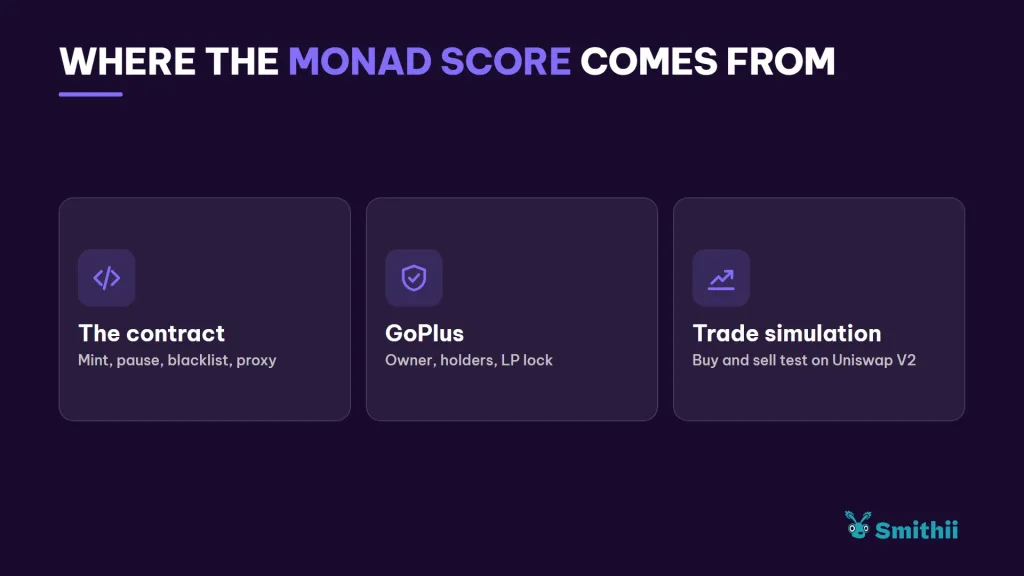
A rug check doesn’t read intentions, it reads permissions and data. It checks whether the contract allows harm to buyers and whether the market has the shape of a project that can sustain itself. On Monad, the tool combines three sources:
- The contract itself: its bytecode on Monad is read to detect mint, pause, or blacklist functions, and whether it’s a proxy whose logic can change.
- GoPlus: the security provider that handles ownership analysis, holder distribution, and the status of the pool shares.
- A trading simulation: a buy and a sell against the Uniswap V2 router on Monad, which measures the real tax on each side and confirms that the token can actually be sold.
Monad is one of the networks with the best coverage from this Rug Checker. GoPlus supports it, and the simulation has a reference router as long as the liquidity pool exists on Uniswap V2. Let’s jump straight into how to use it.
How to run a rug check on Monad step by step
The Rug Check by Smithii for Monad is a free tool that lets you audit a Monad ERC-20 in seconds without connecting a wallet. It’s read-only: you don’t sign anything or grant permissions, so you can run it against any address that lands in your DMs. Once you launch the query, the report looks like this:
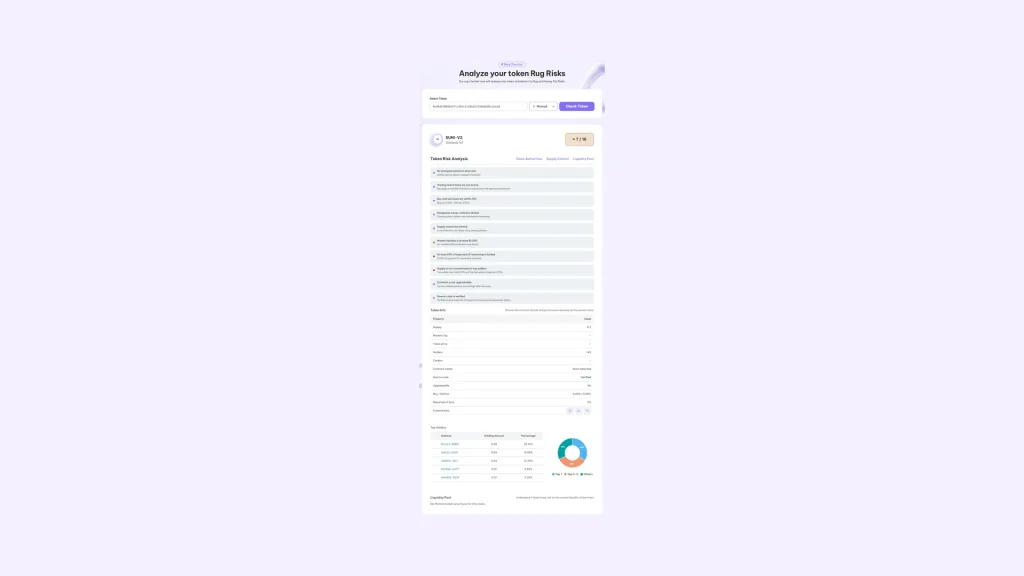
All you need is the token contract address, not the pool address or a wallet address. With that in mind, follow these steps:
- Copy the token address: from MonadVision, from the pair on a screener, or from the message where someone shared it.
- Paste it into the Select Token field: with Monad selected as the network in the dropdown next to it.
- Hit Check Token: and wait a few seconds while the contract, the sell simulation, and the market get read.
- Check the score and the level: the number of checks passed out of ten and the label based on a 1 to 100 confidence score.
- Open the red checks: and review the token profile below, the top holders, and the pools where it trades.
In a few seconds you get the full report. If the address isn’t a contract, the tool tells you that instead of returning an empty result, so it also works for ruling out sketchy links.
How the Rug Check score is calculated
The 7 / 10 style score only counts passed checks. Behind it there’s a score out of 100 where each check is weighted by how much damage it can cause. Here are the weights:
| Check | Weight out of 100 |
|---|---|
| The token can be sold (honeypot) | 22 |
| No trading restrictions | 13 |
| No owner with dangerous powers | 12 |
| Buy and sell tax up to 10% | 10 |
| Supply with no mint possibility | 10 |
| At least $1,000 in liquidity | 10 |
| At least 50% of the LP locked | 8 |
| Supply spread across holders | 7 |
| Non-upgradeable contract | 5 |
| Verified source code | 3 |
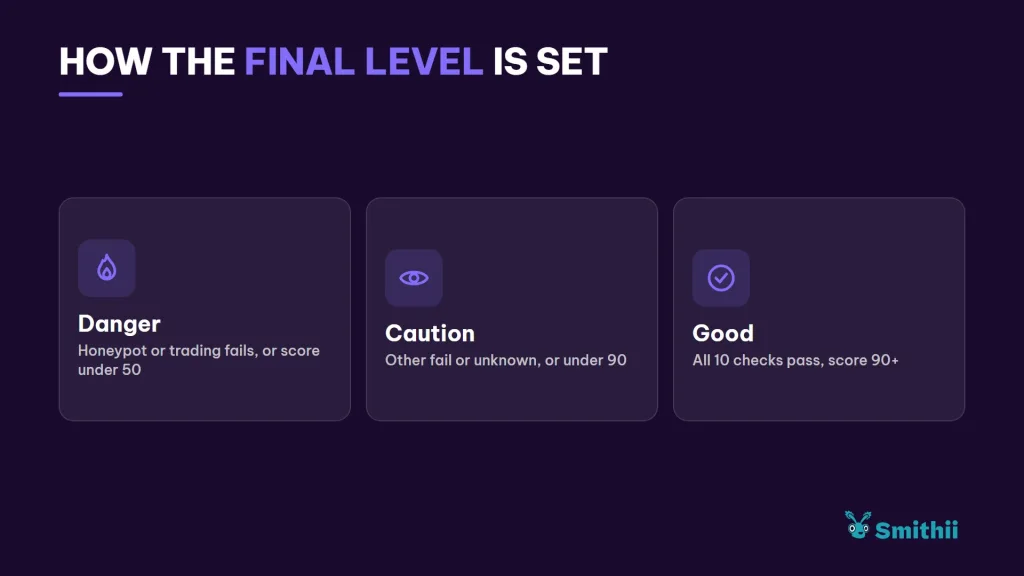
A failed check subtracts its full weight, and an unverified one subtracts half, since missing data isn’t treated as a pass. That’s how the score is calculated, and the final level follows these rules:
- Danger: if the honeypot or trading restrictions check fails, or if the score drops below 50.
- Caution: if there’s any other failed check or an unverified one, or if the score falls below 90.
- Good: only when every check passes and the score hits 90 or higher.
Common mistakes when reading a rug check on Monad
The report is straightforward, but there are four misreadings that come up again and again:
- Scanning the wrong address: if you paste the pool address instead of the token address, the scanner will analyze the Uniswap V2 LP token, which is a separate contract with different data.
- Mistaking the pool for a whale: in the holders table, the wallet with the largest supply is usually the Uniswap pair itself. That’s not concentration, that’s liquidity, which is why the concentration check filters out contracts and only counts wallets.
- Reading Caution as a scam: most freshly launched tokens show up as Caution because they haven’t locked the LP or renounced ownership yet. It’s a heads-up, not an accusation.
- Reading Good as a guarantee: the report reflects the state at the moment of the query. If the owner still holds permissions, they can use them later.
Keep in mind that a scan with Monad’s Rug Checker isn’t a final verdict, it’s an analysis based on specific attributes of each smart contract. A token with every signal in green can still turn out to be a scam, while a token flagged as unsafe may actually be the official representation of a memecoin or a utility token.
On the other hand, this tool becomes a powerful ally when you plug in your own contract, because you can quickly spot which areas need work.
Don’t have your own token yet? Then check out our guide to creating a token on Monad.
How to improve your token results on Monad
If the token being scanned is yours, the report works as a to-do list before you announce the launch. Buyers will see the same thing, so it’s worth sorting out anything that’s in your hands:
| If it shows red | What you can do |
|---|---|
| Owner with dangerous powers | Renounce ownership once you no longer need to tweak the contract |
| Liquidity below $1,000 | Add liquidity to your pair to give it depth |
| Unlocked LP | Lock or burn the pool shares |
| Concentrated supply | Distribute part of the supply to your community with a airdrop |
| Unverified code | Verify the source code on the Monad explorer |
Every change shows up in the next scan, so you can fix things and re-scan until the report tells the story you want it to tell. Here’s how to renounce ownership of your token on Monad when that moment comes.
And for pair depth, check out how to add liquidity to your pool on Monad without moving the price.
FAQ
Is the Monad Rug Check free?
Yes. You pay nothing, you don’t connect any wallet, and no transaction is sent. You can scan as many tokens as you want.
How does the tool know if a Monad token is a honeypot?
On top of querying GoPlus, it simulates a real buy and sell against the Uniswap V2 router on Monad, without sending anything to the network. If the sell reverts, the token gets flagged as a honeypot and the level drops to Danger.
Why can a token stay in Caution even when almost everything checks out?
Because to reach Good you need to pass every check with none left unverified. A single pending check, like LP lock status, is enough to keep it in Caution.
Can the result change over time?
Yes. The report reflects the state of the token at the moment of the scan. If the owner changes a fee or someone pulls liquidity, the next scan will show something different.
Does it work for tokens without a pool?
You can scan them, but with no pool there’s no liquidity to measure and no sell to simulate. Those checks will come back unverified or red, which is what you’d expect from a token that isn’t trading yet.
Conclusion
Once you know how to run a rug check on Monad, you can read a security report and understand where every number comes from: which checks carry the most weight, why a pending data point docks the score, and which failures send a token straight to Danger. It’s free, it doesn’t ask for a wallet, and it takes just a few seconds.
No scanner replaces your own judgment, but it does save you from the most expensive mistake: aping into a token you won’t be able to exit.

Content creator and SEO contributor at Smithii. Systems Engineering student and crypto-tech enthusiast.