

How to run an Airdrop of Arb tokens with no code in 4 steps
If you want to send tokens to multiple wallets on Arbitrum, I’ll walk you through how to do it in 5 quick and secure steps.
When we talk about multisend, bulksend, and airdrop, we’re talking about the same thing: sending a set amount of tokens to multiple wallets for marketing purposes.
In this case we’re covering how to do it on Ethereum’s L2, Arbitrum, which offers some advantages in decentralization and security over the L1.
All you need is the wallet you used to create the tokens you want to airdrop and the destination addresses. Let’s go step by step.
If you prefer video tutorials, here’s one for you:
Step by step: how to run an airdrop on Arb
To run an airdrop on Arbitrum we’re going to use the tools suite from Smithii. First, head to the Multisender Arbitrum from Smithii, where you’ll see an interface like this:
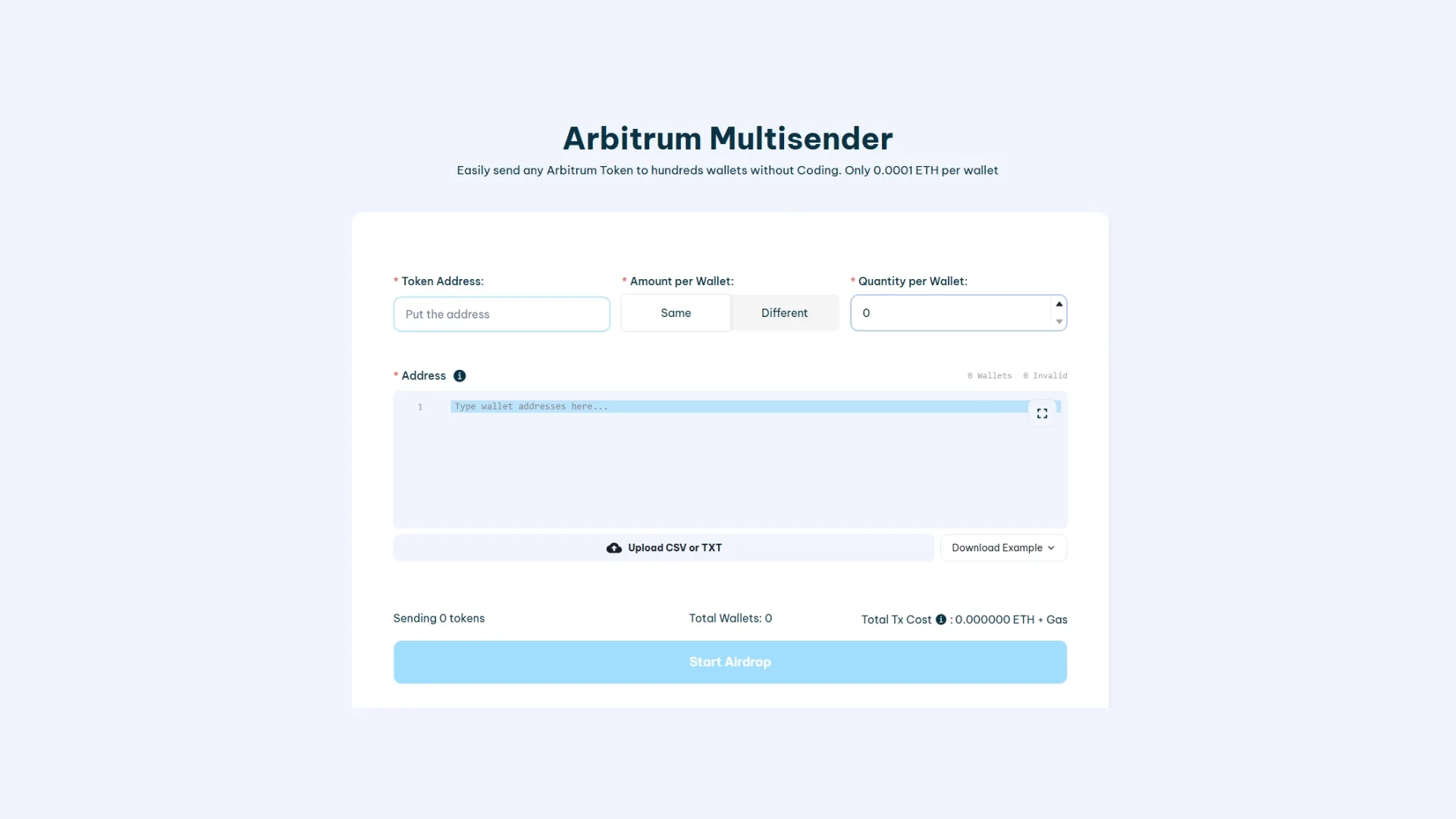
Then, here’s how to successfully run a airdrop:
- Select the token you want to send: Once you connect your wallet, you’ll see the Arbitrum tokens available for the airdrop. HEADS UP: You have to do this with the wallet authority of the token you want to airdrop, otherwise it won’t work.
- Add the wallet addresses that will receive the tokens: Here you enter the list of wallet addresses you want to send the tokens to. You can add them manually or upload them from a CSV file.
- Set how many tokens go to each wallet: Here you decide how many tokens to send to each wallet. The number you enter in this field will be the token amount distributed evenly across all the addresses you provided.
And that’s it. All you have to do is click ‘run the airdrop’ and the tool will take a moment to send tokens to every wallet.
How much does it cost to run an airdrop on Arbitrum
The cost depends on the number of wallets and the token amount you’re sending. It includes a formula that shows you the cost per wallet which, in this case, is 0.00015 ETH per wallet plus the gas fees.
It’s critical to make sure you have enough ETH to cover the cost of the airdrop.
How to get addresses for an airdrop
A solid alternative is to run a snapshot on a token whose audience matches your target. The tool will give you a CSV you can upload directly to the Multisender without wasting time.
What airdrops are used for on Arbitrum
Airdrops on Arbitrum are typically run with different goals in mind, the most common being:
- Revenue Sharing: Distributing profits or token rewards among participants or holders.
- Promotion: Driving visibility and attracting users to your project.
- Equity: Giving token holders a stake in a project, letting them take part in governance and decision-making.
- Whitelist: Offering early or exclusive access to a select group of users through token distribution.
- Refunds: Compensate users for overpayments, failed transactions, or any situation that calls for a reimbursement.
- Payments: Send payouts or transfers for services, collabs, or incentives directly through the Arbitrum network.
Is the Smithii Multisender safe to use?
Smithii Tools has been audited by CoinFabrik under the Mantis protocol. That makes Smithii the most secure tools suite on the market.
Conclusion
In this post I walked you through how to run a airdrop on Arbitrum in the cheapest way on the market, no coding required, similar to creating a token on Arbitrum. It only took 3 steps: pick the token, load the wallets, and set the amount per wallet. Easy as that.
Want to outpace your competitors?
Join our Newsletter and get weekly blockchain news tailored for NFT creators.


Industrial Engineer turned Solana trader. Marketing at Smithii and contributor to the $SHRIMP memecoin launch.



